A new EFB product has been revealed to the public – SkyNexus, a free browser-based electronic flight bag (EFB) for flight simulator pilots. The tool runs in any web browser alongside Microsoft Flight Simulator 2020, Microsoft Flight Simulator 2024, X-Plane, or Prepar3D, so nothing has to be installed on the simulator PC.
SkyNexus works with the operational flight plan (OFP) that pilots generate in SimBrief, and turns it into a pre-flight briefing. Since the EFB is website-based, it does not connect directly to the simulator and only interprets the information from the SimBrief-generated OFP.
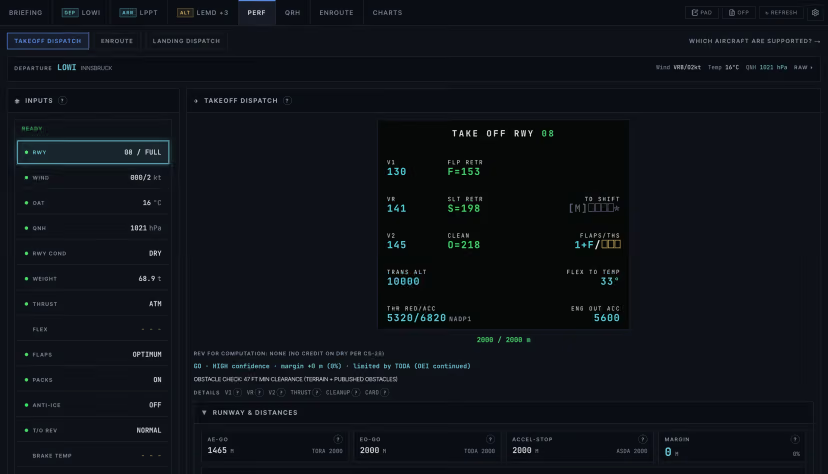
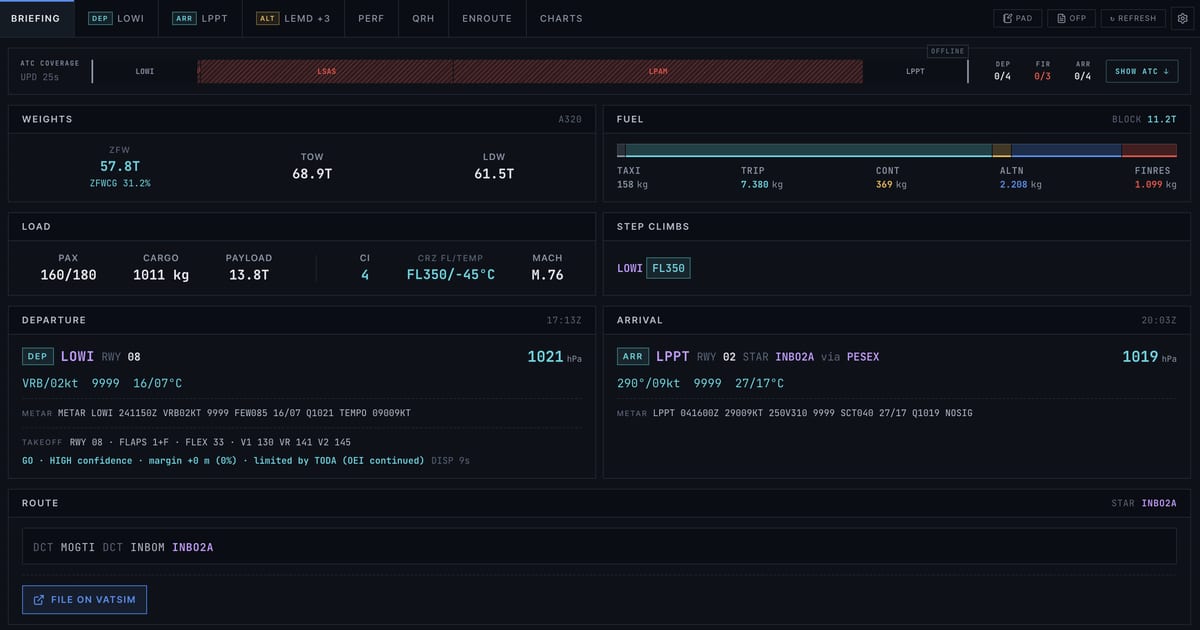
The centrepiece is a takeoff and landing performance calculator covering the Airbus A320ceo/neo, A321ceo/neo and Boeing 737-800, with the 777-300ER and A380-800 marked as indicative only. It is linked to live METAR data and produces V-speeds, three runway distances, flex temperature, an optimum flap setting, autobrake and reverse thrust settings, and wet and contaminated runway models. On the A320 and 737-800, it also covers MEL items and derives trim from the centre of gravity.
According to the developer, the numbers are based on published manuals and public Airbus and Boeing materials. The site also says every figure is explained in a help modal and can be viewed and reviewed by the pilot.
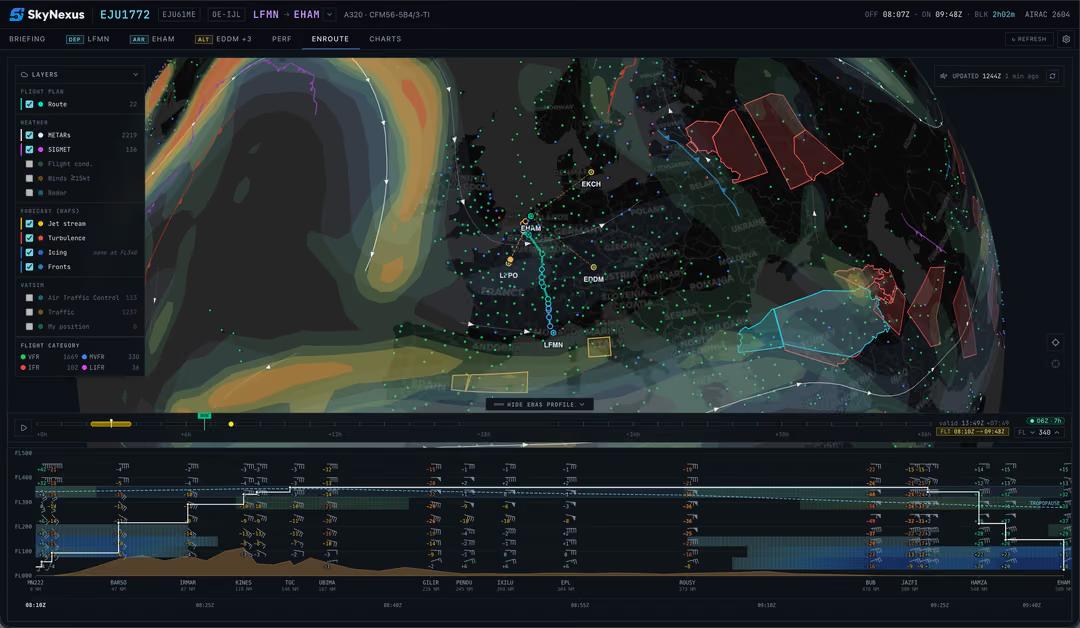
The briefing includes more than performance data. SkyNexus shows VATSIM air traffic control and ATIS information along the planned route, route weather at the selected flight level, and a runway exit prediction. A separate weather feature overlays turbulence, icing, jet streams and fronts on the enroute map and adds an interactive vertical cross-section along the route. It uses NOAA GFS data, which can be scrubbed hour by hour up to 36 hours ahead. The developer describes it as the first eWAS-style weather forecast for flight sim and says it does not require SimBrief’s Premium tier.
SkyNexus is free, and the developer points out that comparable tools often sit behind a paywall. The new EFB is available on its website after creating an account.
Feel free to join our Discord server to share your feedback on the article, screenshots from your flights or just chat with the rest of the team and the community. Click here to join the server.