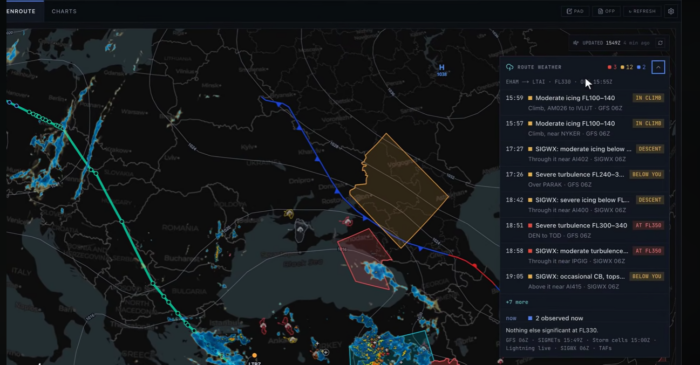
Last week, the flight simulation community was introduced to a new tool created to help improve the realism and depth of your flights. This new tool is SkyNexus, a web browser-based Electronic Flight Bag (EFB) that aims to improve on the default EFB from Microsoft Flight Simulator 2024 while also being compatible with other simulators like X-Plane.
SkyNexus uses your SimBrief flight plan to create a detailed briefing with everything you need to know before departure. It comes equipped with multiple features, such as a performance calculator, runway exit prediction, VATSIM ATC, and ATIS information. This tool is ready to be used with some of the most popular aircraft types available in various simulators, based on real data from the manuals.
One of its features that helps this tool differentiate itself from others, like Navigraph or SimBrief, is its weather technology. The developer calls it the first-ever eWAS weather forecast for flight simulators, closely resembling what real pilots use to brief their weather for their flight. Recently, SkyNexus released its full route weather briefing feature, allowing you to plan your flight with a complete briefing and multiple tools.
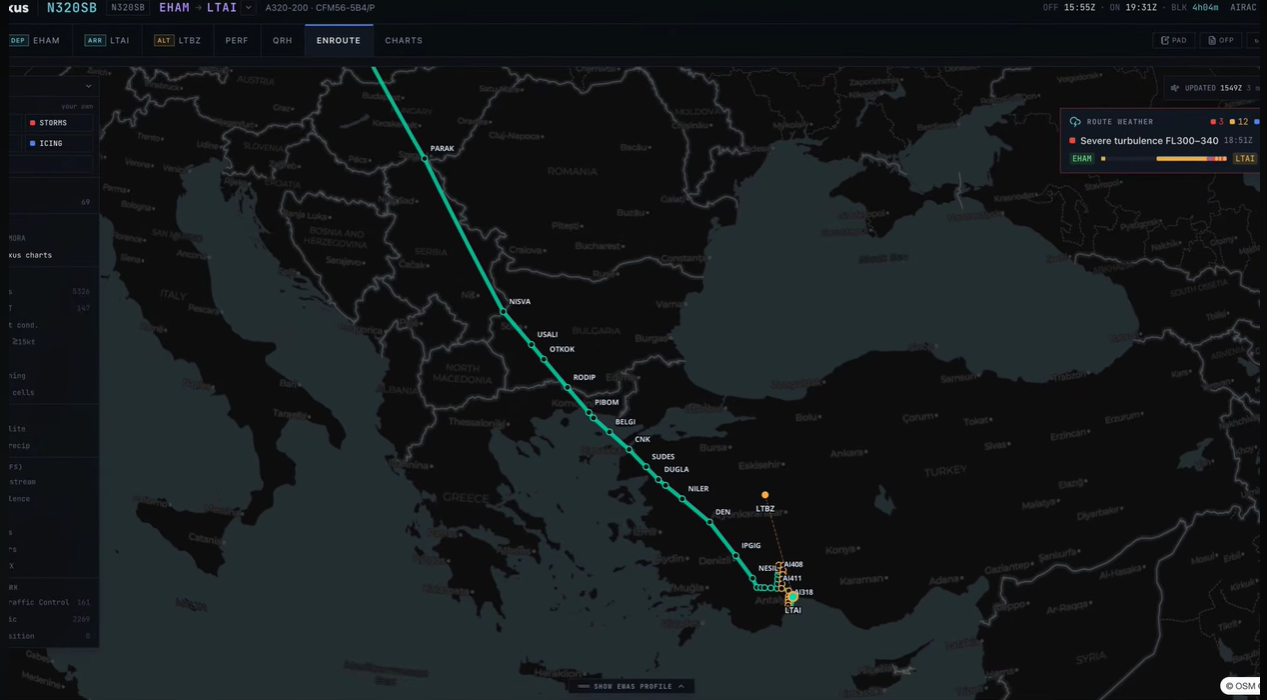
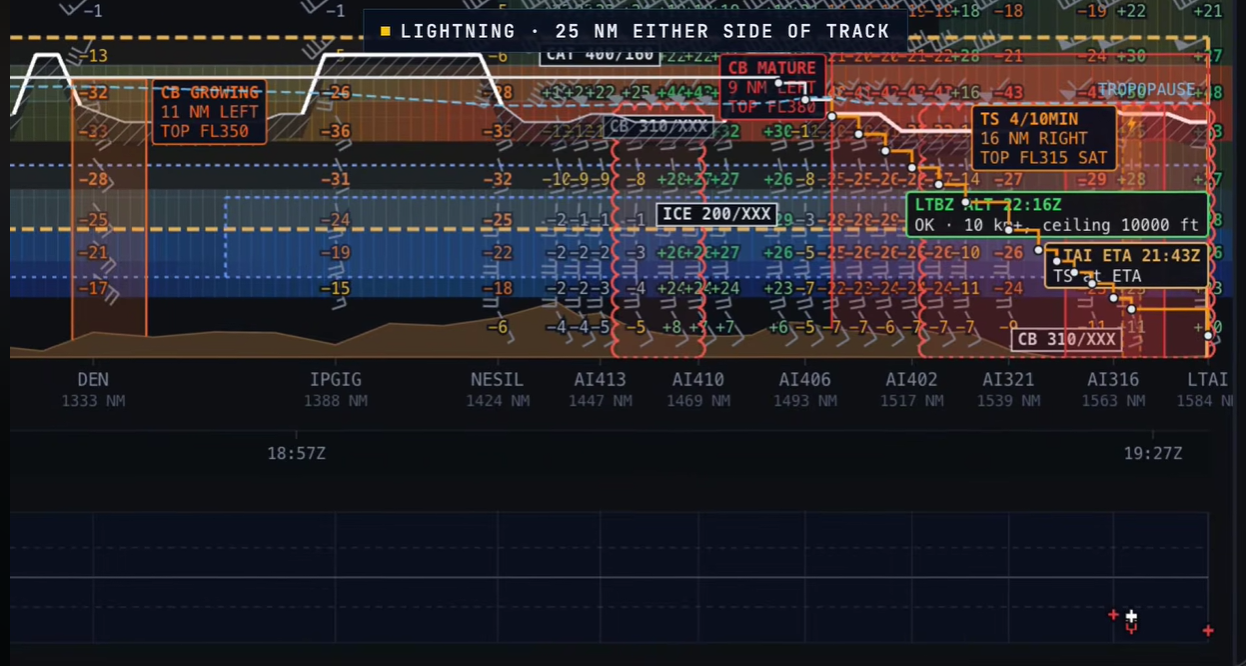
The full weather briefing creates a detailed summary of the weather that you will encounter on your flight. Using real data, it crafts the briefing by altitude at the exact time you will reach that point and the nearby weather, turbulence, and other phenomena during your flight. SkyNexus also provides a vertical profile that visualizes weather hazards, such as lightning and storm cells along your route. This information is organized in a chart, with distance on the X-axis and altitude on the Y-axis.
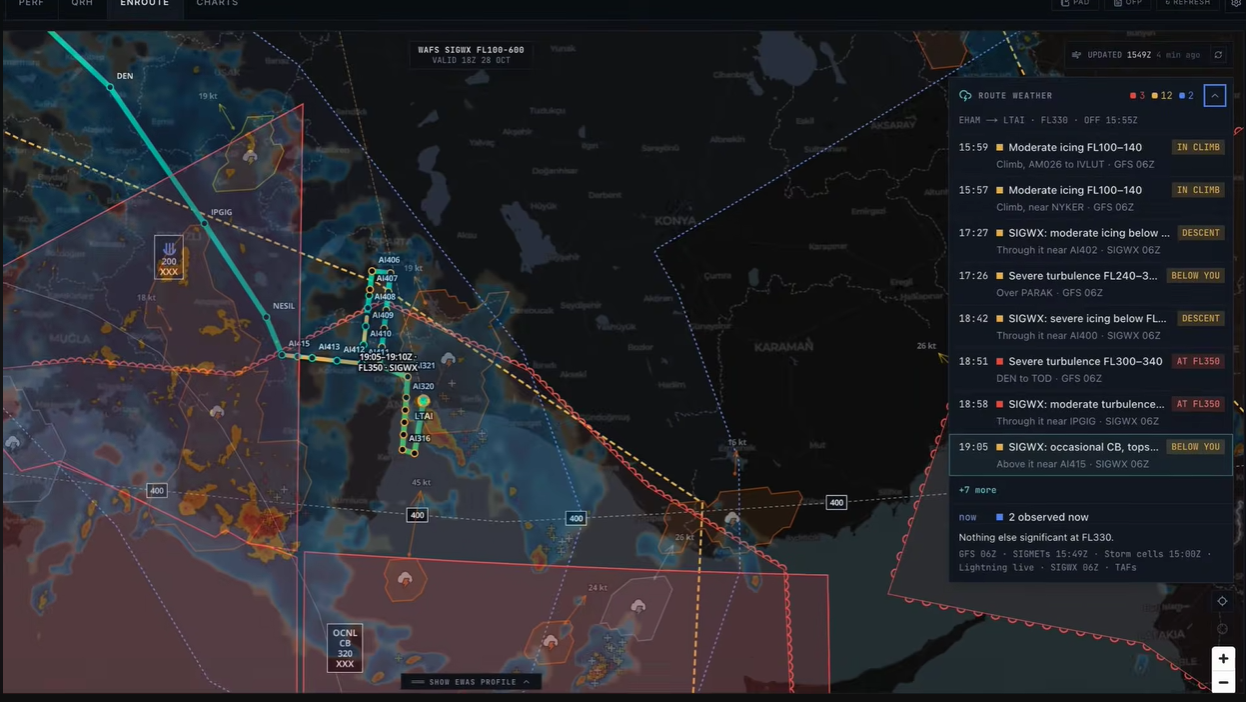
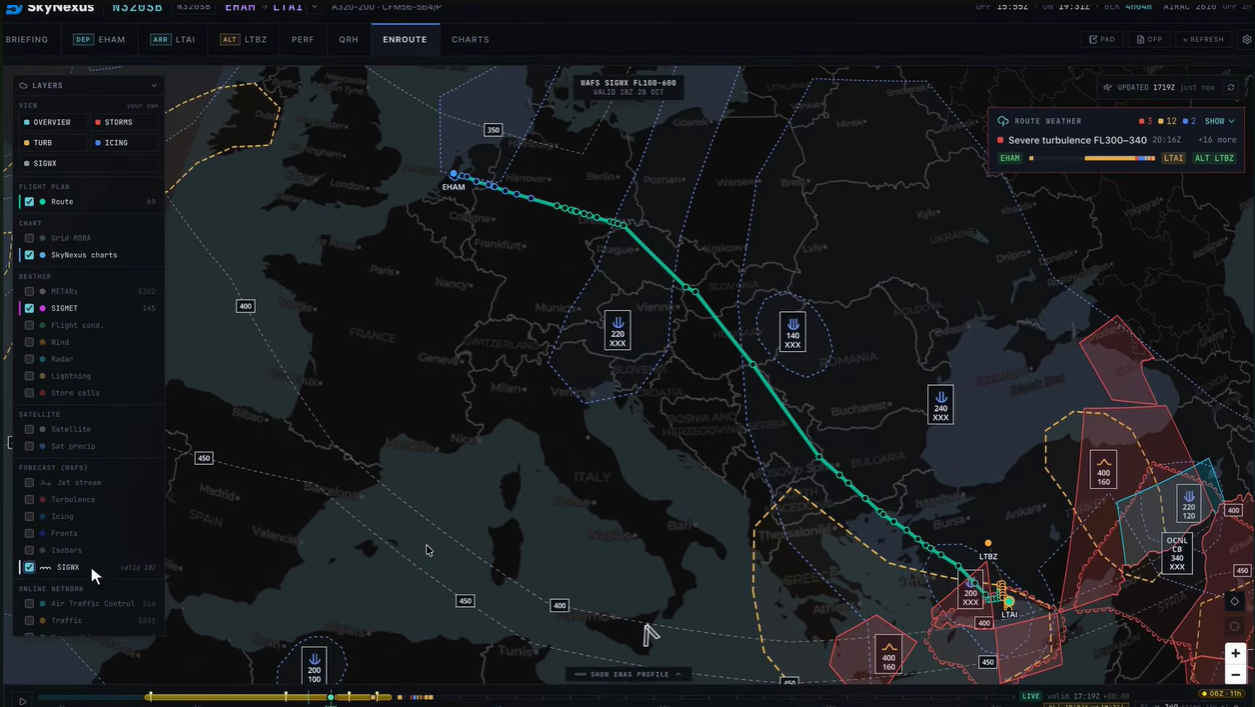
After reviewing the briefing, you can toggle various layers on the world map to verify and confirm the weather along your route from a top-down view. You can make various elements appear on the map by selecting them, such as turbulence, SIGMETs, SIGWX charts, icing, jet streams, isobars, and more.
SkyNexus helps you plan your trip with a focus on realism, letting you brief your flight like a real pilot. It is currently available for free, with an account required to use this tool. Being based on your web browser, it doesn’t need anything installed on your PC. You can try SkyNexus here, and for more information on its other features, check out our coverage here.
Feel free to join our Discord server to share your feedback on the article, screenshots from your flights or just chat with the rest of the team and the community. Click here to join the server.