Recreating real-world flights in a simulator has traditionally meant juggling multiple tools, relying on external platforms, and often accepting that not everything would match reality. Routes might differ, aircraft assignments could be outdated, and flight numbers wouldn’t always line up with real-world operations. For many simmers, this has simply been part of the experience for years.
Flightradar24 is a widely used platform that allows users to track real-world flights in real time, displaying live aircraft positions, routes, flight numbers, and operational data from across the globe. For many simmers, it has become a go-to reference when trying to replicate real-world operations as closely as possible.
However, while Flightradar24 provides access to accurate and up-to-date flight data, turning that information into a usable flight plan has traditionally required several manual steps and additional tools. After spending time with FR24toSimBrief, I found it to be a straightforward way to bridge that gap, allowing real-world flight data to be converted into a complete SimBrief operational flight plan in just a few steps.
How Flightradar24 to SimBrief Works
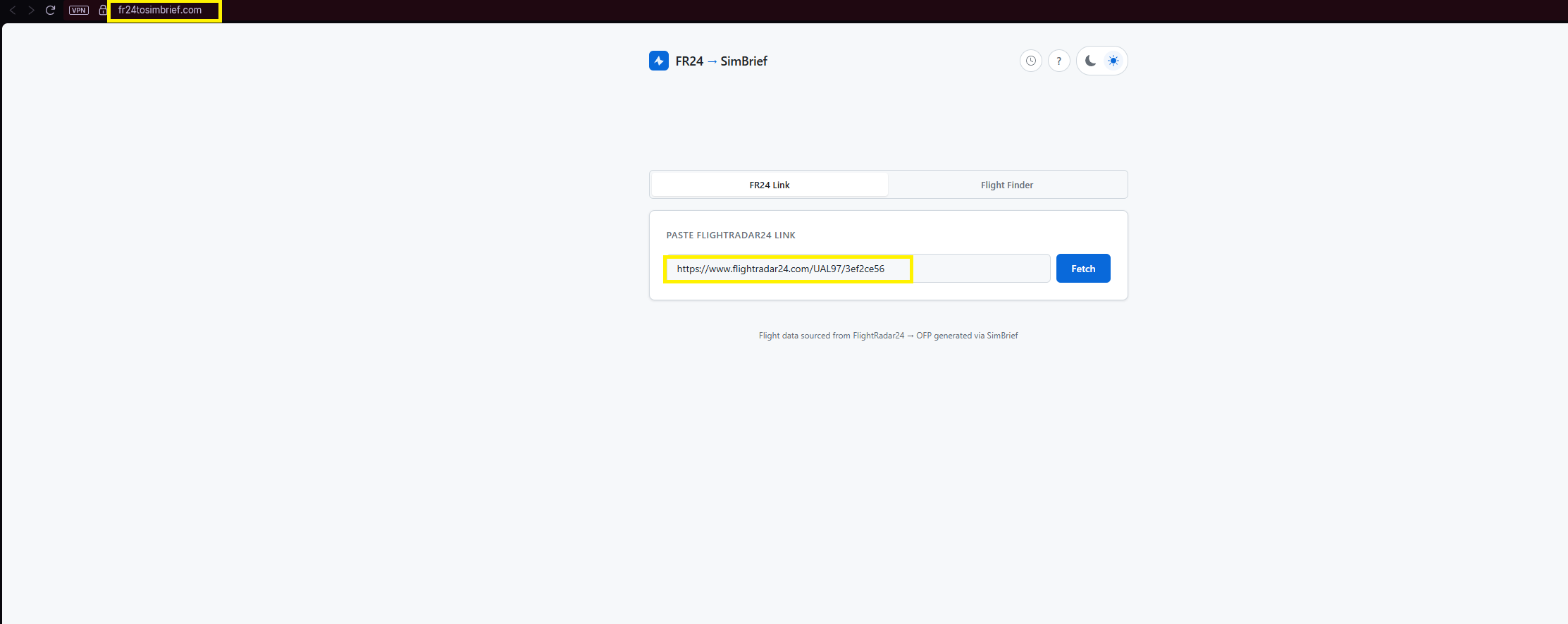
The process begins by selecting a real-world flight on Flightradar24, whether by route, airline, or flight number. Once a flight is chosen, the full link is copied directly from the browser, which contains the relevant data needed for planning.

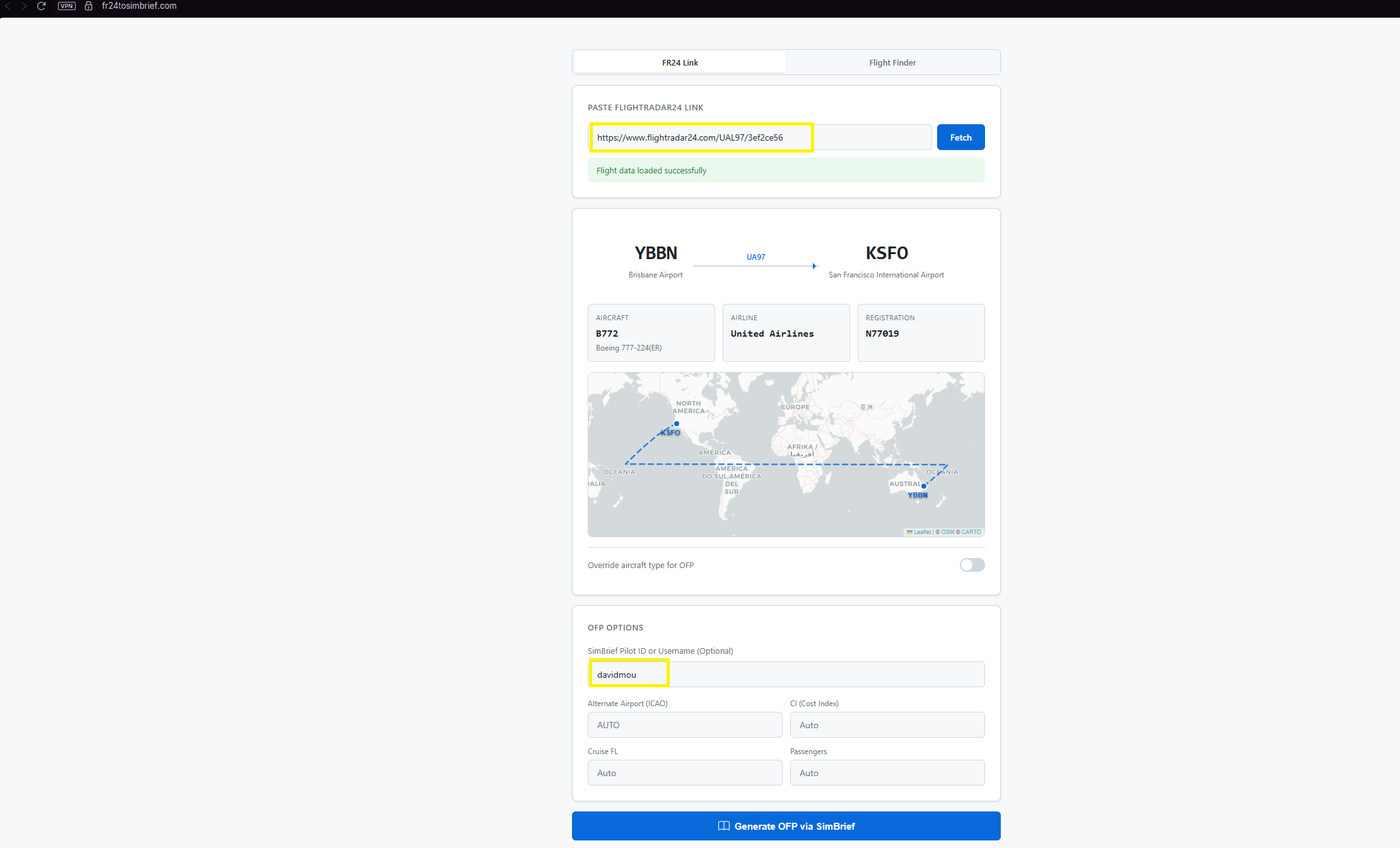
That link is then pasted into the FR24toSimBrief website. After clicking “Fetch,” the system retrieves the route, aircraft type, airline, and flight number, allowing for a quick verification before continuing.
Using Real-World Data in SimBrief
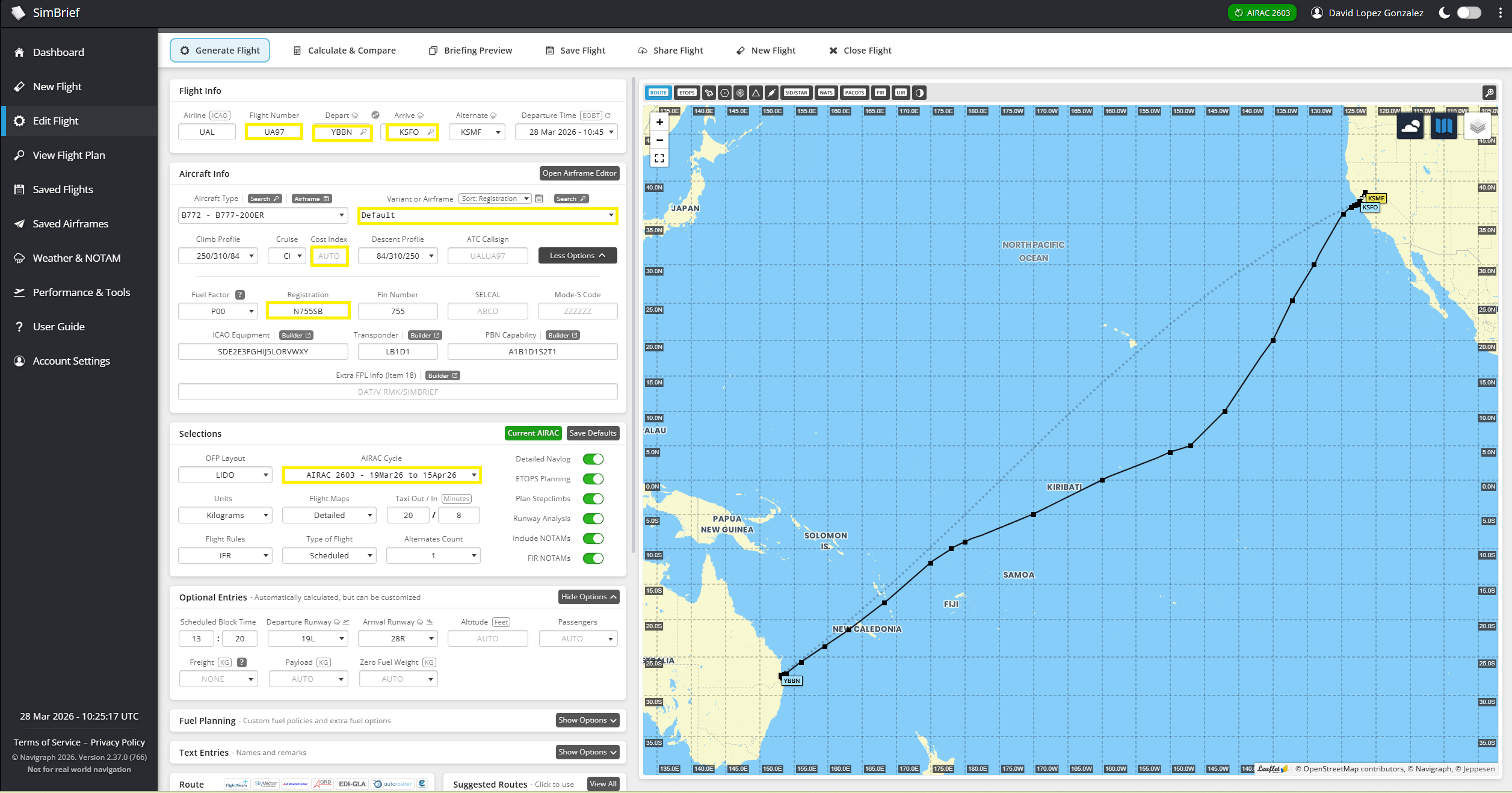
Once the data is loaded, the workflow transitions into SimBrief with most of the required fields already populated. This includes origin, destination, route, and aircraft type, significantly reducing the amount of manual input typically required.
From there, the flight plan can be adjusted as needed. Aircraft profiles, cost index, alternates, payload, and fuel can all be configured according to personal preference. For those aiming at higher levels of realism, even the aircraft registration can be matched manually.
For those unfamiliar with SimBrief, you can also check out our guide on how to use SimBrief effectively for flight planning.
AIRAC and Route Accuracy
Navigation data plays an important role when working with real-world routes. With an up-to-date AIRAC cycle, typically provided through Navigraph, the generated routing will closely reflect current operations.
If the AIRAC cycle is outdated, some differences may appear in procedures or routing. However, the flight plan remains fully usable, with the main impact being on accuracy rather than functionality.
Workflow and Practical Use
Having been involved in flight simulation since 2012 across platforms such as FS2004, FSX, Prepar3D, X-Plane, and more recently, Microsoft Flight Simulator 2020 and 2024, both offline and on networks like IVAO and VATSIM, this workflow addresses a long-standing limitation.
On these networks, simmers often aim to replicate real-world operations, yet neither IVAO nor VATSIM provide real-world flight plans. As a result, users typically rely on multiple sources before even starting a flight.
In this context, using real-world flight data directly simplifies the process considerably. Instead of manually building routes or searching across different tools, the planning phase becomes faster and more consistent.
Limitations and Context
Virtual airlines provide structure, but keeping routes, schedules, and fleet assignments fully aligned with real-world operations can be challenging. In some cases, available data may not reflect current operations accurately.
Using live or recent flight data offers an alternative approach, allowing simmers to base their flights on actual operations rather than predefined schedules.
At the same time, other tools within the ecosystem serve different purposes. AI-driven ATC solutions such as BeyondATC or SayIntentions.AI enhance immersion but do not generate real-world flight plans. Similarly, platforms like Volanta, Elevatex, SimToolkitPro focus on tracking and organization rather than route generation.

Final Thoughts
In a space where realism often comes at the cost of complexity, this approach offers a more direct workflow. By reducing the number of steps required to generate a real-world flight plan, it allows simmers to focus more on flying and less on preparation.
For those interested in replicating real-world operations with greater consistency, FR24toSimBrief connects live flight data directly with flight planning in a way that feels both immediate and practical. What makes it even more compelling is that it is completely free to use. If you want to check it out for yourself, you can access it directly on its website here.
Feel free to join our Discord server to share your feedback on the article, screenshots from your flights or just chat with the rest of the team and the community. Click here to join the server.