TerraBuilder has released a free update for its Kennedy Space Center scenery for Microsoft Flight Simulator 2020, released on June 27th 2025. The add-on aims to bring Kennedy Space Center to life with animated rocket launches, moving transport stands and a detailed Kennedy Space Center complex. This scenery copy was given to me by TerraBuilder for free to review. In this review, I will see if it is worth the price and what it brings to your experience in MSFS.
About Kennedy Space Center
John F. Kennedy Space Center (KSC) is one of NASA’s major spaceports. It’s located in Merritt Island, Florida and is one of ten NASA launch complexes in the US. Since December of 1968, KSC has been the main launch site for human spaceflight and research for the US. Launch Complex 39 has been used in the past to launch rockets under the legendary Apollo program and the Space Shuttle program. Now, it also sees Falcon 9 launches from SpaceX.
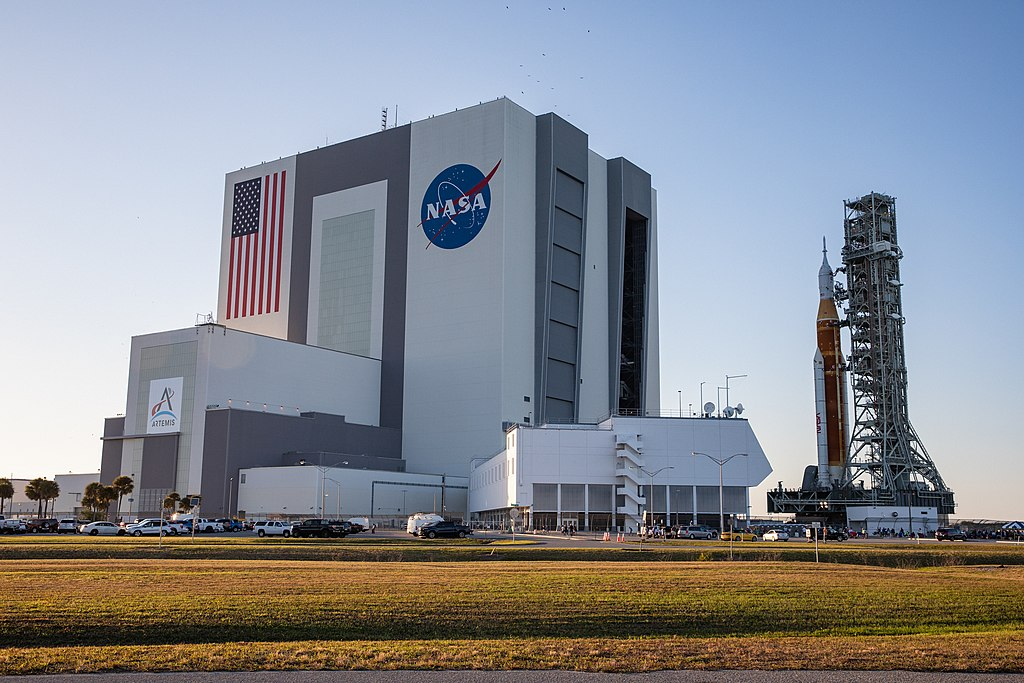
Within the 144,000 acres of KSC, there are 700 facilities and buildings and one runway. The main, standout facilities in KSC are the Vehicle Assembly Building (VAB) and the Launch Control Center (LCC). These are both extremely important and key facilities for launching rockets here at Kennedy. It has two launch pads, LC-39A and LC-39B. LC-39B is the pad that sent Saturn V and humans to the moon over 50 years ago, as well as the shuttle program.
Features and Pricing
TerraBuilder’s Kennedy Space Center is available via the Microsoft Flight Simulator 2020 Marketplace for $29.99. However, the updated V2 version of this scenery is available for all existing customers of the add-on through the in-game Marketplace. The scenery is compatible with MSFS 2024 but is not recommended by TerraBuilder due to some of the effects not working correctly.
With TerraBuilder’s Kennedy Space Center, you can expect to find live, on-demand, user-controlled rocket launches. These allow you to launch the Apollo era rockets, the Shuttle program and Artemis, from the relevant pads. It’s all accessible through one simple, user-friendly menu from the MSFS toolbar. This scenery also offers an overhaul of the existing default area with custom-designed 3D assets. Animated assets like the crawler transporter are also included.
Launch Menu Interface
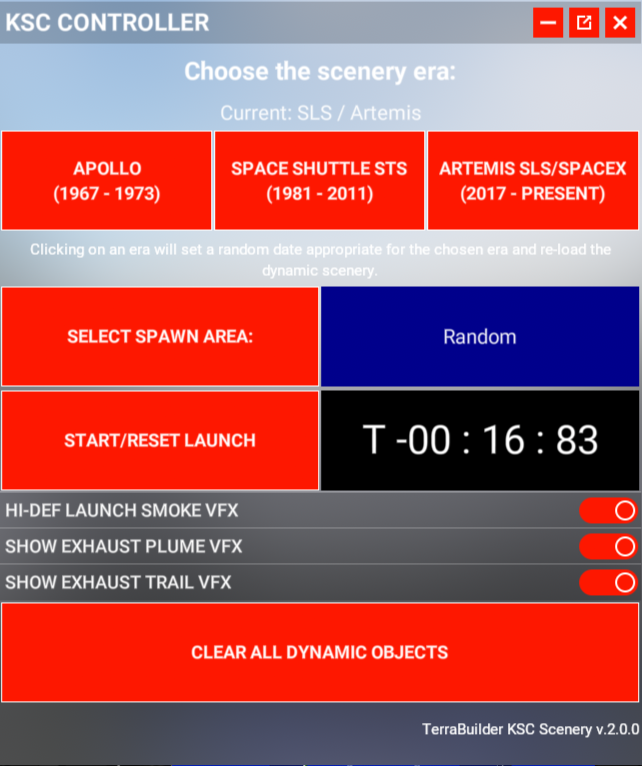
TerraBuilder has provided a very simple and easy-to-use menu for controlling all of these rocket launches at Kennedy Space Center. At the top, you can select between the 3 eras of rockets. Below, you can choose where to spawn it; however, not all 3 rockets can be spawned on the same pad. Certain eras can only be used on LC-39A, and vice versa. It’s a very easy-to-use menu and self-explanatory. The start button begins the 20-second countdown and starts counting up after launch. If you struggle with performance, the effects can also be toggled, and any dynamic objects can be quickly removed if needed.
TerraBuilder’s Kennedy Space Center: Modelling & Texturing
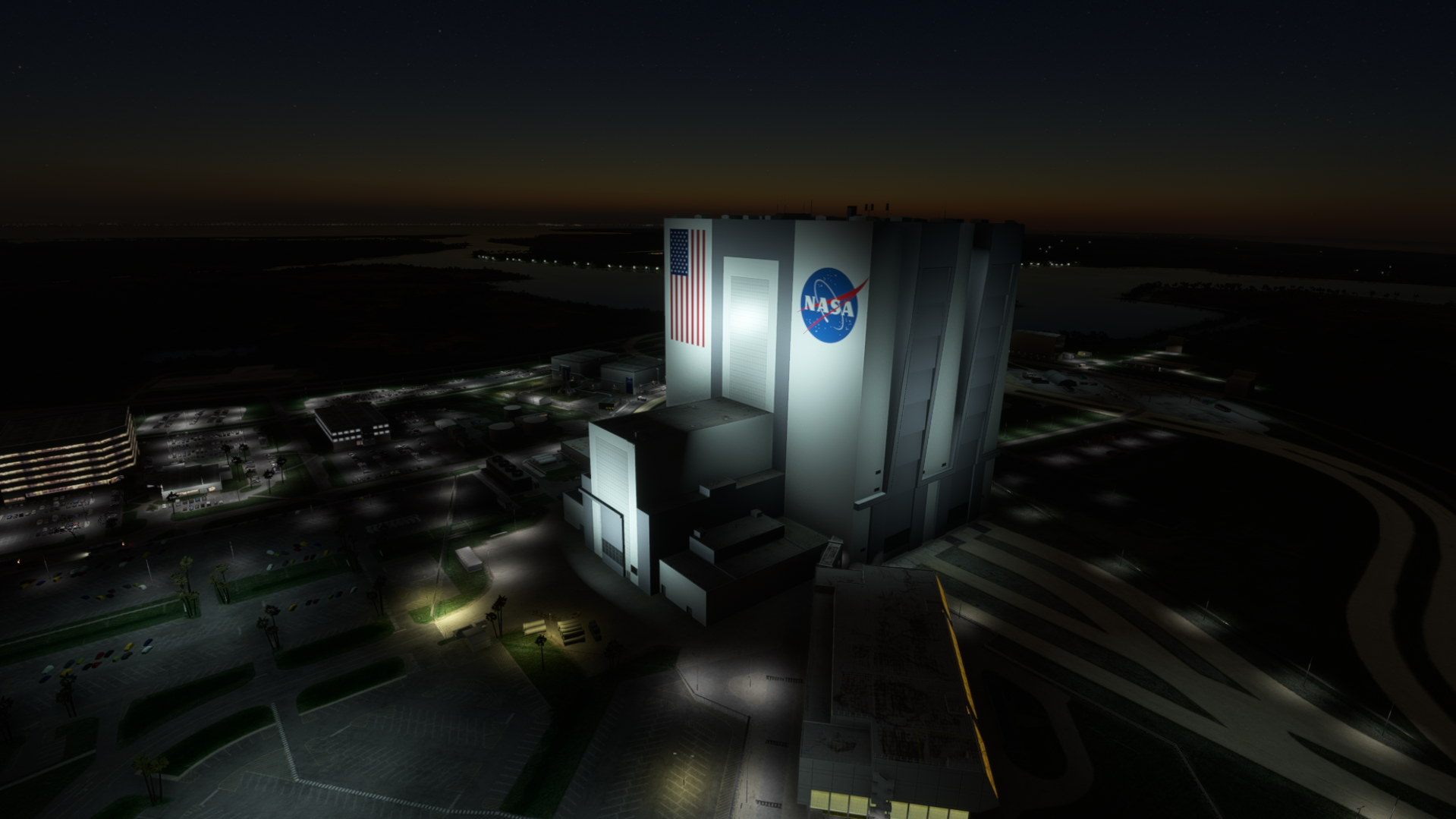
Looking around the area and flying above, you can see the detail that TerraBuilder has put into the modelling. Launch Complex 39 Pad A, Pad B, the Vehicle Assembly Building and High Bays 1 and 3 have all been modelled fairly well. From afar, the whole area really stands out, and the modelling of both launch pads makes it feel like a lively launch complex. The towers for each era are also modelled accurately, from what I can see.
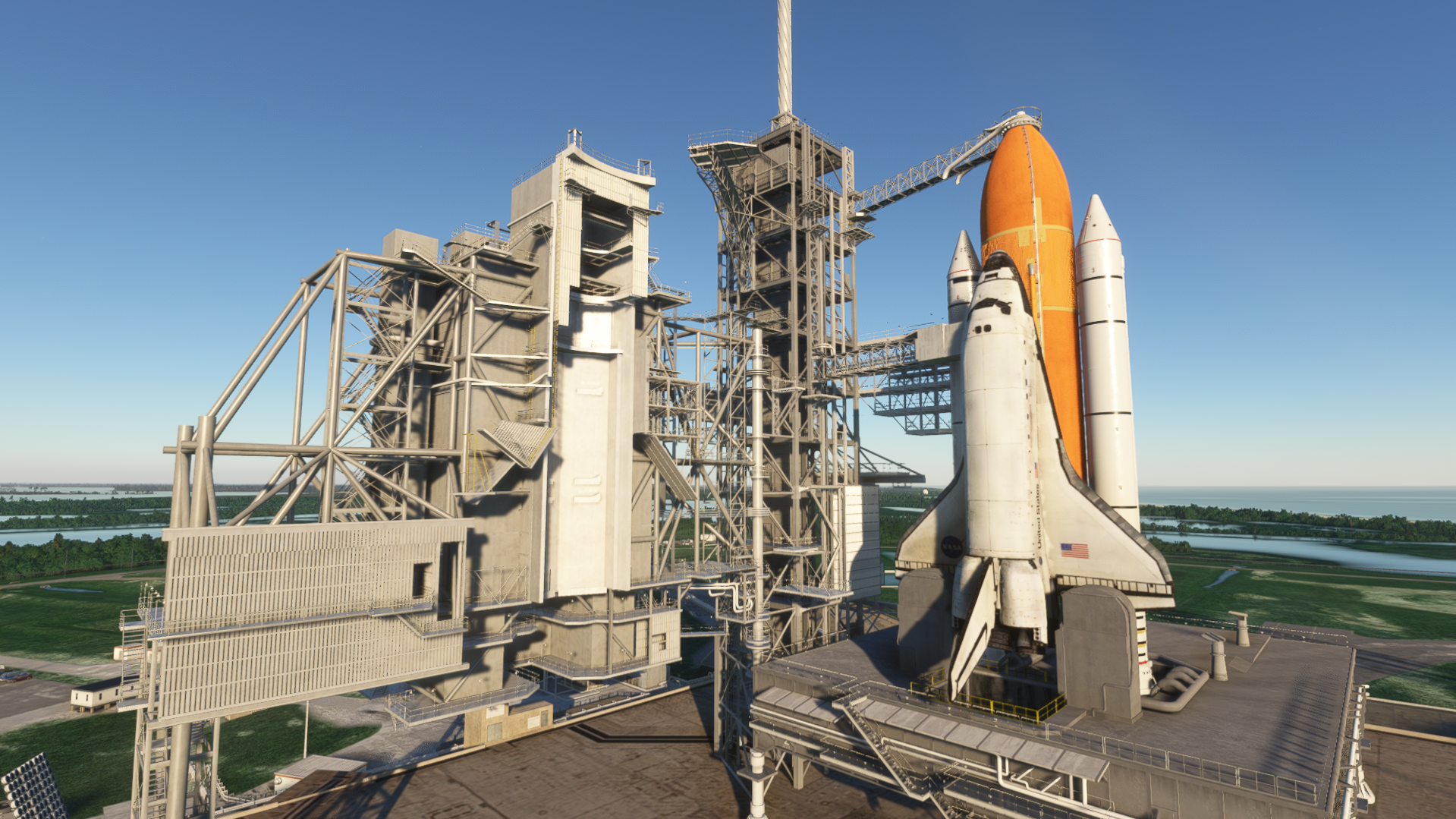
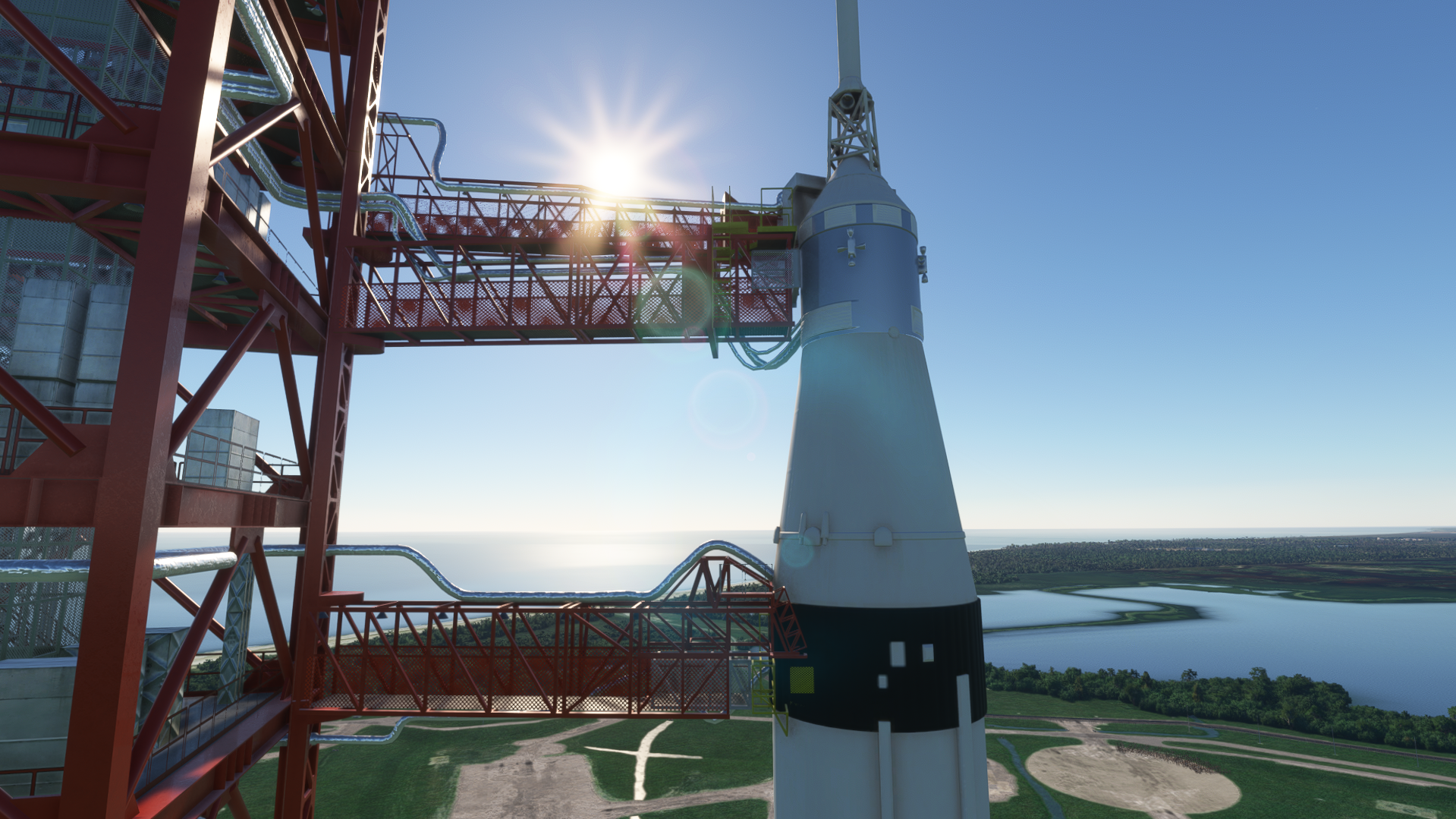
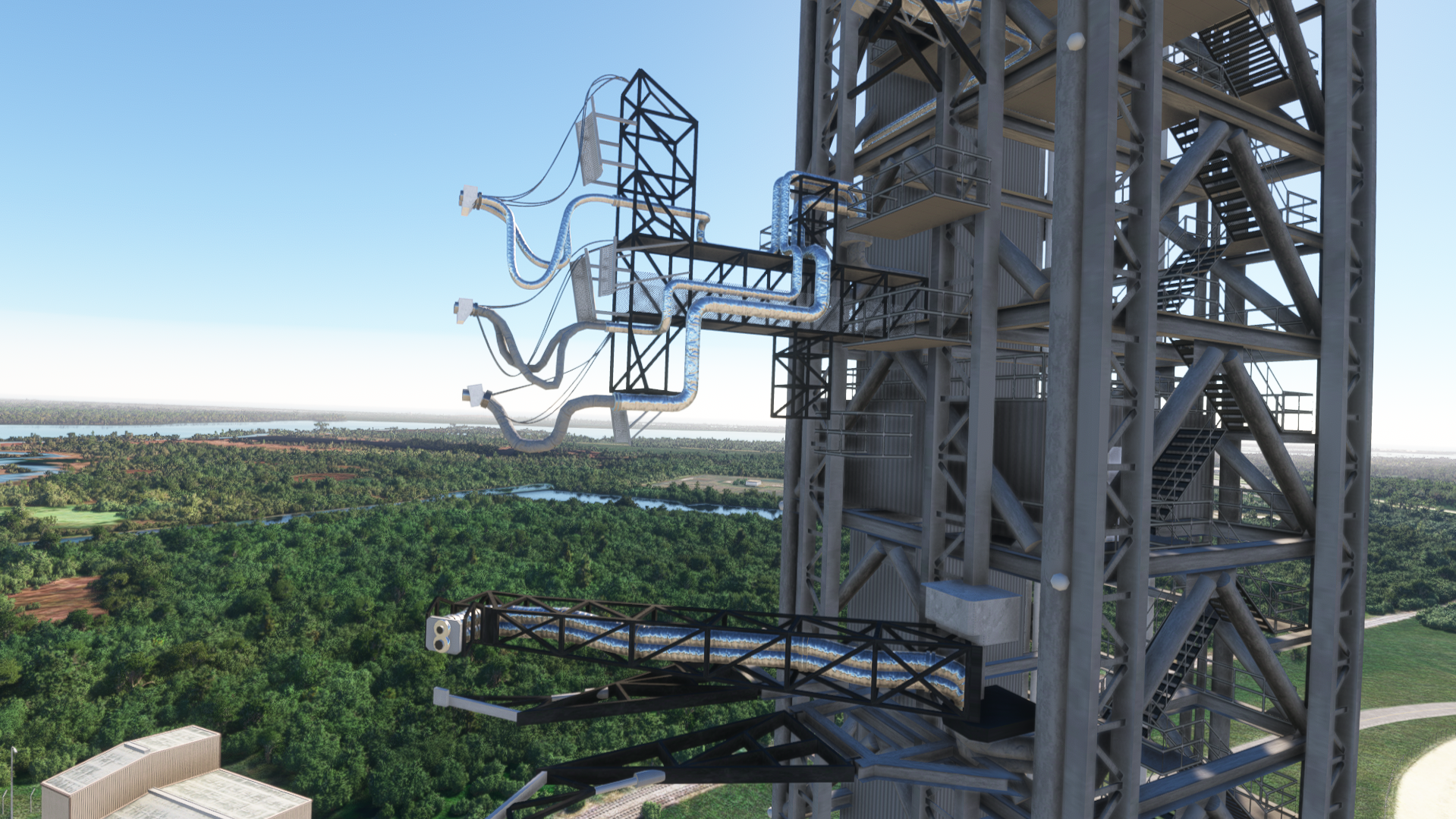
Looking closer at the towers, you can see all the spokes, mechanical parts and the bridges that connect to each rocket. Both the towers and the transport stands are really well modelled with lots of detail present. If you fly around the entire complex, you can find small areas modelled with some buildings, vehicles and other props that would usually be present at Kennedy.
Textures as a whole are decent; however, I feel there’s room for improvement in some areas. The textures are relatively high quality and of good resolution, but some places seem to lack quality textures. The ground, for example, could do with some more work. Some of the area is still satellite imagery, which is fine, but the areas that are not could do with some improvement.
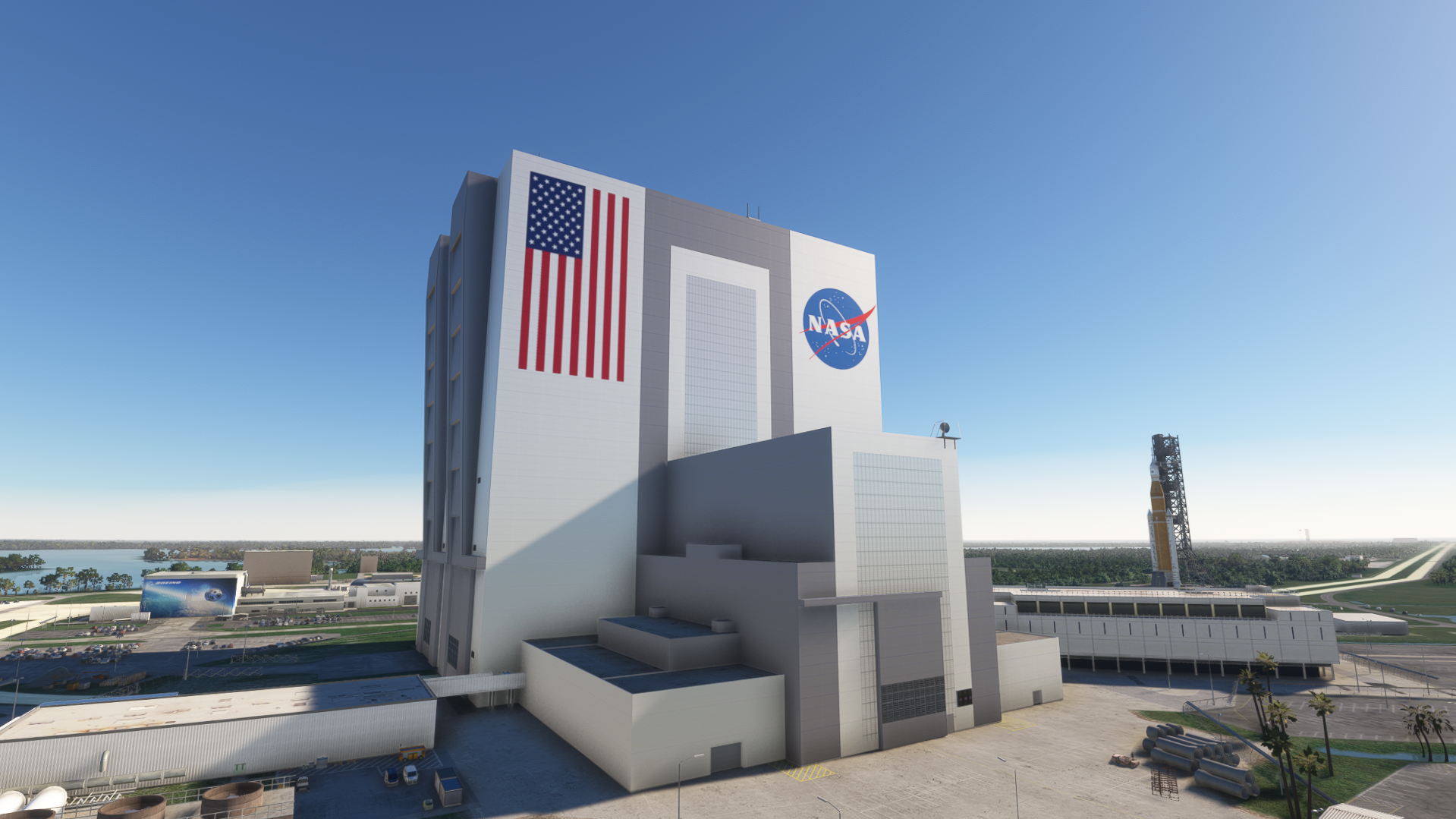
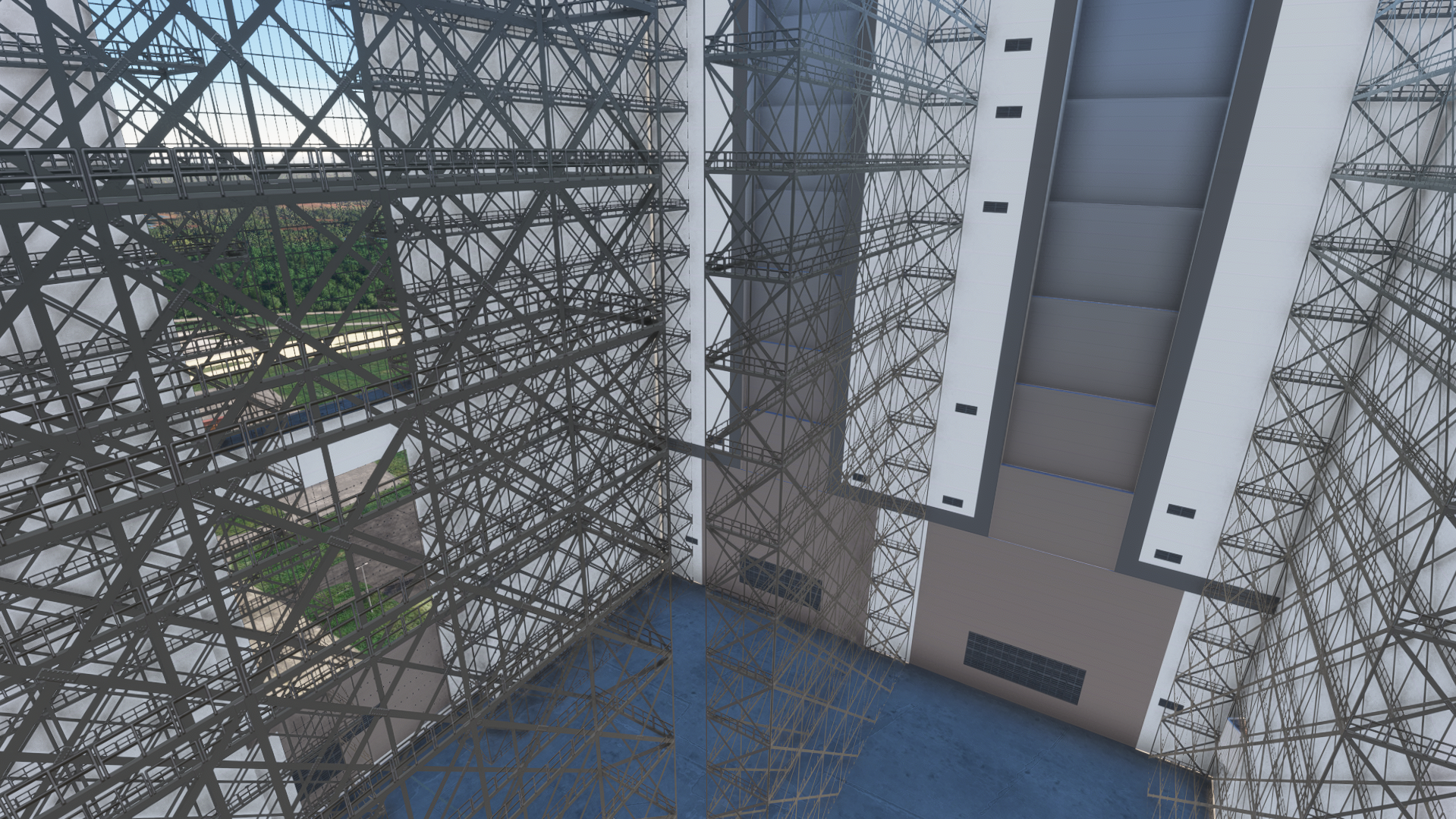
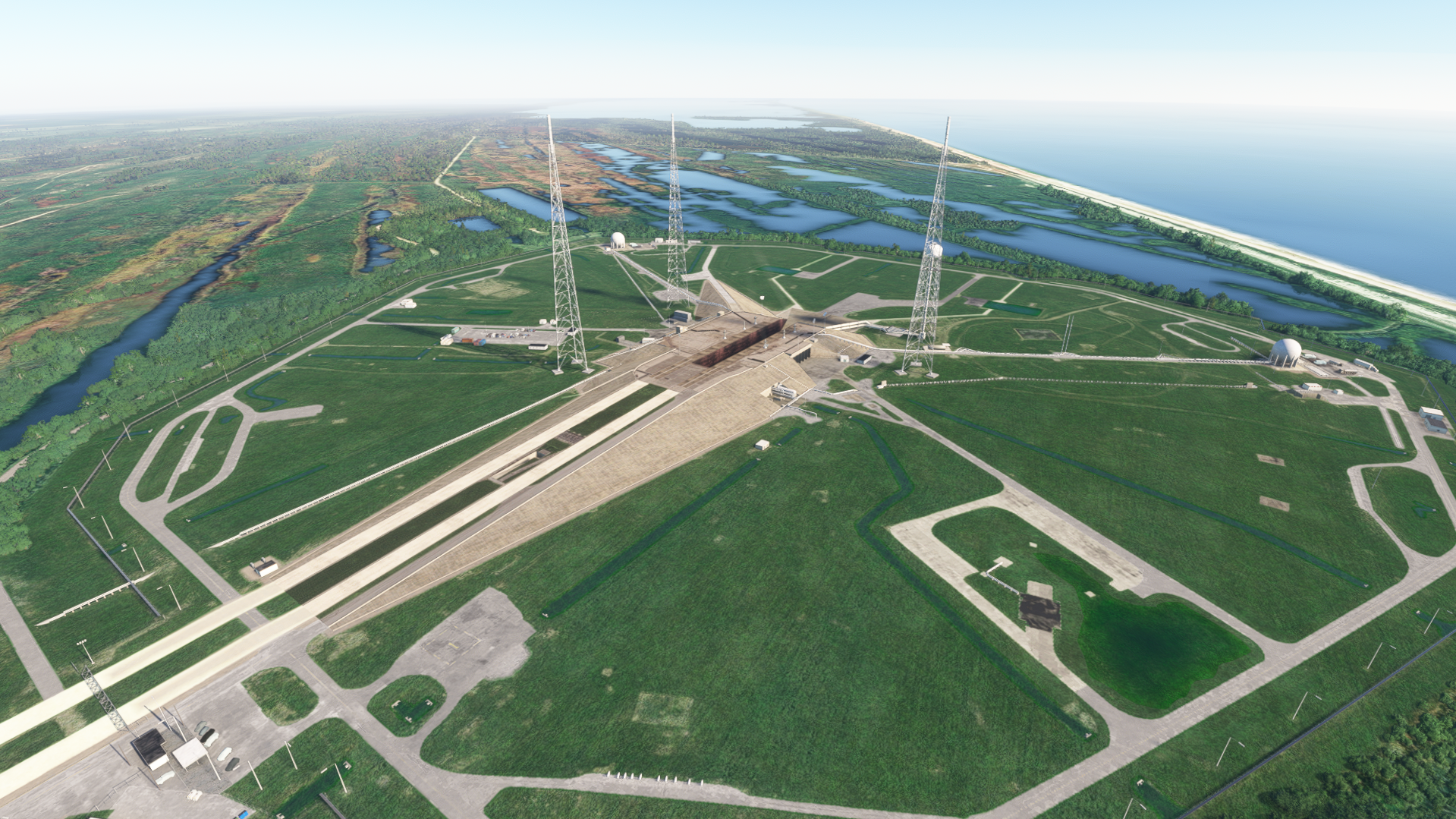
Modelling, as mentioned above, is done quite well in a lot of places. However, I think some areas deserve a little more detail. The main central building in Kennedy Space Center, where the rockets roll out of, lacks in some areas. For example, the windows aren’t windows unless you’re inside the building. The walls look a bit flat without much detail on them. Looking inside, however, there are lots of metal struts and towers where rockets would generally be stacked and checked before rolling out. The detail stops there though. Maybe a few more props here and there would make the place come to life more.
Animations
Overall, the animation work is really well done, right down to the movement of the towers before launch. The visual effects that complement the launches bring everything together into a realistic-looking launch sequence of all three rockets. If you spawn the rocket at one of the bays, you can watch it slowly roll out of the VAB (Vehicle Assembly Building) on a transport stand. It’s quite a slow process; however, it’s realistic and good fun to watch it slowly roll out.
The animation of the launch is well done and lasts for a while. Eventually, it just disappears high in the atmosphere, as expected. From the ground to the point it disappears, the effects remain largely the same. I can not see a difference in any effects, such as any high altitude changes, and that same tower of smoke is visible all the way up.
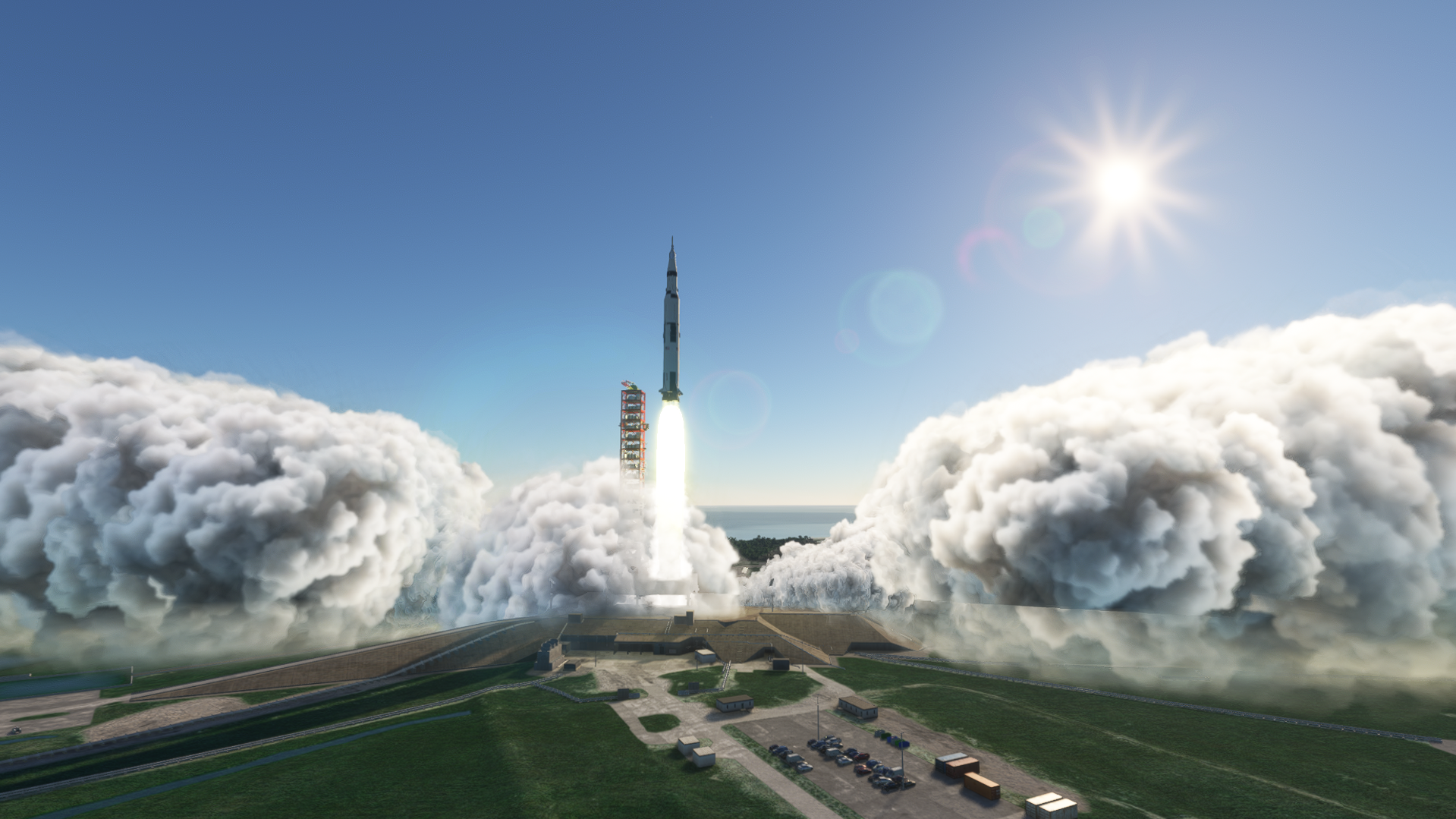
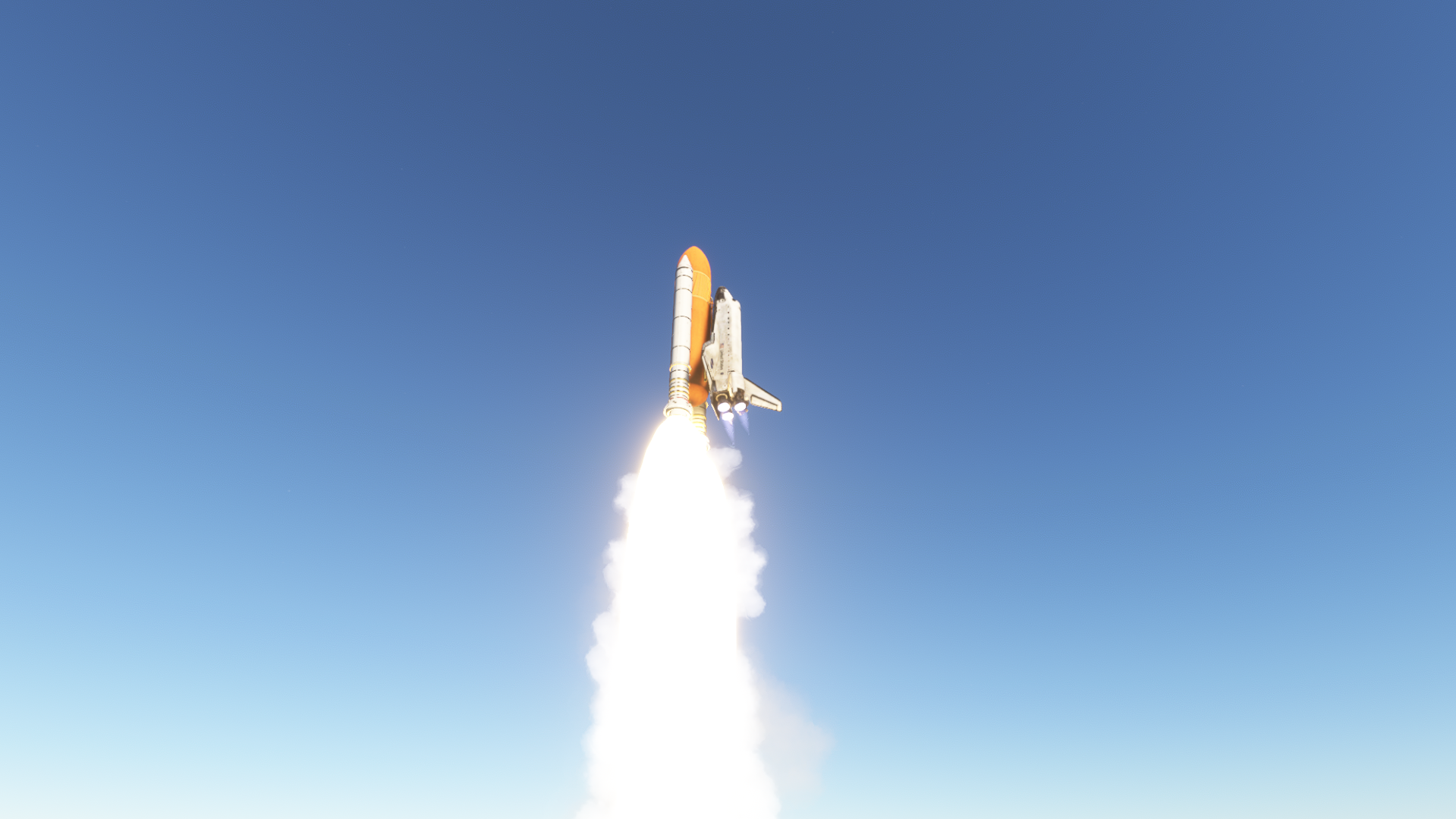
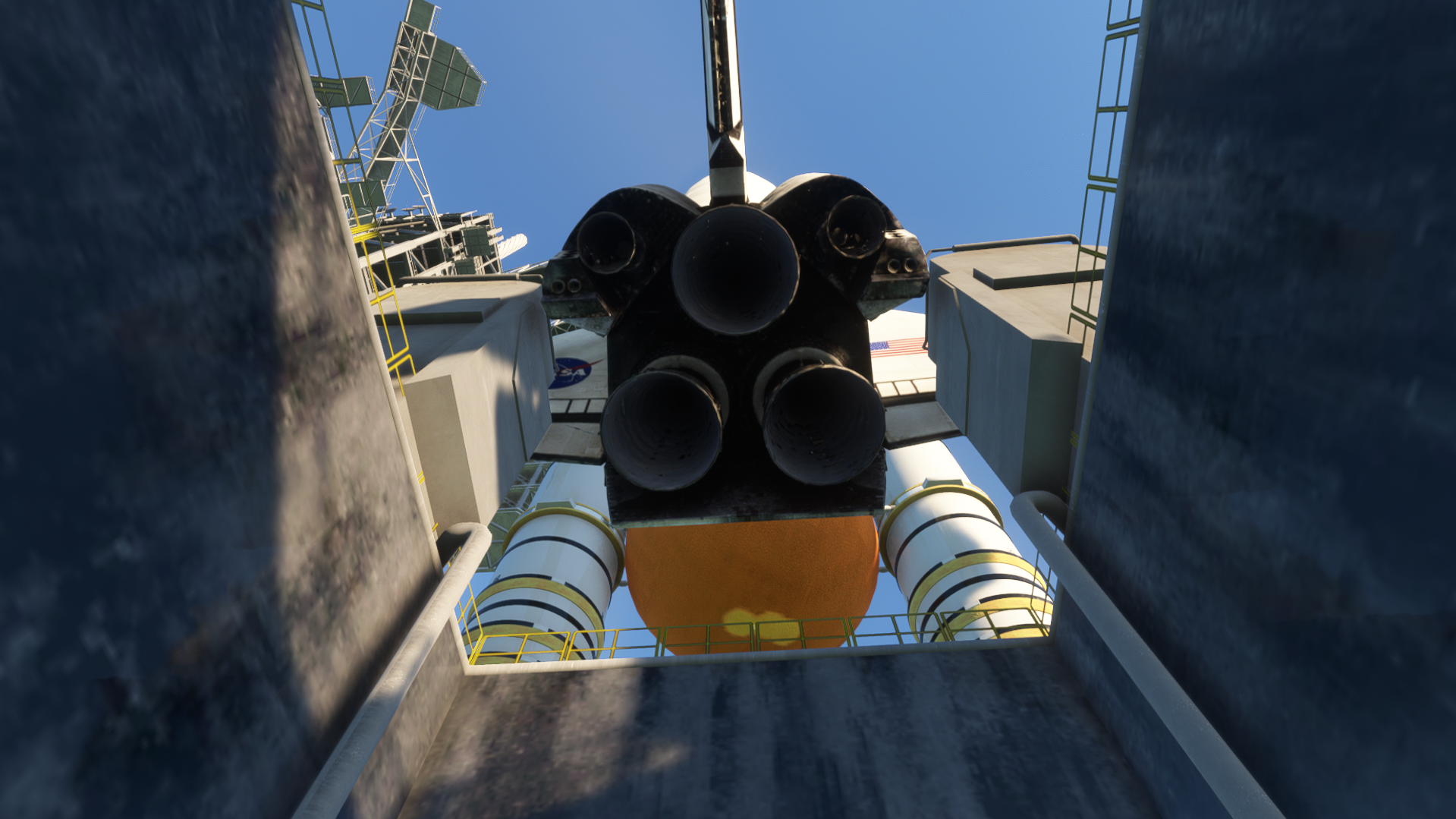
Going into more detail about the actual launches, from a first glance, they are brilliant. The effects really bring the whole sequence of events to life, along with the sounds, which I will talk about later. However, the effects could be improved. Maybe it’s a limitation with what’s possible in MSFS 2020, but the effects do stand out at some angles up to the point where you can see sharp edges on the smoke, as seen in the picture above. The flame effects on the rockets, however, are done really nicely and look quite bright at night.
Sound Design
Sound design is fantastic, and that’s coming from someone who loves rockets. You can really hear the roar of the engines, and it’s such a nice addition to bring everything to life. It makes it feel spectacular, as if you were watching a real launch. The sounds are dynamic, so you can’t stand miles away and still hear them, and the closer you get, the louder it is. I don’t see any improvement needed for the sounds; they are done beautifully and are as close as you will ever get to the real thing.
Overall Thoughts
Overall, TerraBuilder did really well to bring Kennedy Space Center to life in the most authentic way possible. The sounds, animations, and modelling really complement each other in this scenery. Watching a rocket launch at night is also especially spectacular as it lights up in the night sky. The controls for the rocket are all in one simple panel and are pretty self-explanatory. This makes the whole experience much easier, so I can focus more on the launches.
As a fan of rockets and the industry as a whole, it’s a really enjoyable addition to Microsoft Flight Simulator and a unique one. It is definitely worth the price and is 100% worth getting if you are a fan of rockets or you just want to watch a launch in MSFS. Kennedy Space Center V2 by TerraBuilder is available as a free upgrade for existing customers or $29.99 on the MSFS 2020 Marketplace.
Feel free to join our Discord server to share your feedback on the article, screenshots from your flights or just chat with the rest of the team and the community. Click here to join the server.