I thought I knew what to expect from an Airbus cockpit, but the A220 quickly proved otherwise. Airbus aircraft have been at the centre of my flight simulation experience for years. From the A319, A320 and A321 families — including the neo, LR and XLR — to the A330, A350 and A380, the Airbus philosophy is where I have always felt most at home.
That familiarity has occasionally extended beyond the simulator. I have had the opportunity to spend time on the flight decks of A320, A330 and A350 family aircraft during real-world operations, observing crews across different phases of flight and seeing the procedures and workflows behind them.
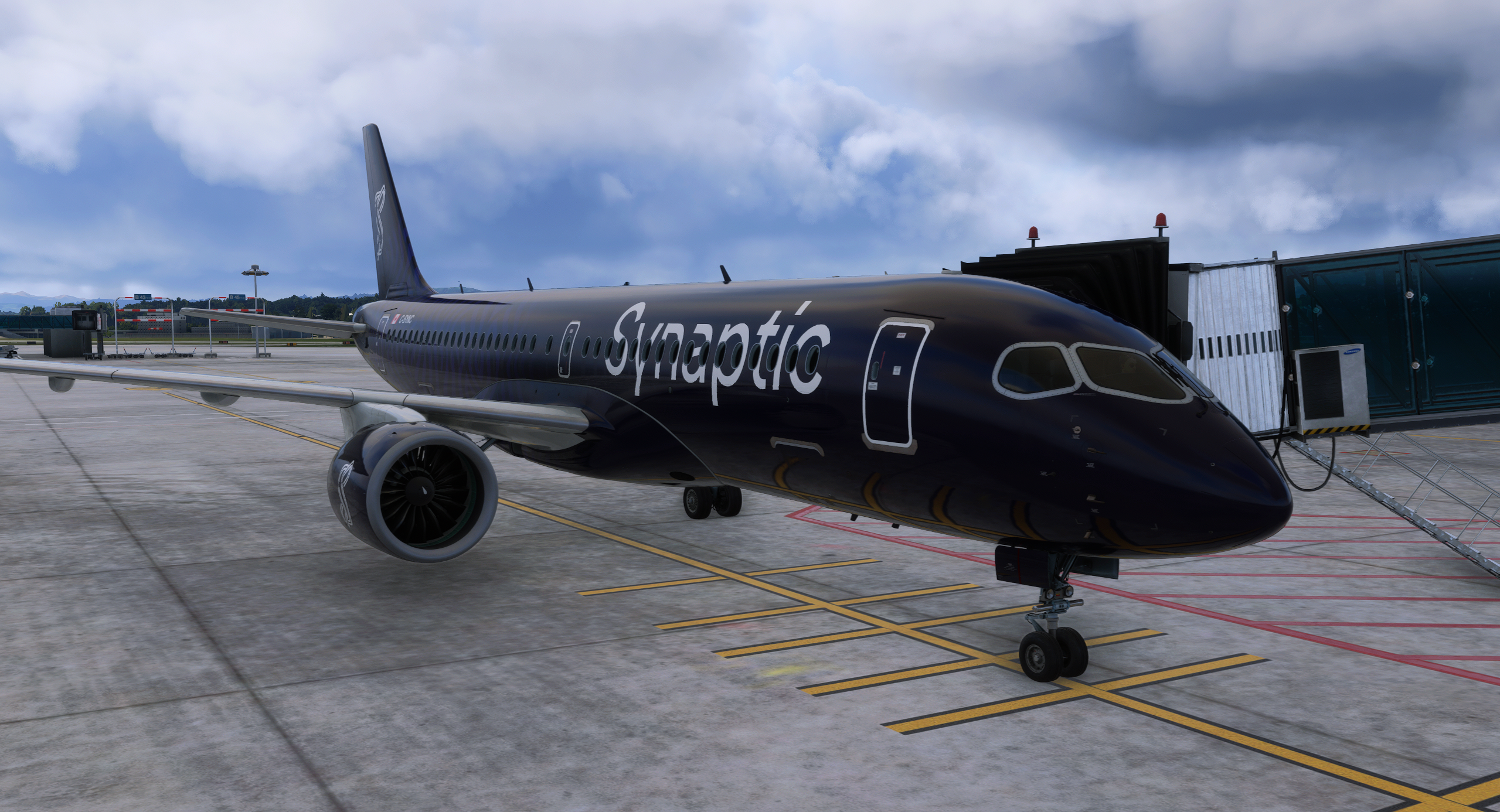
Those experiences made my first few minutes in the Synaptic A220 particularly revealing because, despite the name on the aircraft, this was not the Airbus cockpit I was expecting. The explanation lies in its history: the A220 did not begin life as an Airbus, but was originally developed by Bombardier as the CSeries before later joining the Airbus portfolio.
Its name and commercial future changed, but its flight deck did not suddenly become that of an A320, A330 or A350. The Collins Pro Line Fusion avionics, display architecture and Flight Management System (FMS) workflow remain closely tied to that Bombardier heritage. The result is less an unusual Airbus and more a different aircraft that later became one.
Forget the Airbus You Already Know
Coming from another Airbus type, there is an immediate temptation to search for familiar habits, but the A220 quickly encourages a different approach. Information is presented in its own way, the large displays play a central role in managing the flight deck, and even apparently simple tasks can initially send you looking somewhere unexpected.
During my first flights, I repeatedly found myself pausing, exploring the displays and learning how the aircraft wanted me to interact with it. Rather than allowing me to transfer familiar procedures from another Airbus, the A220 made me slow down and begin learning the aircraft on its own terms.
It is not a smaller A320, nor does it feel like an A330 or A350 condensed into a shorter airframe. Experience with Boeing or Embraer aircraft does not suddenly make its logic familiar either, and for long-term simmers that loss of familiarity may be one of its most interesting qualities.
First Hours in the Cockpit
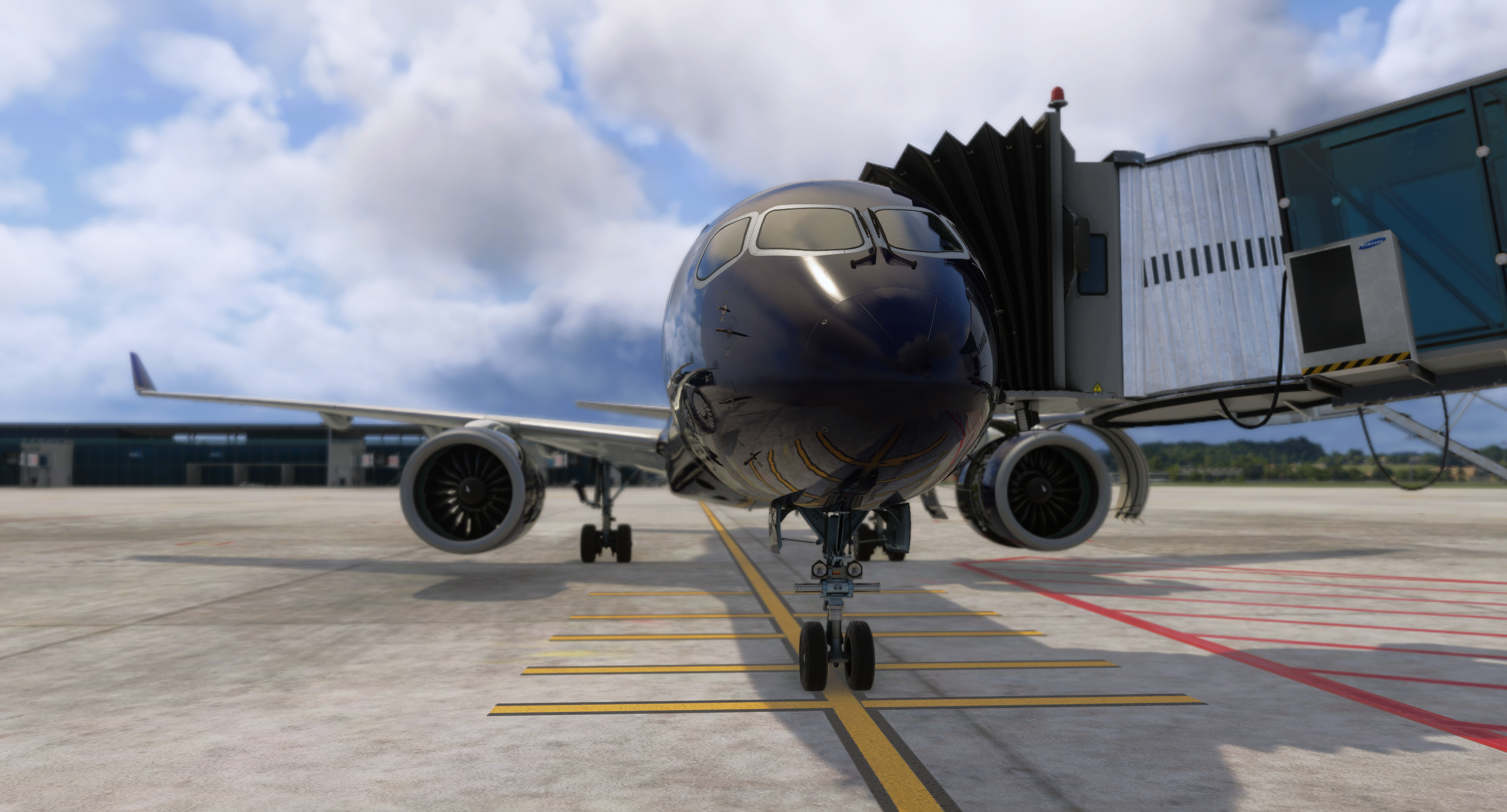
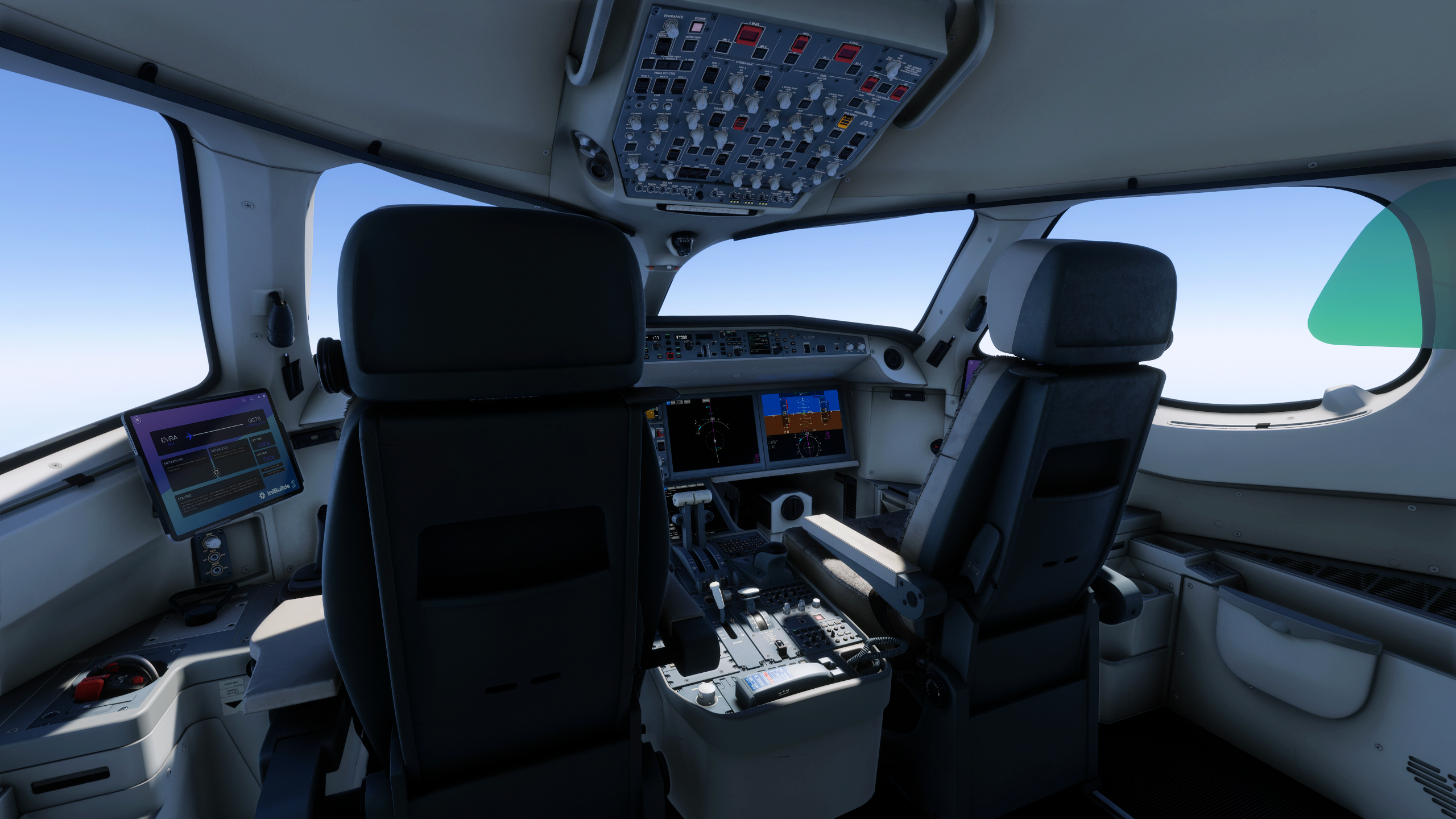
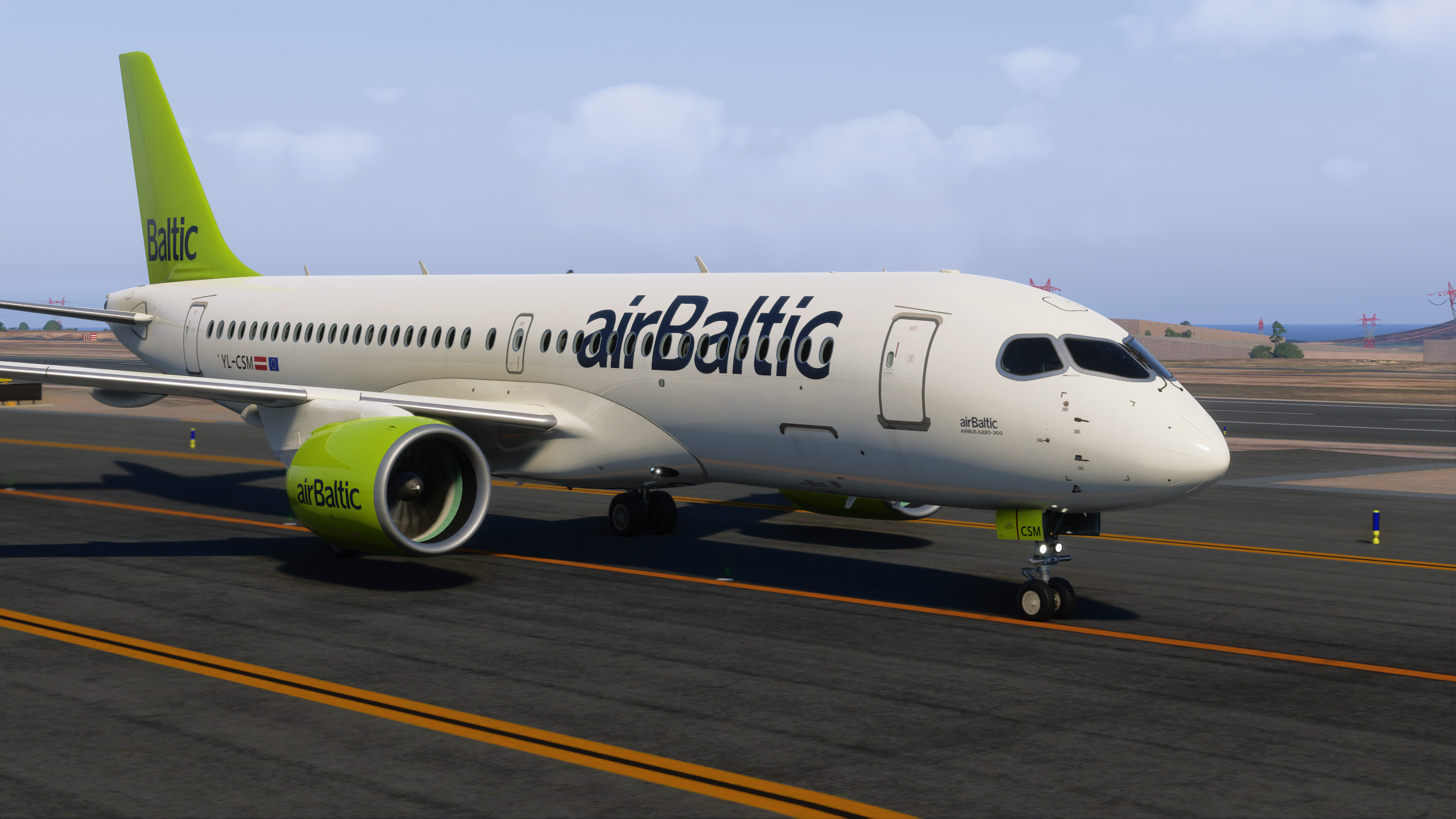
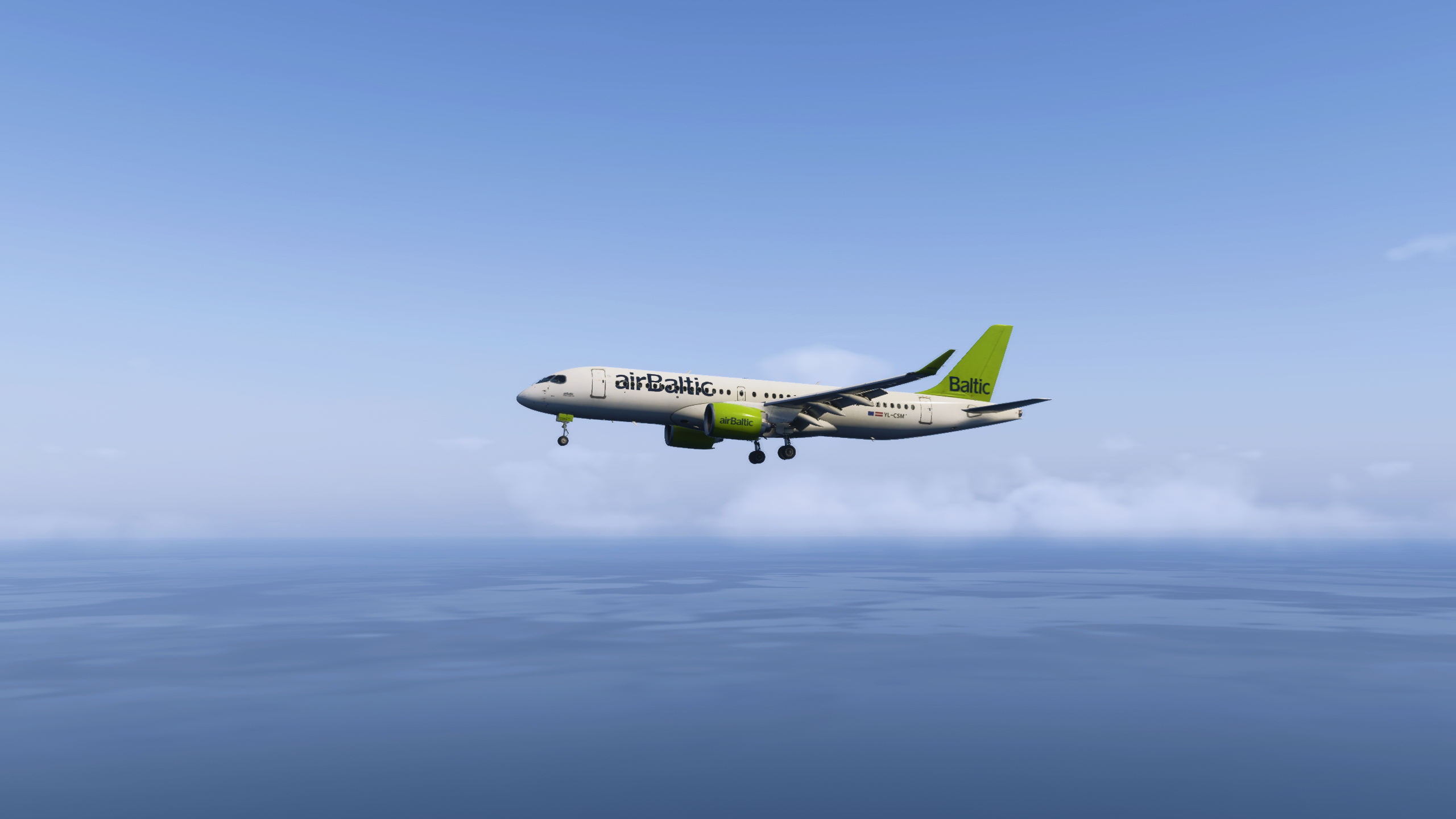
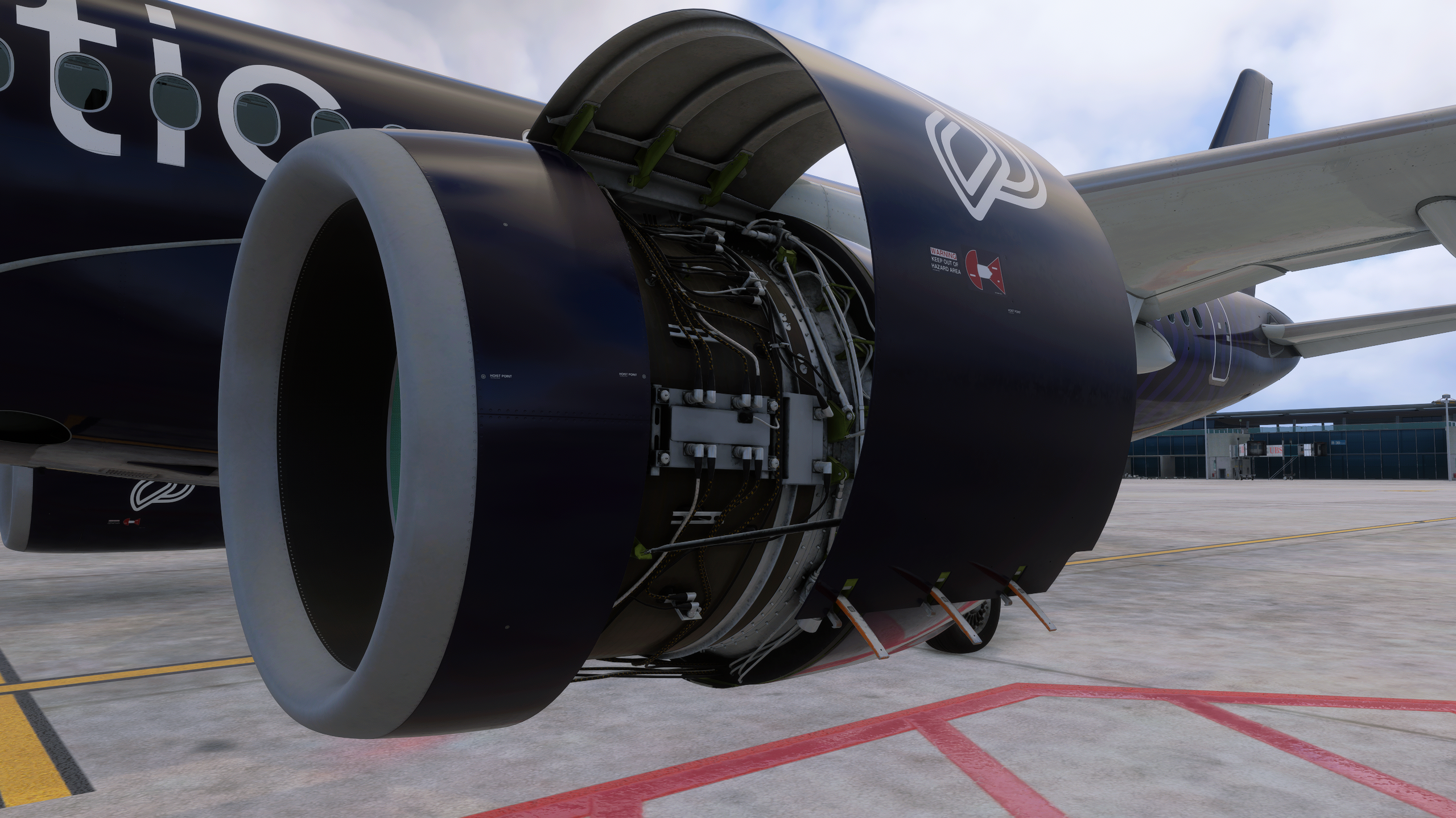
The exterior and interior modelling both made a convincing initial impression. Moving around the aircraft reveals the proportions and details that make the A220 immediately recognisable, while the cockpit comes together naturally from the normal seating position.
The flight deck is modern and centred around its displays, yet it does not feel sterile. After configuring the aircraft, programming the FMS and preparing for departure, I found it a welcoming environment in which to spend a flight.
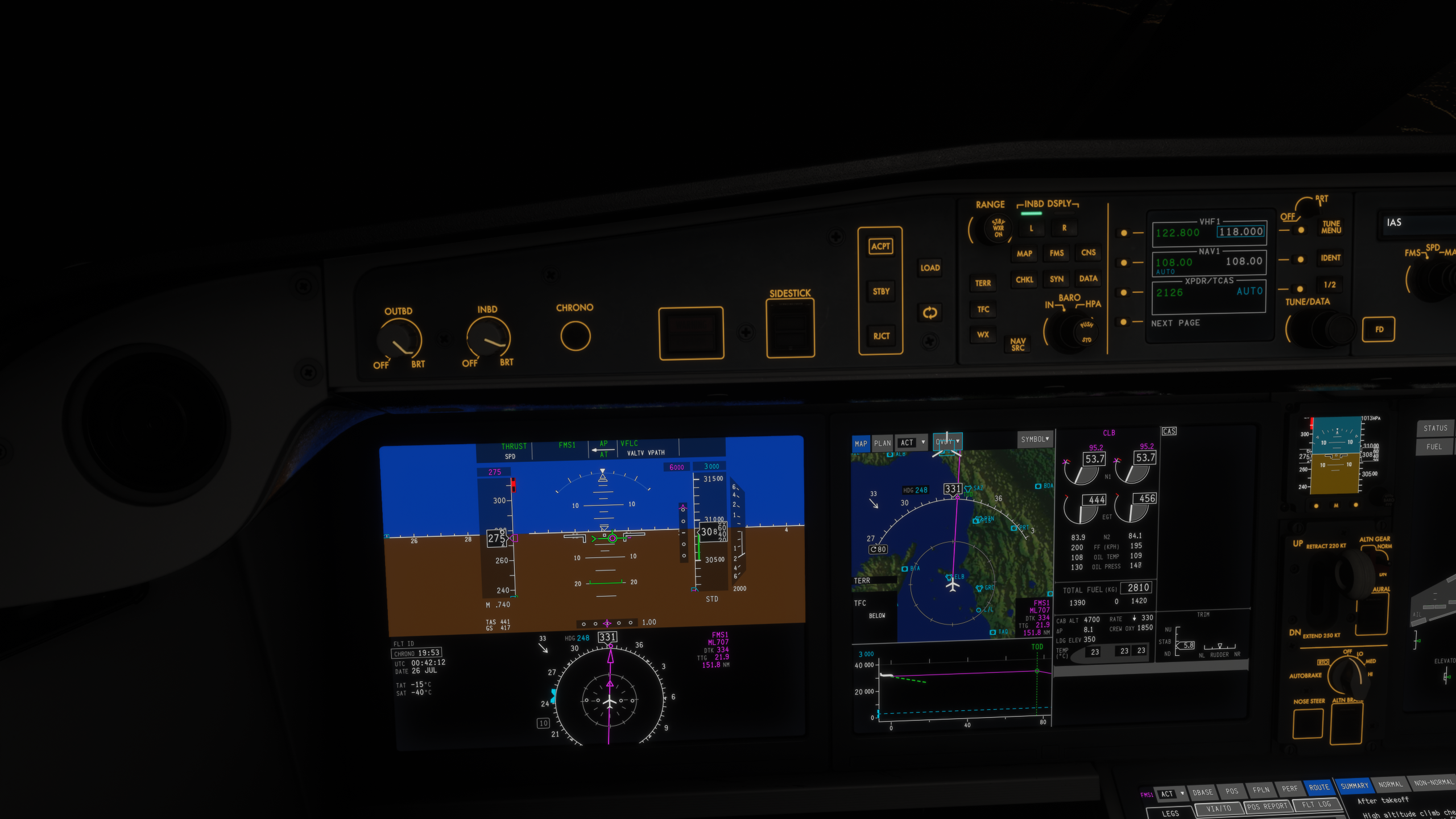
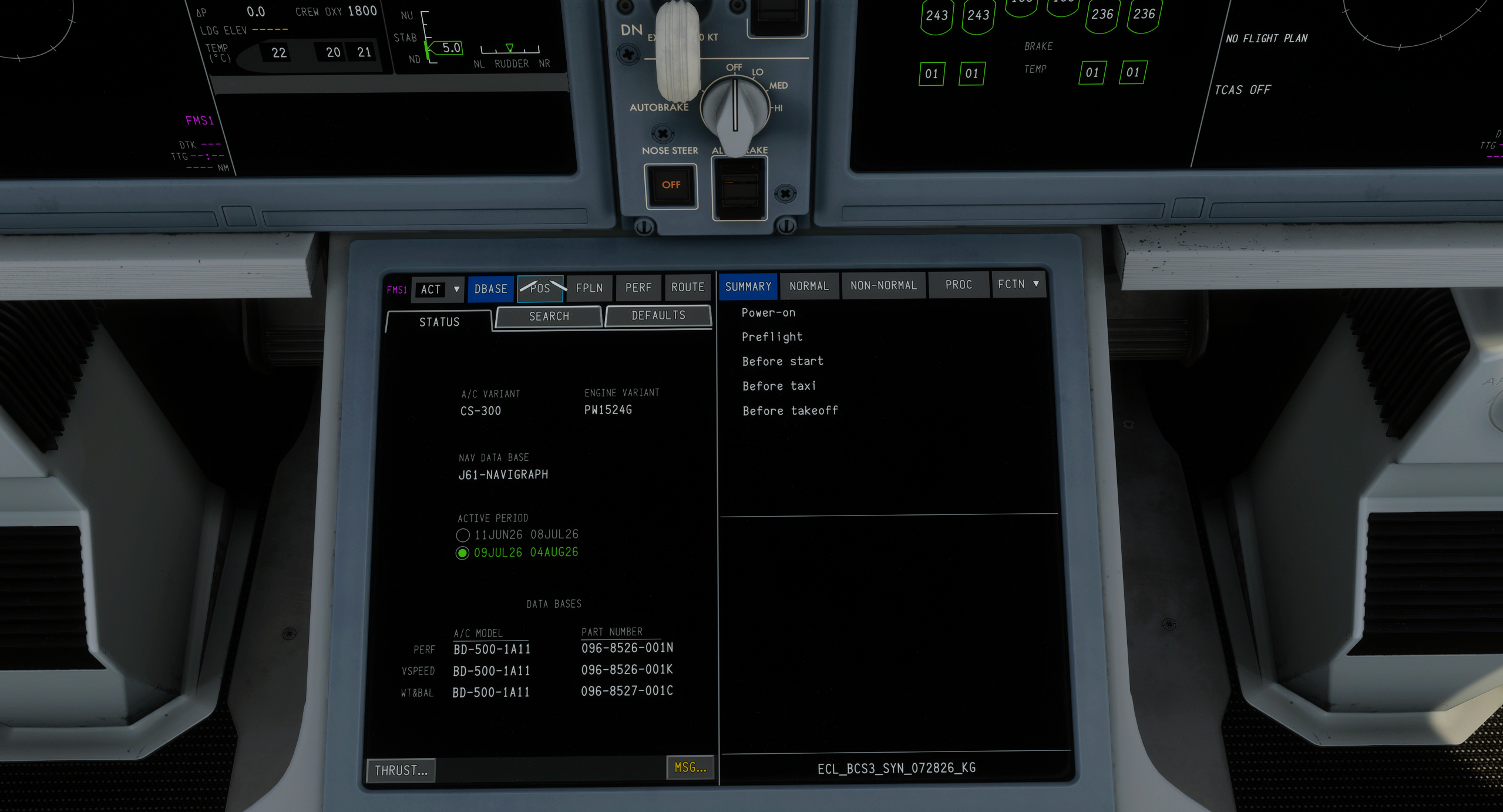
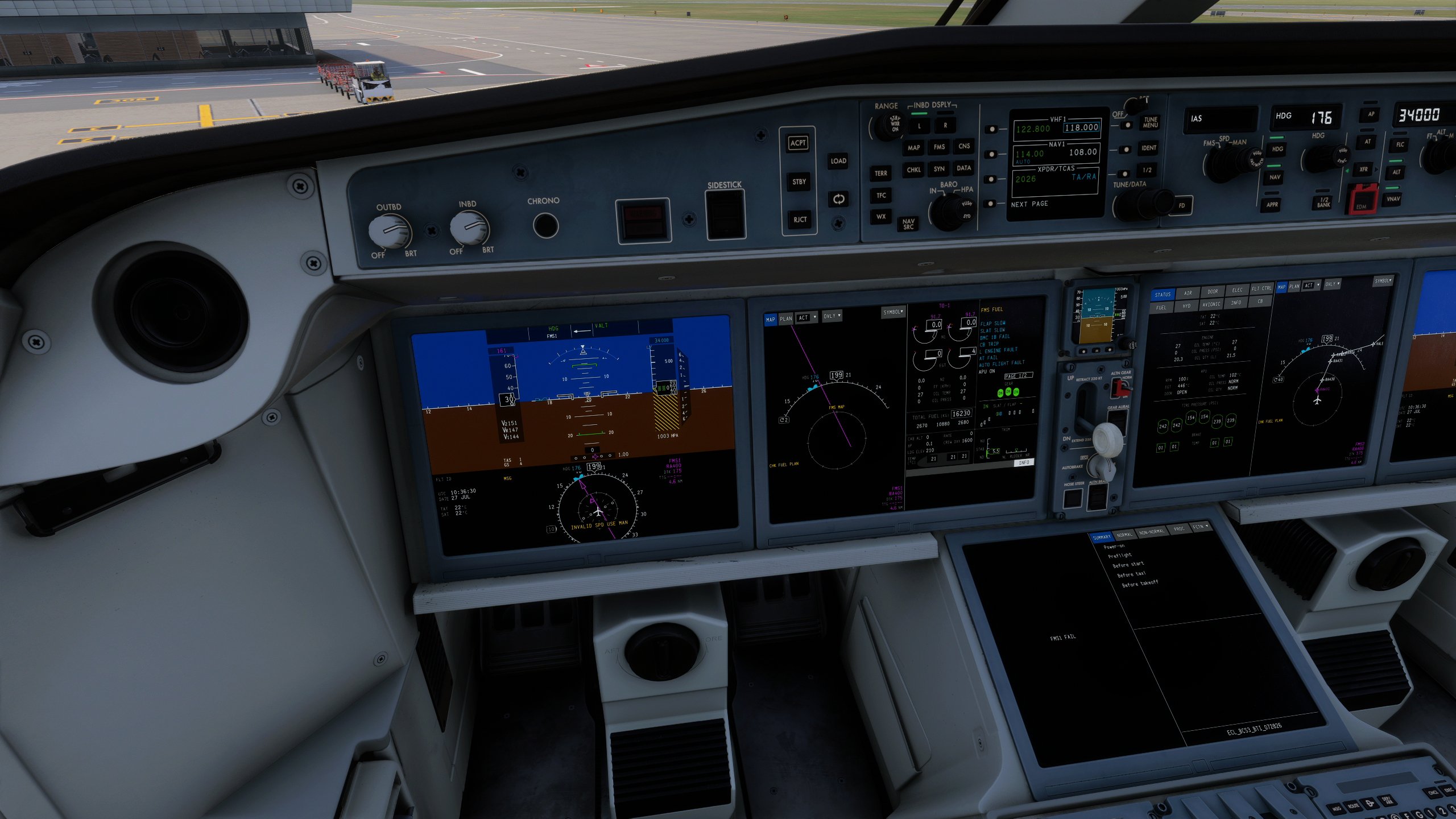
Those displays are central to the experience, with a considerable amount of information available across them. Learning how to arrange, access and interpret that information becomes part of understanding the aircraft itself rather than simply another step in the setup process.
The terrain overlay on the Navigation Display adds another layer to a cockpit already built around flexible information management. It also reinforces how differently the A220 presents its systems compared with the Airbus flight decks many simmers already know.
Sound contributes just as strongly to the aircraft’s identity. The engines change character through different power settings, while switches, alerts, callouts and cockpit ambience respond to each phase of flight.
The PW1500G engines also produce the recognisable whale-like tone associated with Pratt & Whitney’s geared turbofan family. Hearing it during start-up and changes in power gives the A220 a distinctive presence before it has even left the stand.
The callouts become particularly noticeable during departure, approach and landing, when the individual elements begin working together as one complete environment. These are not final judgements on the modelling or sound design, but they are among the details that made me want to continue exploring the aircraft after the first flight.
Hand Flying and Automation
Across most of the situations I have tested, the A220 has felt stable and predictable when flown manually. Control inputs produce a progressive response rather than making the aircraft feel nervous, and I have been comfortable taking control during departures and approaches instead of immediately returning to the automation.
I cannot judge whether the flight model perfectly reproduces the real A220 because I have not flown the real aircraft. What I can assess is how the simulation responds through my controls, and its manual behaviour has generally felt coherent and enjoyable.
There are still areas requiring further examination. In particular, I have observed the nose lowering abruptly after main-gear touchdown, and similar behaviour has also appeared during several public pre-release streams. It remains unclear whether this reflects the real aircraft, a particular landing technique or something within the simulation, so more testing will be needed before reaching a firm conclusion.
The automation has also raised several questions. Instrument Landing System (ILS) capture and tracking have not always behaved consistently, while one flight revealed a lateral navigation (LNAV) issue in which the aircraft did not correctly anticipate or complete a significant waypoint turn.
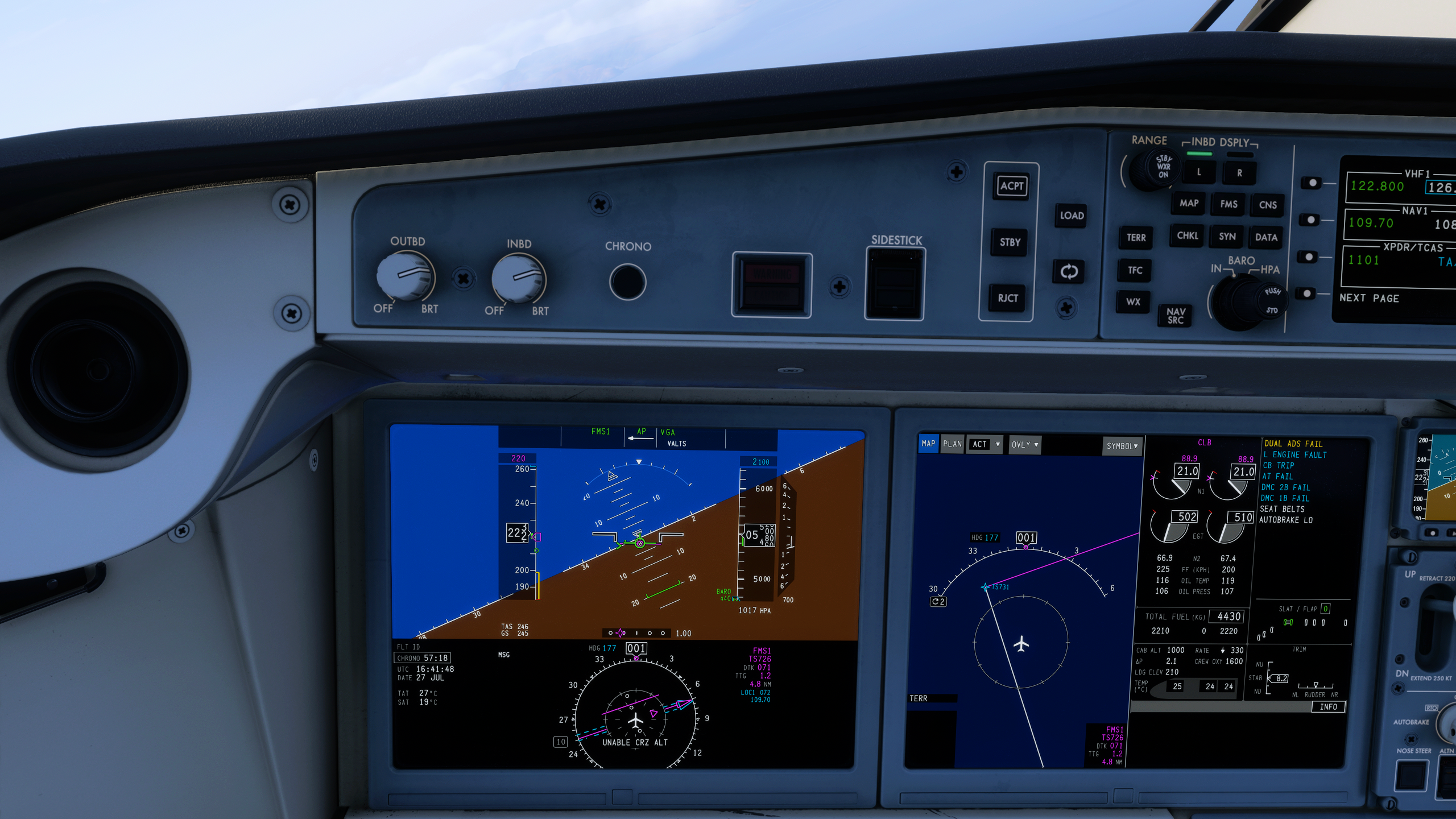
The aircraft departed the programmed magenta route and required manual intervention. However, that occurrence took place during a session in which several avionics failures were already present, so I cannot yet determine whether it represented an independent route-tracking issue or a consequence of the wider system state.
A Niche of Its Own
The more time I spend with the A220, the harder I find it to place neatly beside anything else already familiar to me. In real-world terms, its size and mission naturally create some overlap with the Embraer E2 family, while its capacity allows airlines to serve routes where an A320 may provide more seats than demand requires.
That creates plenty of possibilities in the simulator, including short regional sectors, thinner city pairs, high-frequency services and longer routes that stretch beyond what some may expect from an aircraft of its size. Its operating profile gives simmers room to explore several types of flying without forcing the aircraft into a role that does not suit it.
Once inside the cockpit, however, comparisons with other aircraft only go so far. The avionics, displays, FMS and operating philosophy give the A220 a character that deserves to be approached on its own terms.
It does not need to replace an A320 or an Embraer because it occupies a space of its own, both operationally and within flight simulation. That distinction also means it may not appeal equally to every simmer.
Someone looking for another familiar Airbus workflow may discover a greater learning curve than expected, while others may find that very same difference to be the main attraction. For me, the A220 has already provided something increasingly rare in modern airliner simulation: the feeling of entering a cockpit without already knowing exactly what comes next.
A Pre-Release Build Still Evolving
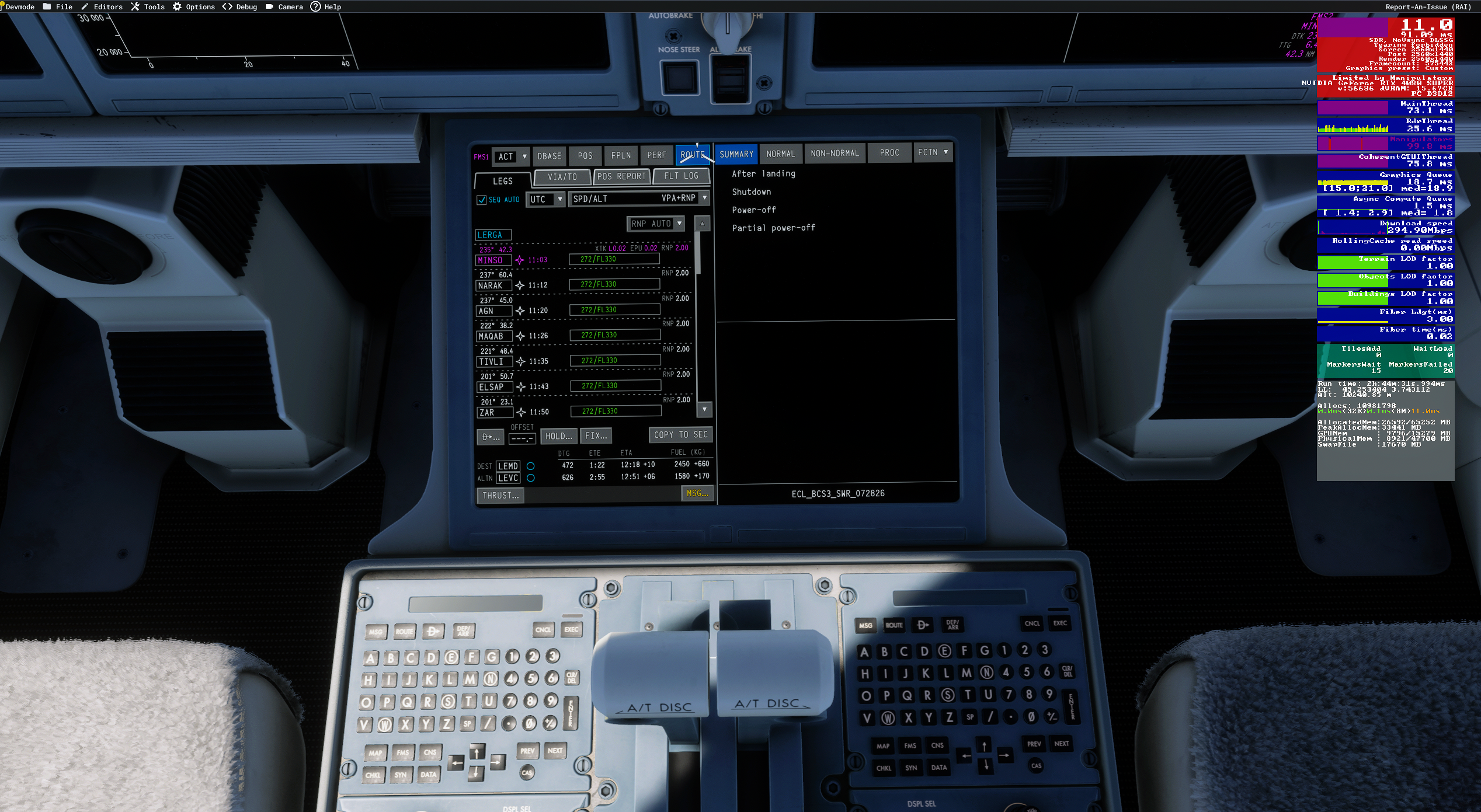
These first impressions have not been without technical concerns, and the aircraft has already changed during the pre-release period. An earlier build suffered a severe performance collapse when displaying the graphical FPLN/ROUTE page, reducing native performance to approximately 5–9 frames per second (FPS) in my testing.
The first update significantly improved that specific behaviour, and I can no longer reproduce the same page-related collapse in the same way. Overall performance, however, remains inconsistent and continues to affect the experience.
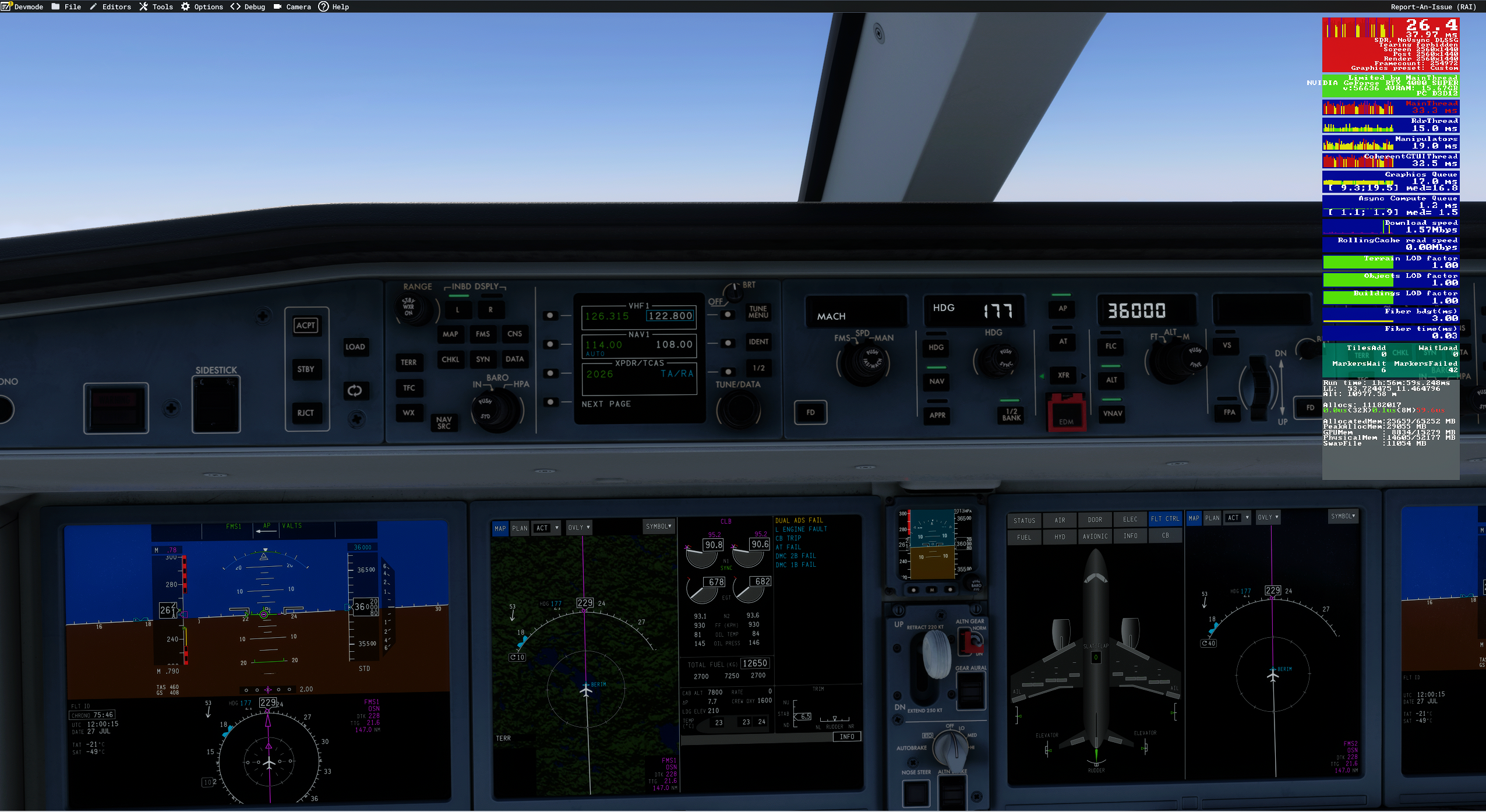
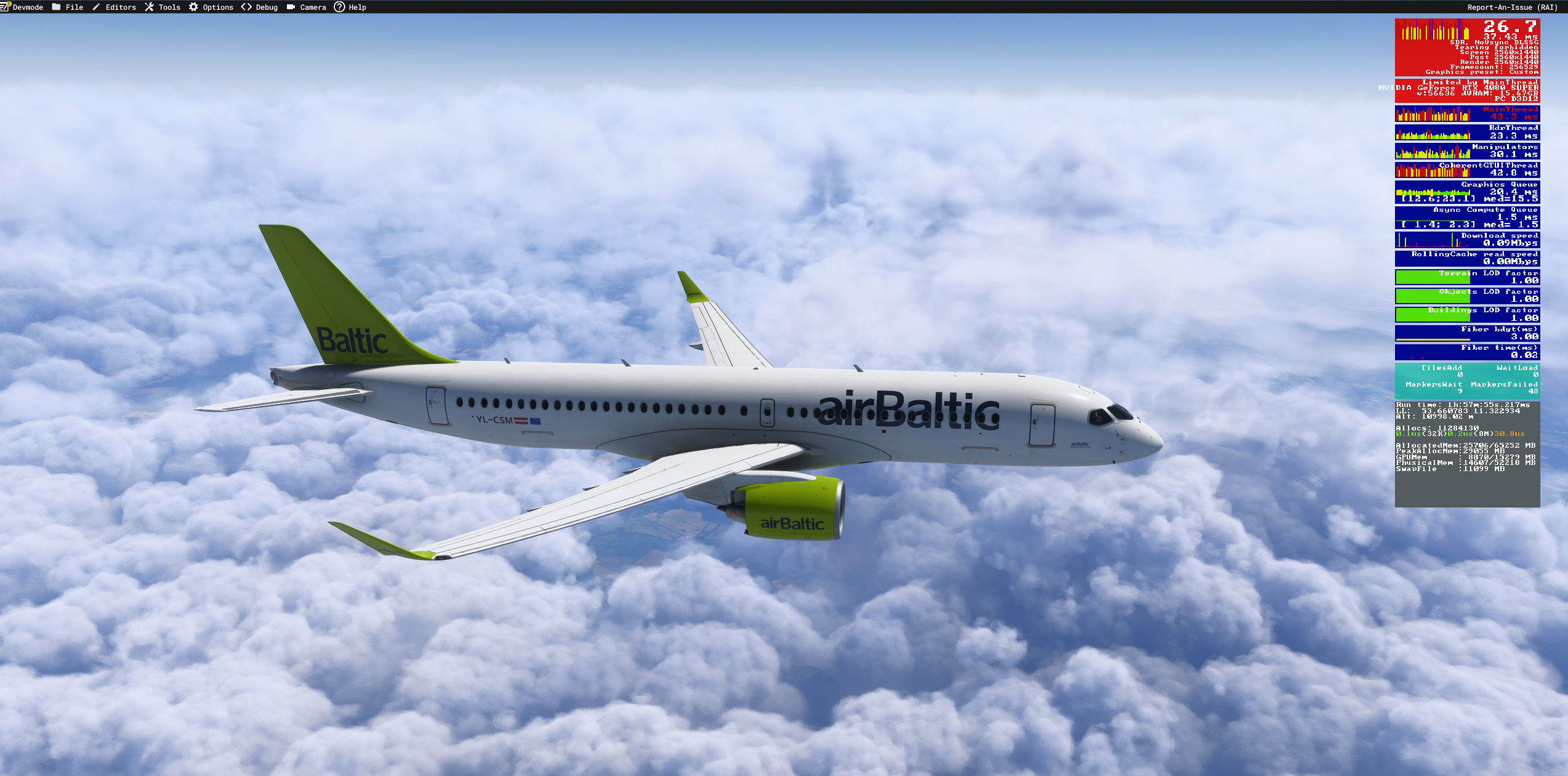
On my system — an Intel Core i7-14700K, RTX 4080 SUPER and 64 GB of RAM — the displayed frame rate can reach approximately 50–60 FPS with Frame Generation enabled. At other moments, it falls into the 26–30 FPS range, accompanied by stutters, lag spikes and uneven frame delivery.
Microsoft Flight Simulator’s Developer Mode has repeatedly shown CoherentGTUIThread as the largest timing constraint, including during cruise, while graphics processing unit (GPU) utilisation remains comparatively low. This appears to point towards a limitation involving the aircraft’s displays or user-interface workload, although the developer overlay alone is not enough to establish the precise cause.
I also encountered a repeatable interaction while using GSX ground services. During certain operations, the aircraft displayed FMS FAIL and temporarily lost the terrain overlay, with some functionality returning after GSX was disconnected.
In one affected session, further warnings appeared, including a dual Air Data System (ADS) failure, multiple Display Management Computer (DMC) failures, a left-engine fault, a circuit-breaker trip and an autothrottle failure. Because the precise relationship between the aircraft, GSX and those failures remains unclear, it would be premature to assign the cause to either product.
Autothrottle behaviour, reverse thrust, ILS operation and lateral-navigation tracking remain areas requiring further examination. The touchdown behaviour and route deviation also need to be repeated under controlled conditions to determine whether they can be reproduced independently of the wider avionics failures.
The issues observed during testing have been reported to the development team. Since the aircraft remains in a changing pre-release state, later builds may improve, alter or resolve some of the behaviours described here.
First Impressions: Distinctive, Engaging and Still Unfinished
My first impression of the Synaptic A220 is positive, although it comes with clear reservations. The cockpit, audio, display management and unfamiliar workflow have already given the aircraft a strong identity, while its manual handling has generally encouraged me to keep flying rather than return immediately to something more familiar.
The technical concerns are significant enough that they cannot be treated as minor footnotes. Performance instability, automation inconsistencies, route tracking and the avionics failures encountered during testing all require further work and verification before a final verdict would be responsible.
Even with those concerns, the underlying experience is compelling. The A220 has made me slow down, abandon familiar Airbus habits and engage with a modern airliner that feels genuinely different from the aircraft already established in Microsoft Flight Simulator.
That difference is currently its greatest strength. If Synaptic can improve performance and refine the remaining automation and systems issues, the A220 has the foundations to become one of the platform’s most distinctive and engaging modern airliner simulations.
This is not our full review, and FSNews will return to the aircraft after considerably more flying and testing. For now, however, the excitement is real: the A220 has already made me want to learn more, fly it further and discover what comes next.
Feel free to join our Discord server to share your feedback on the article, screenshots from your flights or just chat with the rest of the team and the community. Click here to join the server.