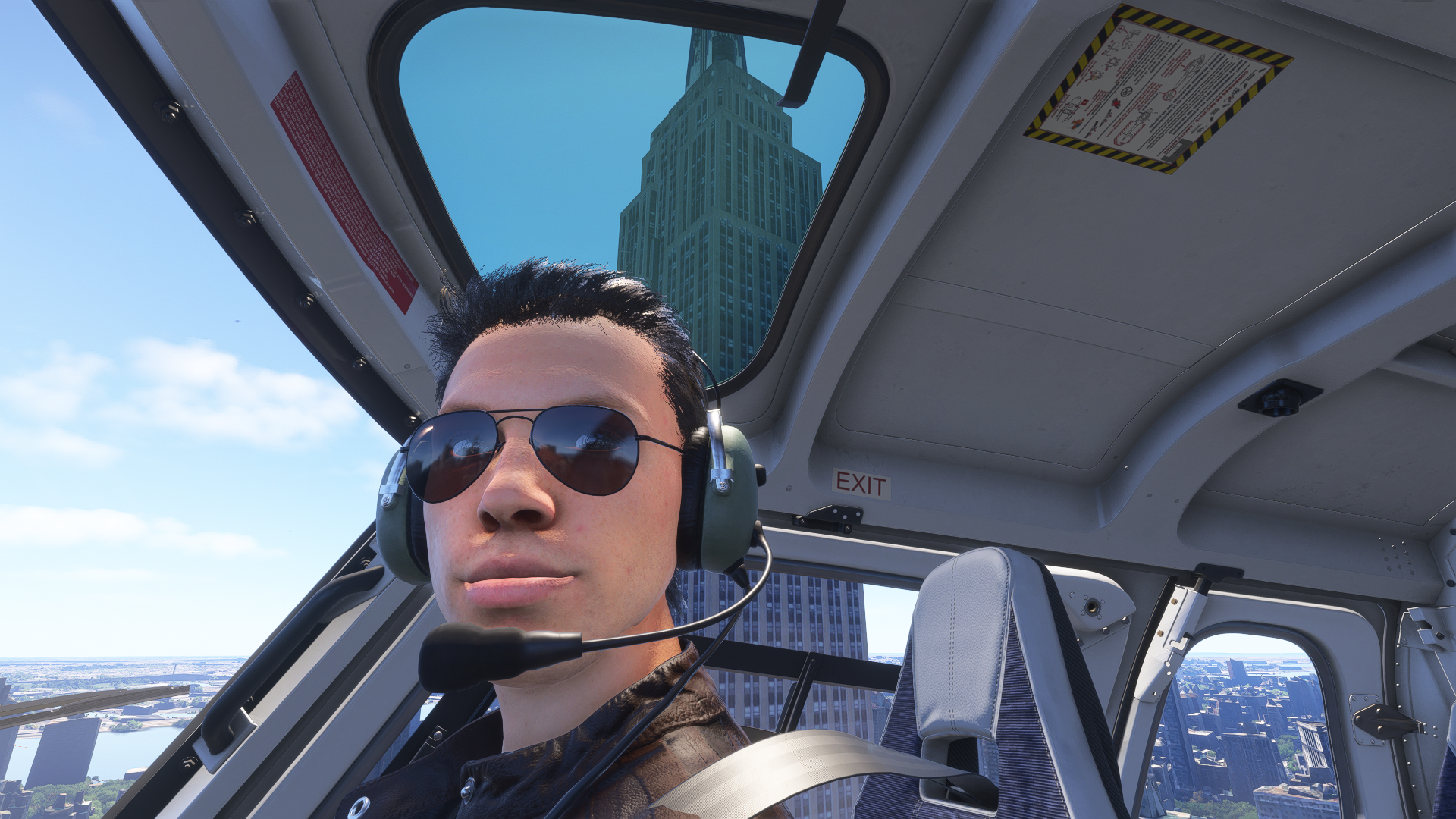
If you’ve followed my previous reviews for MSFS2024, you’d know I have had a less than stellar impression of career mode and a particular dissatisfaction with the search and rescue and medevac operations. So when I was given a chance to review Miravia Softworks EmergencyDispatcherPro, I was excited to see how a third party could improve on Asobo’s implementation. Which, of course, means it’s time for BLAZE THUNDERHAWK to make a triumphant return.
The Main Application
In marketing materials, Miravia Softworks touts EmergencyDispatcherPro (EDP) as a maritime response dispatcher developed with production assistance from the United States Coast Guard. The product includes the EDP application only, and does not feature any aircraft or custom scenery. The add-on is compatible with all stock and add-on aircraft, with the Hype Performance Group H145 with Action Pack advertised as having special integration with the app.
Mission profiles can be generated by the app for aircraft operated by the real United States Coast Guard, which includes the C130, C27J, CN35, MH60, and AS65. Other aircraft can be used by selecting the generic Other (Fixed Wing), Other (Helicopter), and Other category. Beyond mission generation and what prompts are available, EDP does not actually care about what aircraft you fly for a mission. If you were so inclined, you could even use fixed wing aircraft for helicopter missions and vice versa.
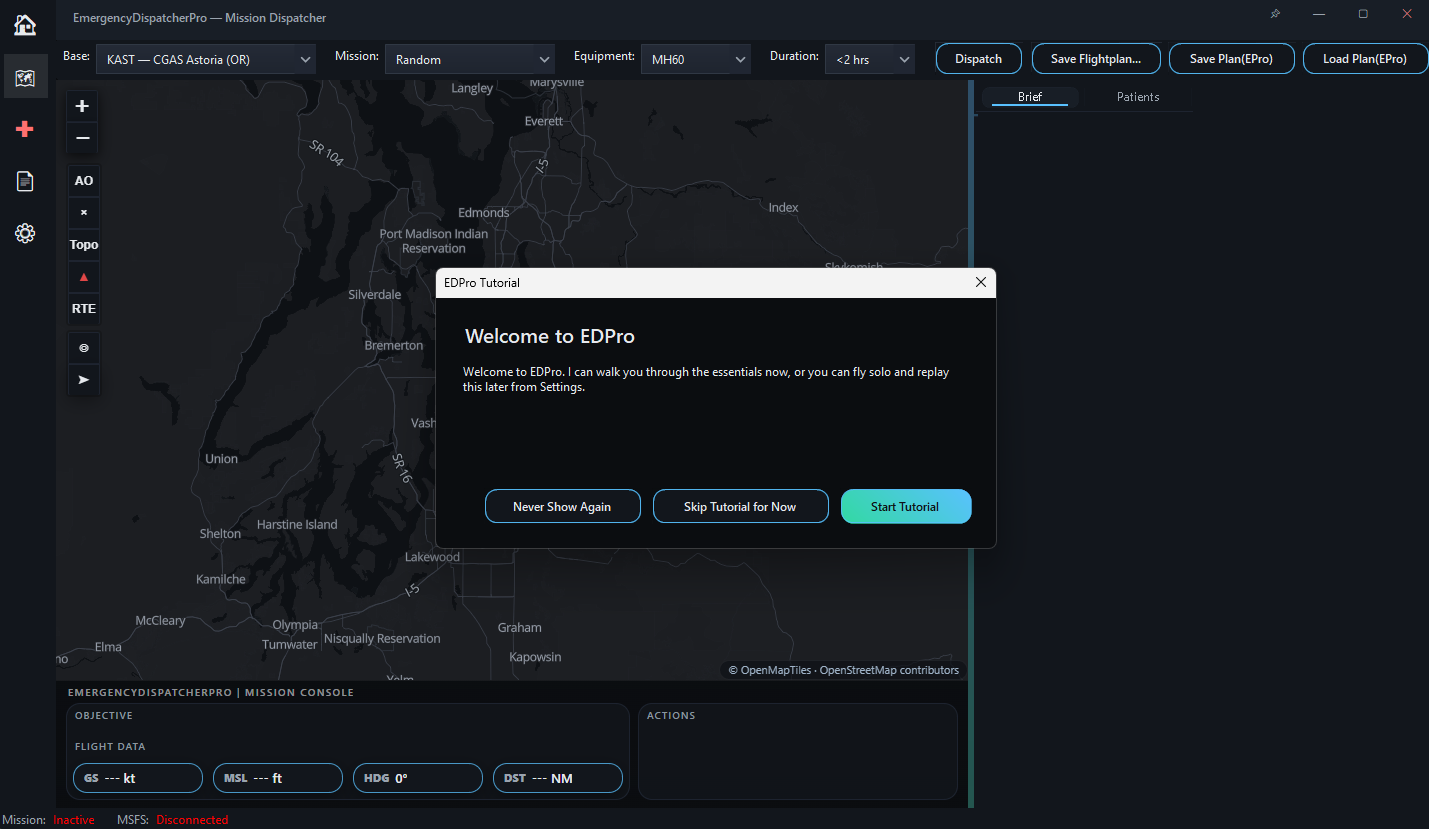
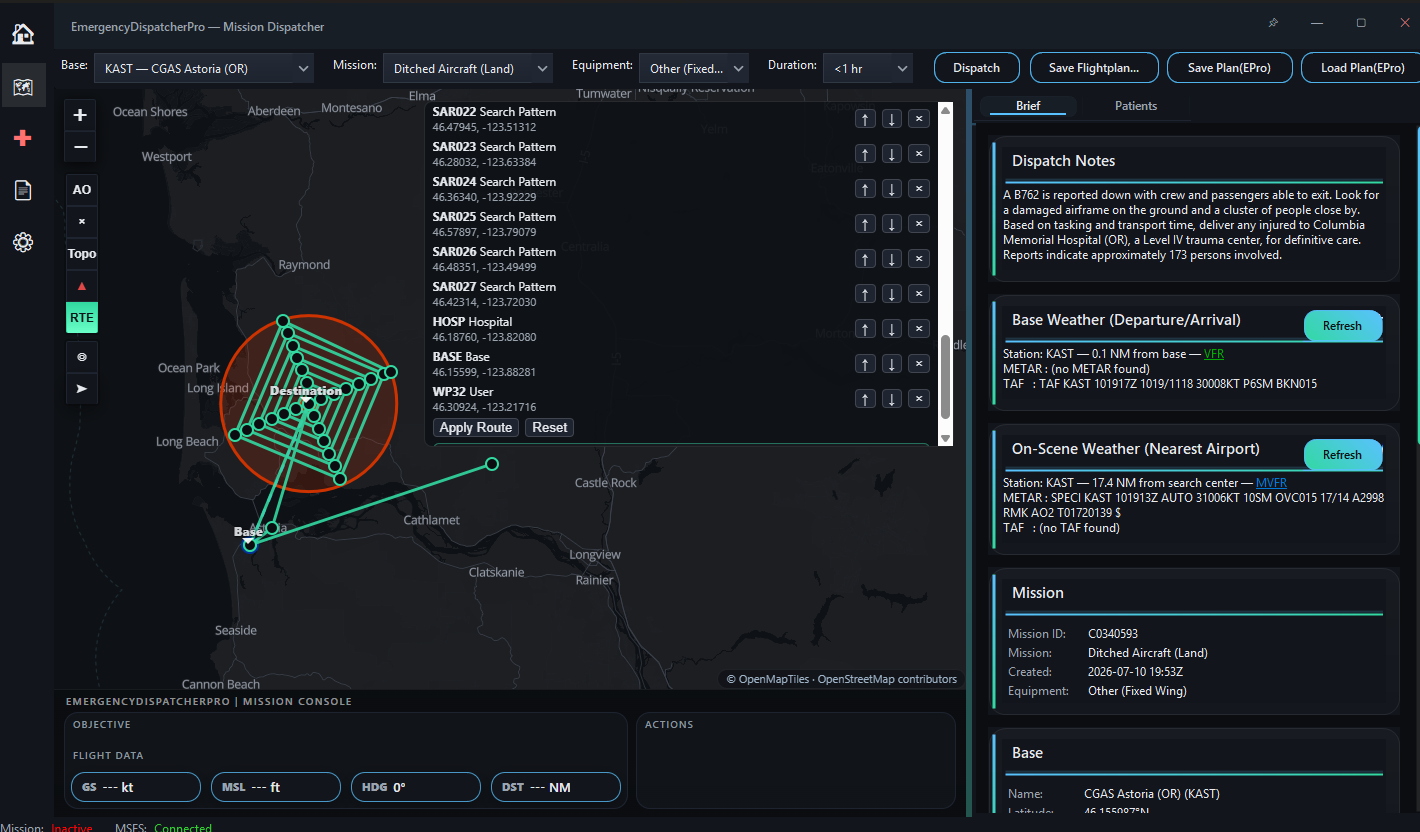
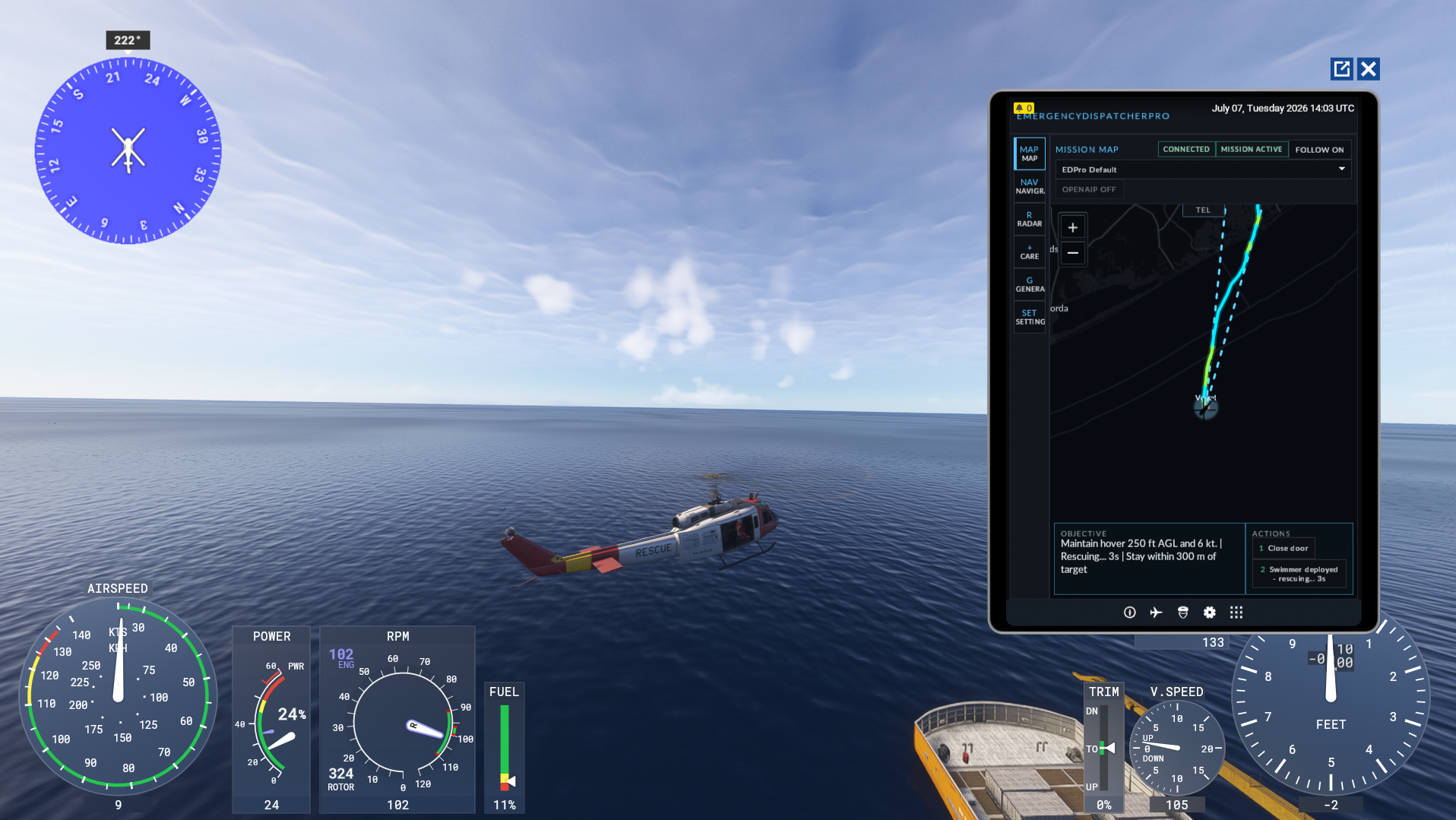
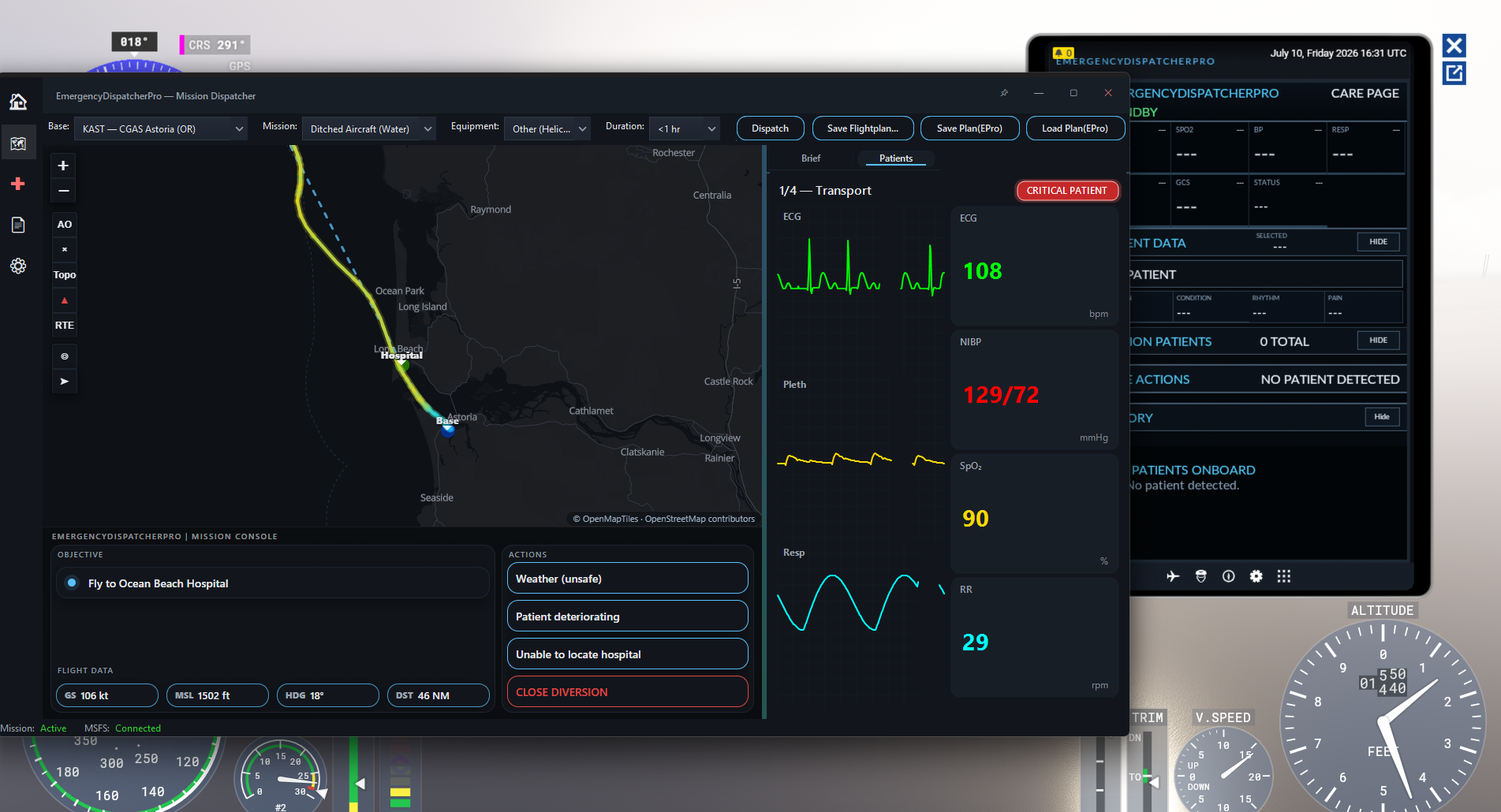
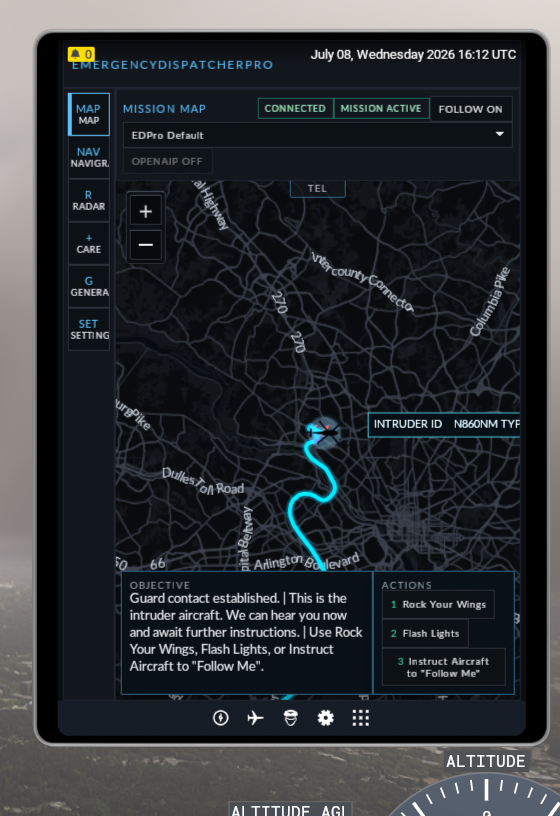
Like basically all career mode add-ons, the main features of EDP such as mission generation are handled via a desktop application that runs alongside MSFS2024. Scenery and traffic injection are handled via SimConnect, which means this add-on is NOT compatible with Xbox or PS5 versions of MSFS. EDP promises players a seamless mission experience by integrating with the in-game EFB, which provides much of the same information as is available in the desktop application such as the mission map, objectives, and available aircraft actions. The company highlights this as a particularly important feature for players who fly in VR.
It’s worth noting that EDP does NOT handle fuel calculations, weight and balance, or loading the aircraft. This was most apparent during SAR missions where arriving on station the copilot gives an update stating he does not anticipate “bingo fuel,” regardless of how much fuel you have. If this level of immersion is important to you, you will need to handle all of it in sim by yourself.
From the main menu, we can choose to launch from 27 real life United States Coast Guard bases and generate missions to fly. The player has the option to filter by flight time and aircraft, and restrict generation to a specific area of operations by drawing on the map. Generated flight plans can be exported to MSFS as .pln files or to Navigraph.
When missions are complete, a webpage is generated in the user’s local documents folder that scores the player on flight safety, patient outcome, and mission speed. There is no direct penalty for using sim rate or slew mode to speed things up, but you may take a hit to your aircraft safety rating for erratic movement.
There is no progression system or economy to speak of in this add-on, and similarly no persistence, fleet management, or rank. This could be a positive or negative depending on your perspective, but I personally prefer feeling like I’m working towards something.
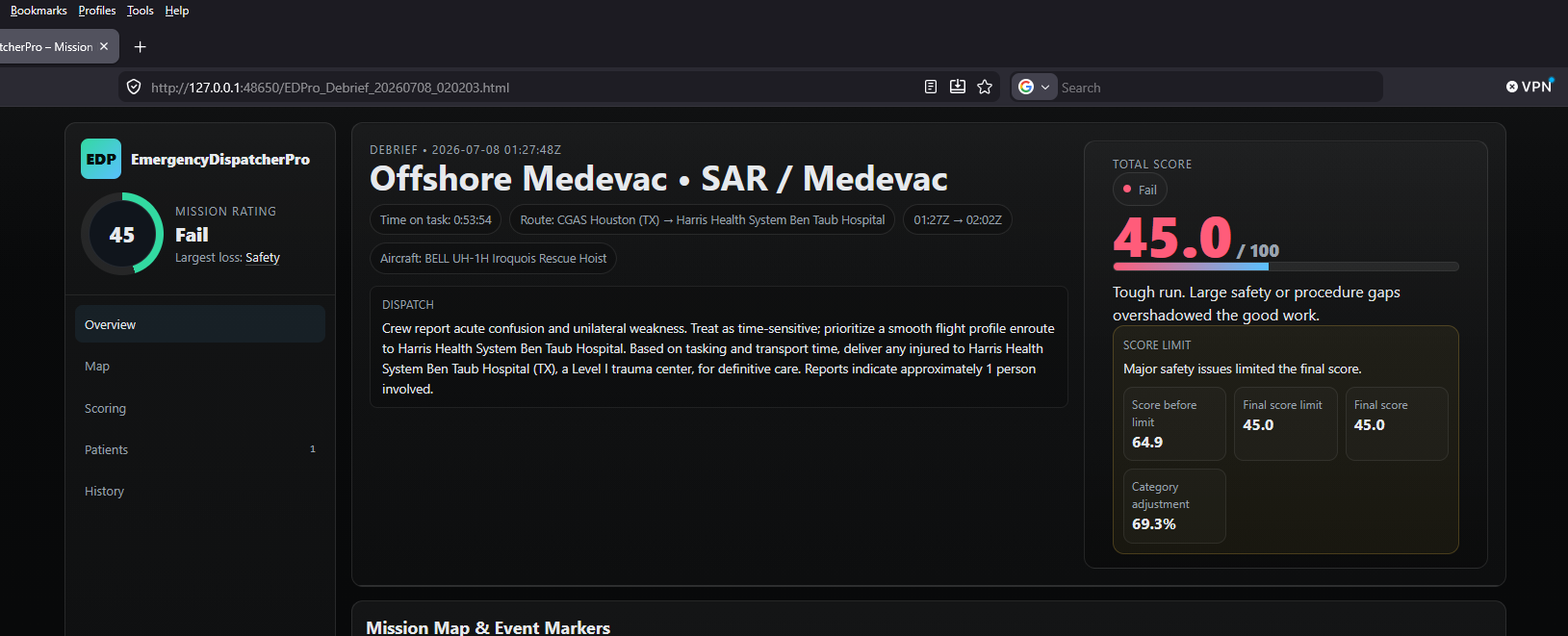
If I have one major complaint about this setup, it’s the lack of obvious feedback that you’ve started a mission. There is no “Mission Start” button. Once a mission is generated, the mission will automatically begin once a player is in sim and within 50nm of the selected starting airport. There is usually no visual or auditory confirmation when missions end. The route simply disappears and the end of mission report is generated on the users PC.
There is no “plot” to the missions, just a simple generated briefing. There is no in-mission feedback other than your commanding officer voicing his sardonic dissatisfaction with your flying if you exceed the performance specifications of the aircraft. For players dissatisfied with the terrible AI voice work of MSFS2024’s career mode, the relative silence may be a welcome change, but I would have liked to see a little more variety to mission dialogue.
It’s also important to note here that although the application generally worked as expected, I experienced a number of significant performance issues and crashes while flying or during planning. I found, for example, a severe memory leak while idling at the world map screen during flight planning, in which MSFS2024 and EDP both competed to see who could consume all of my PCs RAM and crash to desktop first.
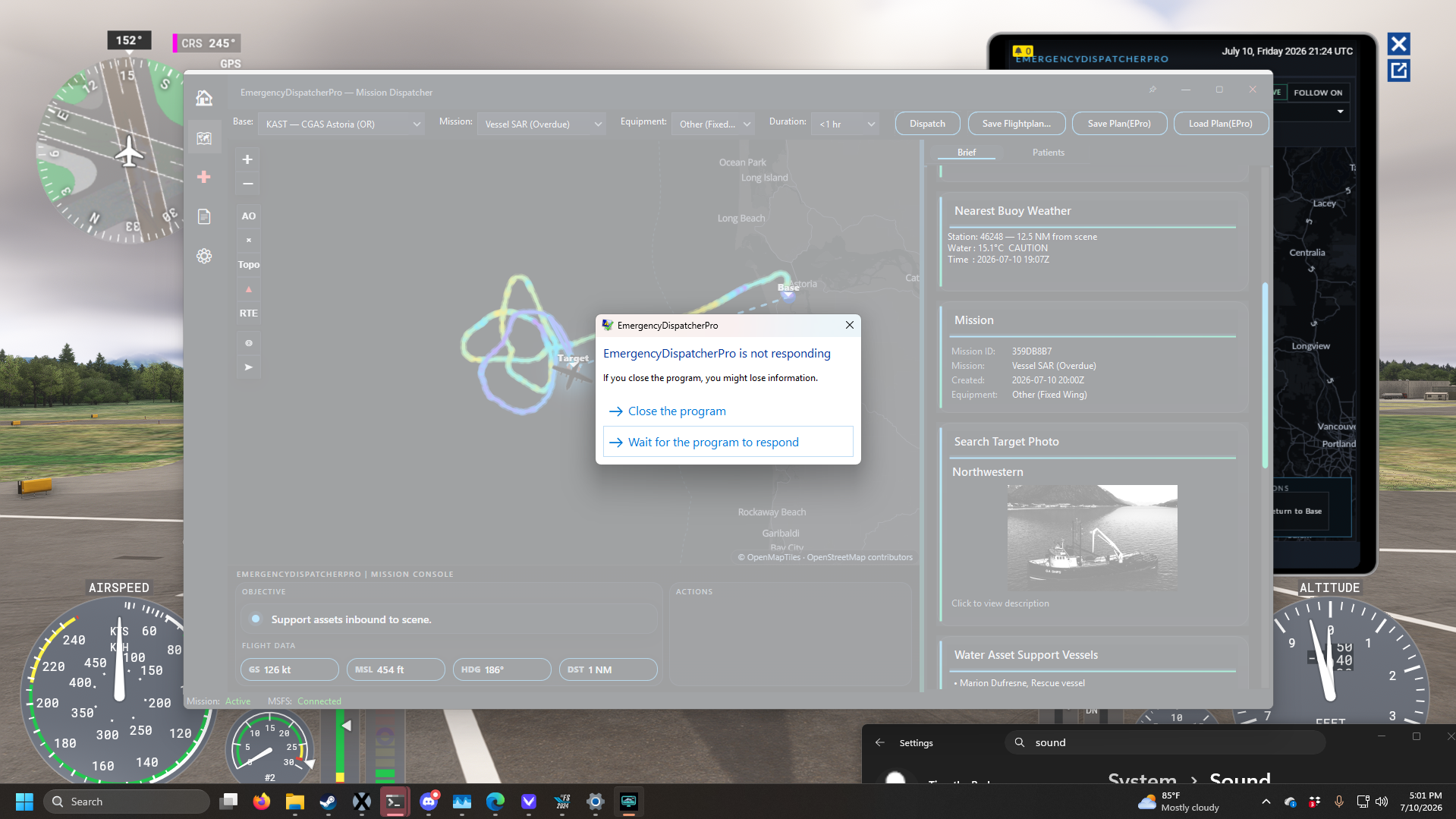
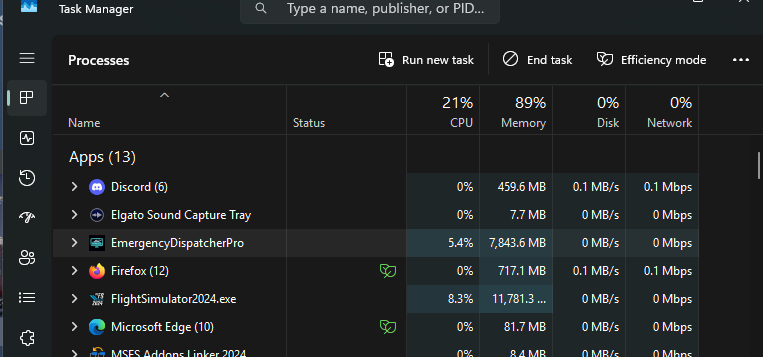
This was not the only instability I experienced, as more than once I encountered random crashes or a loss of synchronization between the EFB and the desktop app. These desynchronization issues were particularly frustrating during SAR missions where, after failing to locate my target, I would tab over to the desktop and realize the mission hadn’t generated one at all. Concerningly, this happened during my very first flight in EDP, in which I was flying from Coast Guard Station Atlantic City to respond to a car accident in Tom’s River, only to discover on landing that there was no accident. Eventually, I made it a strategy to load into my aircraft on runway before launching EDP, and confirm after takeoff that the desktop app and the EFB were in sync.
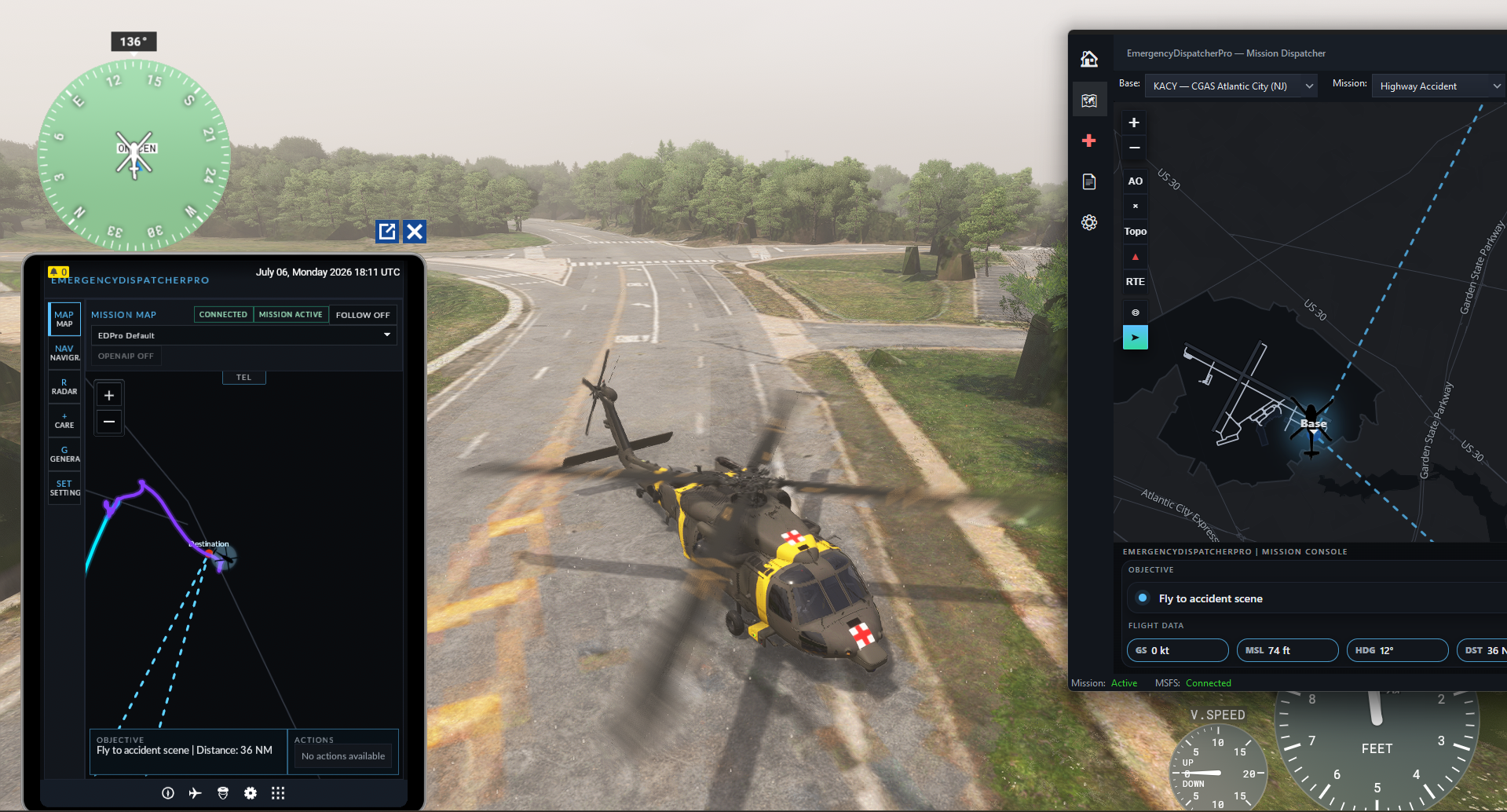
There were also a number of UI bugs, such as critical mission information, being cut off by the EFB view or menu options like the ability to call the hospital with our ETA being missing entirely unless I changed the cockpit camera with the menu open. The advertised voice commands did not work at all on my setup.
Patient Care
One of the major selling points of EDP is its in-depth patient care simulation developed in collaboration with real medical professionals. This is a bit of an odd inclusion to me, because (as far as I know) during real medical transport and SAR flights, the pilot is not also responsible for administering IV drips and taking pulses while wrangling a helicopter through a storm. If you’re not interested in playing doctor and just want to fly the aircraft, the option to turn off medical care is provided in the application settings.
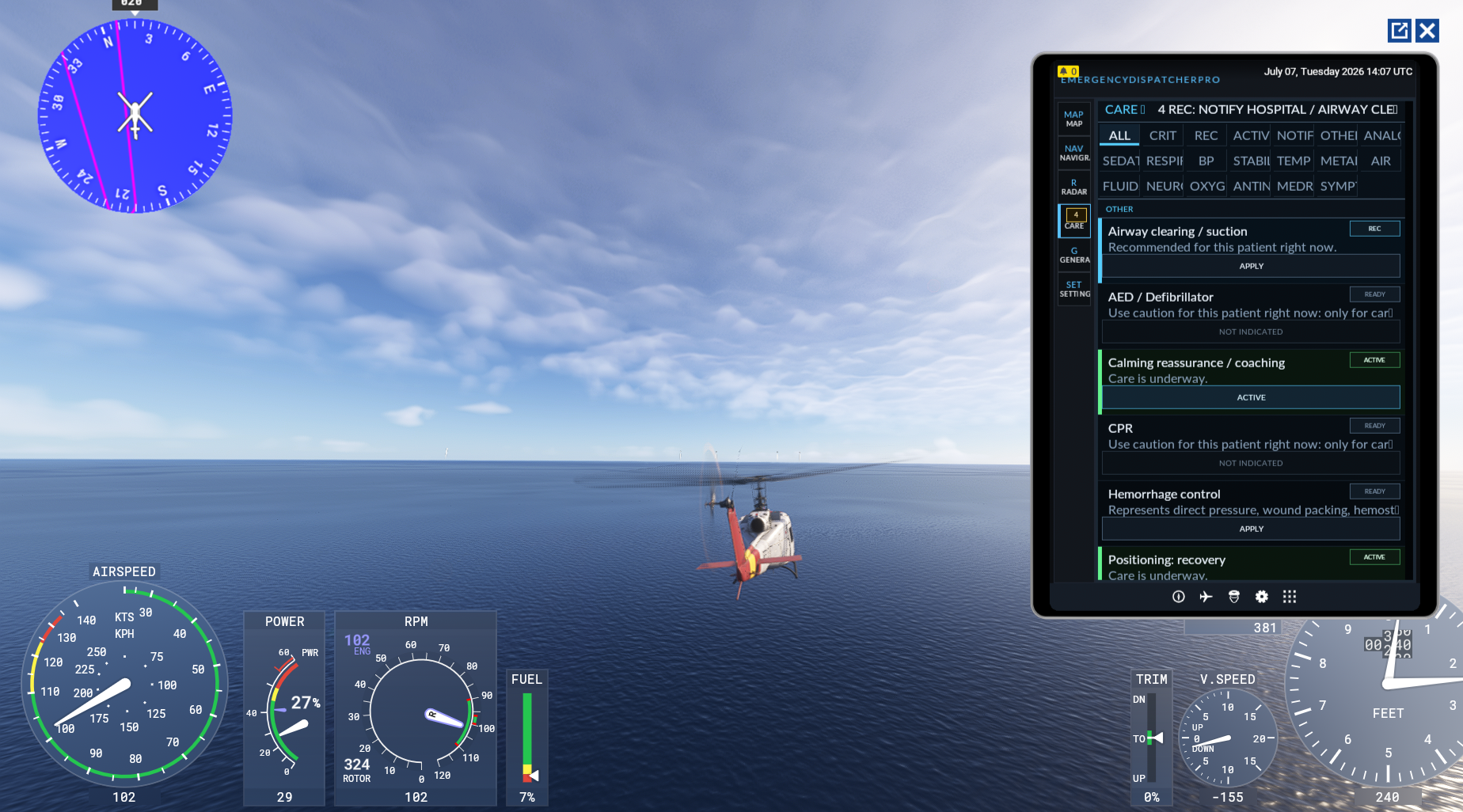
Nevertheless, this is a surprisingly deep feature that simulates patient vitals and gives an extensive list of interventions that the flight medic can perform to stabilize them. By default, the player is given a list of “recommended” care items at regular intervals and basically needs to just click accept on each one. If you’re some kind of aeromedical savant, there is also an option to turn off the recommended care suggestions and take the patient’s life into your hands entirely.
Honestly, it’s the kind of feature that makes me wish that Microsoft had included a way to send the native EFB to an external tablet as some other add-ons have done. The patient care system is deep enough to make for a decently solid second-player experience… that is, if you have the kind of friends who are willing to sit in a room with you and LARP a rescue helicopter crew… and if you do, can I be your friend too?
A Day in the Life of a Coastie
Gameplay-wise, EDP boasts 15 mission types, which I would loosely group into three categories: Find a thing, move a thing, and catch a thing. These mirror the main search and rescue and law enforcement duties of the real life United States Coast Guard. Additional “patrol” type missions exist as time fillers, and involve going to a designated patrol area and waiting until the EFB randomly assigns one of the other mission types.
The “find a thing” type missions, much like the SAR operations in Career Mode, have the player fly to a designated search area and look for the target of interest, be that a downed plane, missing vessel, or hiker in distress. There are also several “move a thing” type missions, which omit the “search” part of search and rescue and have you instead respond to a known location such as a car accident or offshore platform.
Once on scene, the player is given the option to either land in a suitable nearby area, or hover above the situation and simulate the deployment of a rescue swimmer. For fixed wing aircraft, the action instead focuses on making a supply drop to the party in distress and remaining on station until support vessels arrive. Both of these are a massive improvement over career mode missions which simply demand you repeatedly fly into terrain until you’ve been deemed worthy of performing a rescue. From here, you either return to base or fly to the nearest major hospital to drop off patients, depending on mission type.
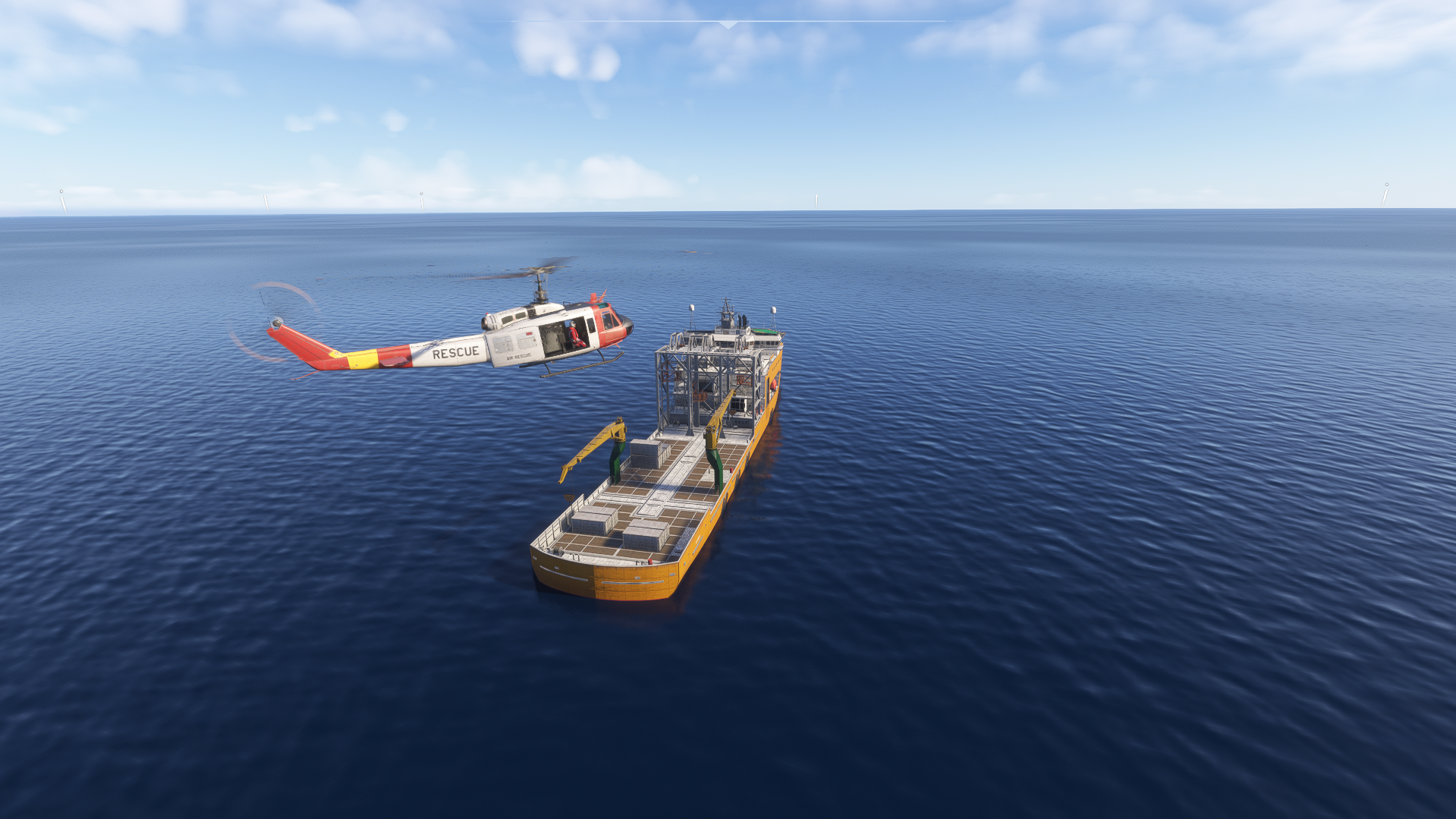
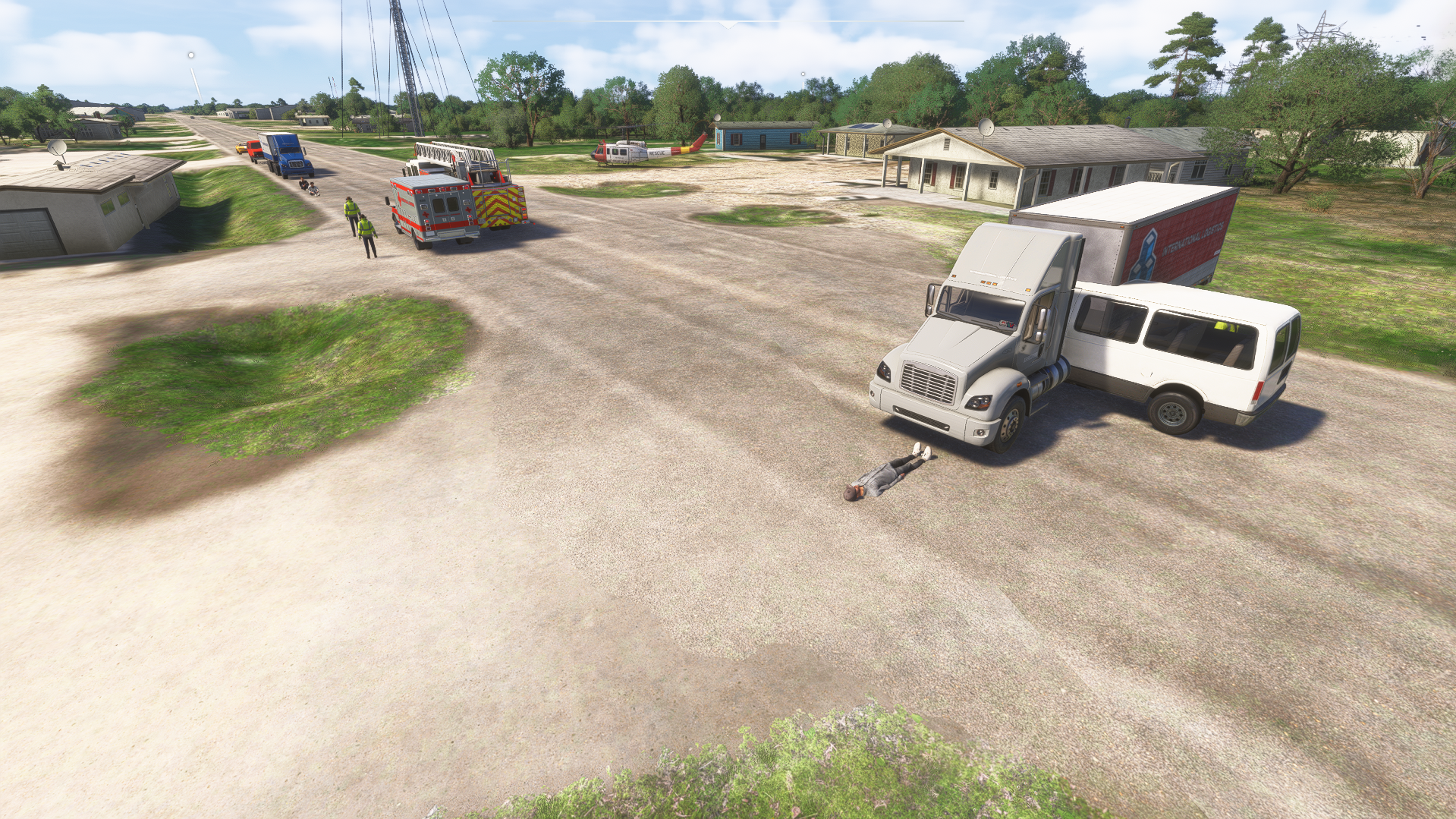
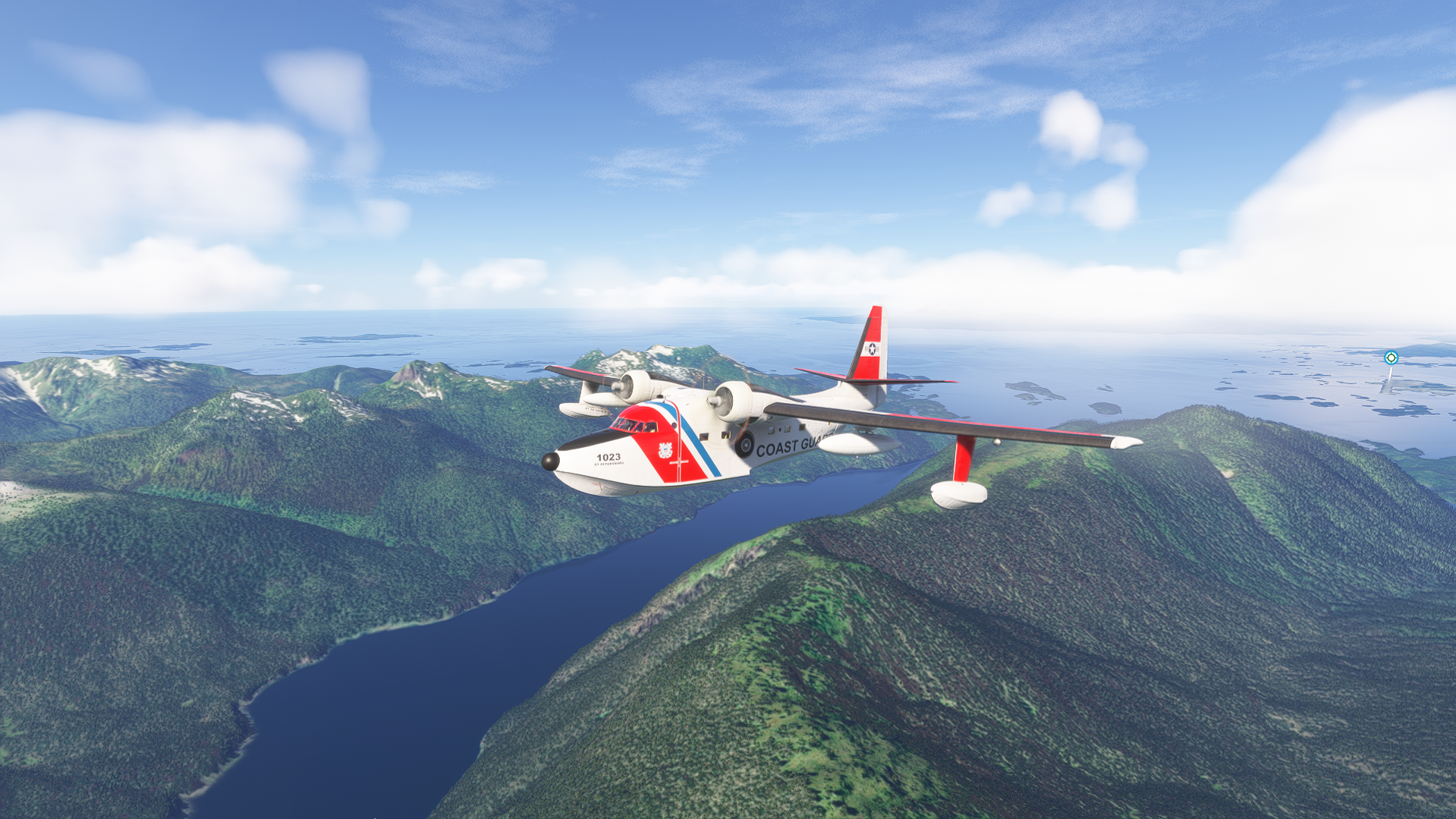
Another “move a thing”-type mission, medevac flights, omit the “search” and “rescue” part of search and rescue, and function as more of a replacement for career mode’s medevac/organ trafficking flights. Much like the flights in career mode, these are generally longer distance flights that involve carrying a patient from a remote area to a major city for more advanced medical care. If you don’t want to deal with patients at all, EDP also allows the generation of transport flights, from any of the Coast Guard stations to any ICAO code. Both are a good option if you’re interested in a change of pace from helicopter simming but are not that remarkable themselves.
Guarding the Coast
The final category, “catch a thing” is where EDP is at its most interesting. Catch a thing type missions include vessel seizure and interdiction flights, which usually focus on stopping the movement of contraband into the United States. For these seizure missions, you are given the rough location of target vessel and required to locate it and deploy an assault team to sieze the ship.
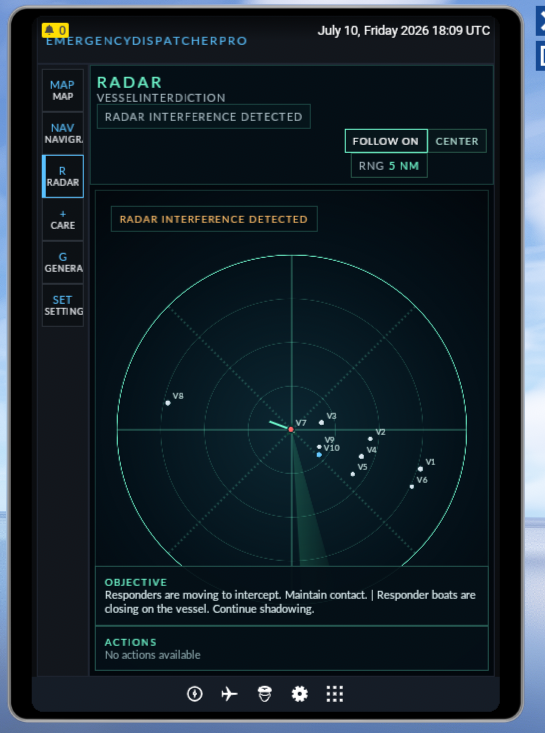
Similarly, vessel interdiction involves tracking down a smaller vessel that is behaving suspiciously. We aren’t given a lot of criteria on what is considered “suspicious” and are warned that the smugglers may try distraction tactics. In my case, this meant a single speedboat was off on its own while a group of larger ships traveled together in small group. The in game EFB’s radar screen confirmed this boat was indeed suspicious by turning red and indicating that radar interference was detected.
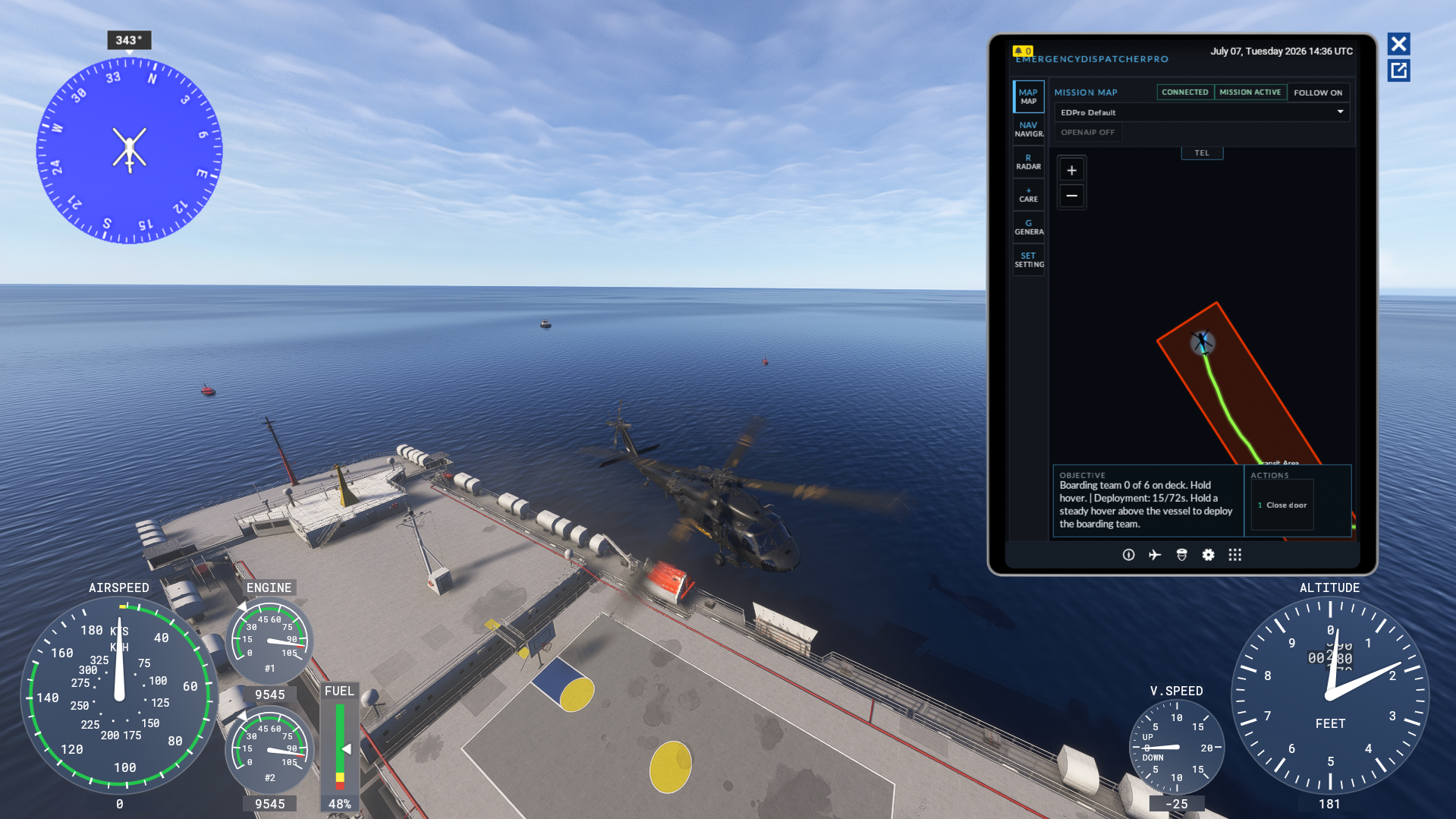
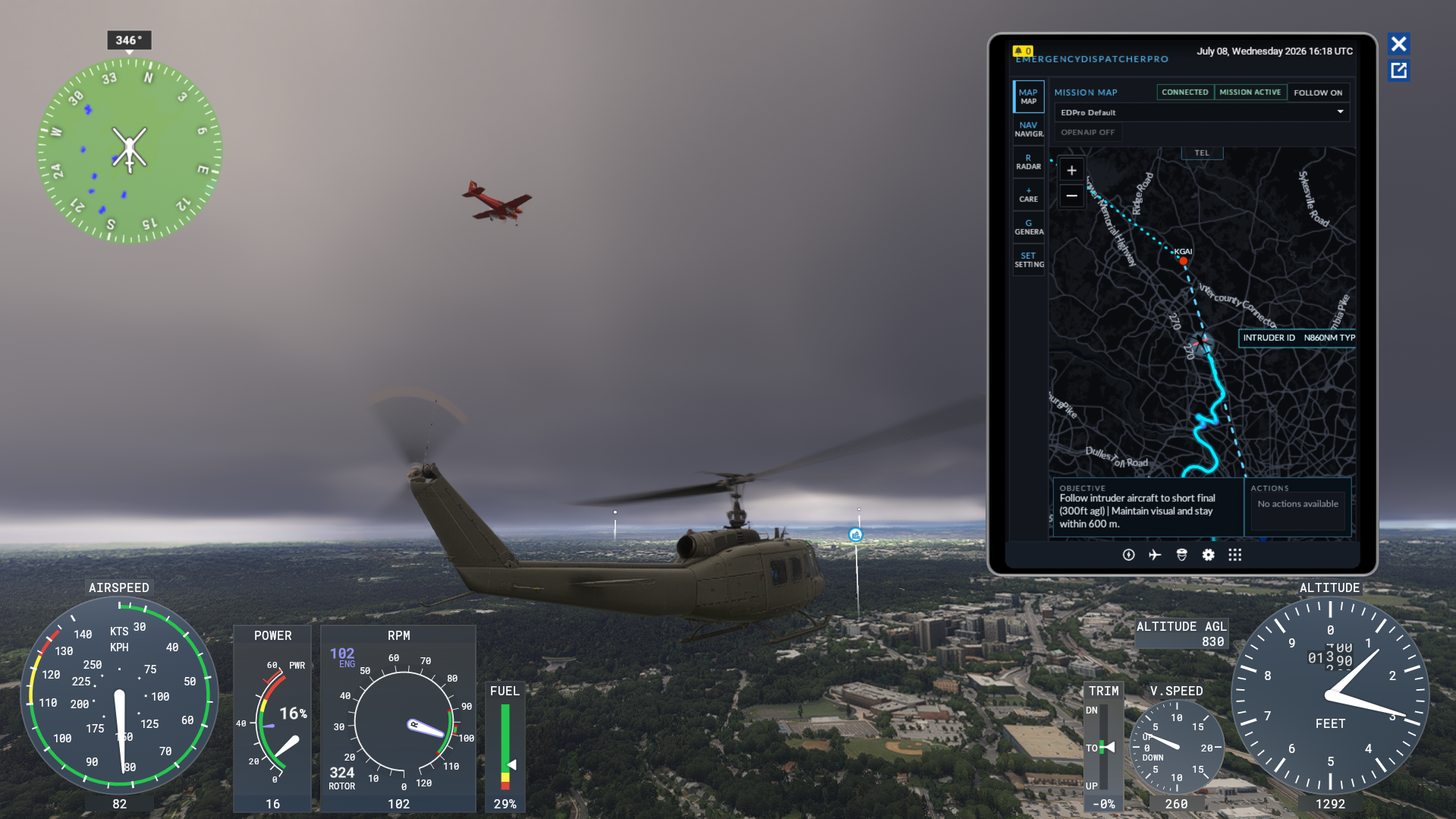
Finally, we have Blackjack Interception flights. Conducted exclusively from KDCA, the Blackjack unit is an elite Coast Guard unit tasked with intercepting aircraft that have violated the restricted airspace over Washington DC. For these flights, the player is given a patrol area, followed some time later by a message to intercept an incoming aircraft shown on the EFB.
Aircraft selection matters here. I was flying the UH-1 Huey which has a max speed of 110 knots in sim, and had to intercept a target that was moving at 150 knots. (Real Blackjack units fly the MH-65 Dolphin which can move much faster at 175 knots) Once contact is made, you must instruct the aircraft to follow you and land at a nearby airport. There was fair bit of jankiness as it seemed like the sim was constantly struggling to reposition the target aircraft so it would properly follow me, but the mission did work as expected.
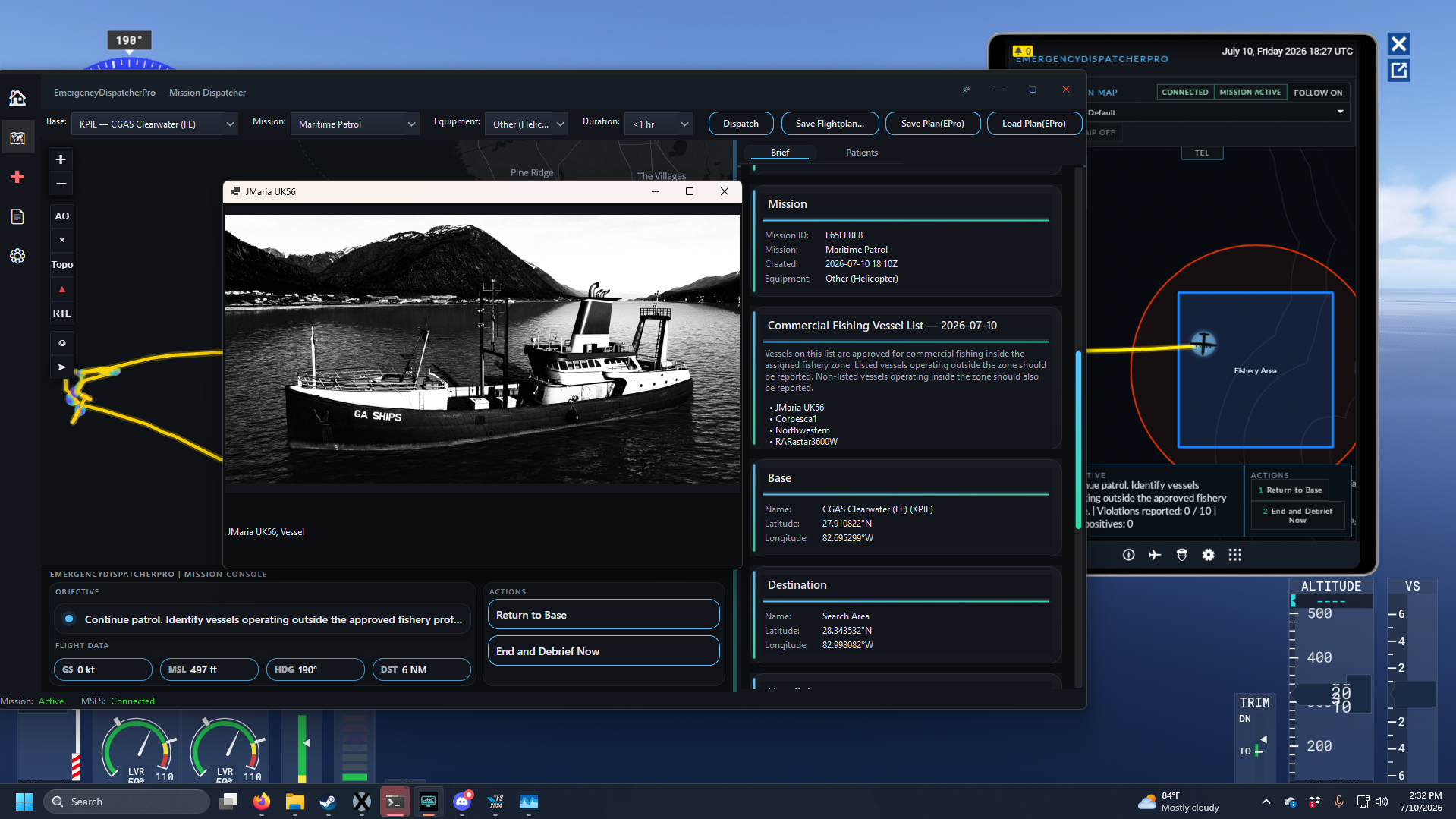
The final mission category of note is “environmental patrol.” For these flights, the player is given a patrol area with a designated “fishery boundary” within. The desktop application has a list of commercial fishing vessels which are permitted to be within the fishery and pictures of these ships. Any ship within the fishery but not on this list is considered in violation, as are ships that are outside of the boundary. All violations must be photographed and reported.
Of all mission types, this one was by far the most frustrating because it felt both the most involved but also the most unfinished. The EFB tracks the number of violations you’ve logged vs the number of false positives, but during my flight I was only ever prompted to report a handful of ships of the dozens I encountered, all of which were automatically considered violators without me ever even needing to reference the photos. In a way, this was good, since the photos are not accessible via the EFB.
Should You Buy EmergencyDispatcherPro?
Ultimately, the question of whether you should buy EmergencyDispatcherPro comes down to what you’re looking for in a flight sim career add-on. If you are primarily a helicopter simmer, and the type of person who doesn’t require a progression system, rewards, plot, or dialogue, and are ok with being restricted to the coastal United States, then EDP offers a compelling and far more flexible option over MSFS2024’s built-in career mode.
The big caveat here comes down to the application’s stability. Granted, my review copy was a Beta build, but I experienced frequent crashes and instability during my few dozen flights over a few days of testing. I would hope these issues are addressed by the developer. As of this writing, Miravia Softworks offer a 24 hour free trial of EmergencyDispatcherPro available via the Aerosoft Shop. If what I’ve described here sounds compelling to you, I recommend you give it a try yourself before committing to purchase.
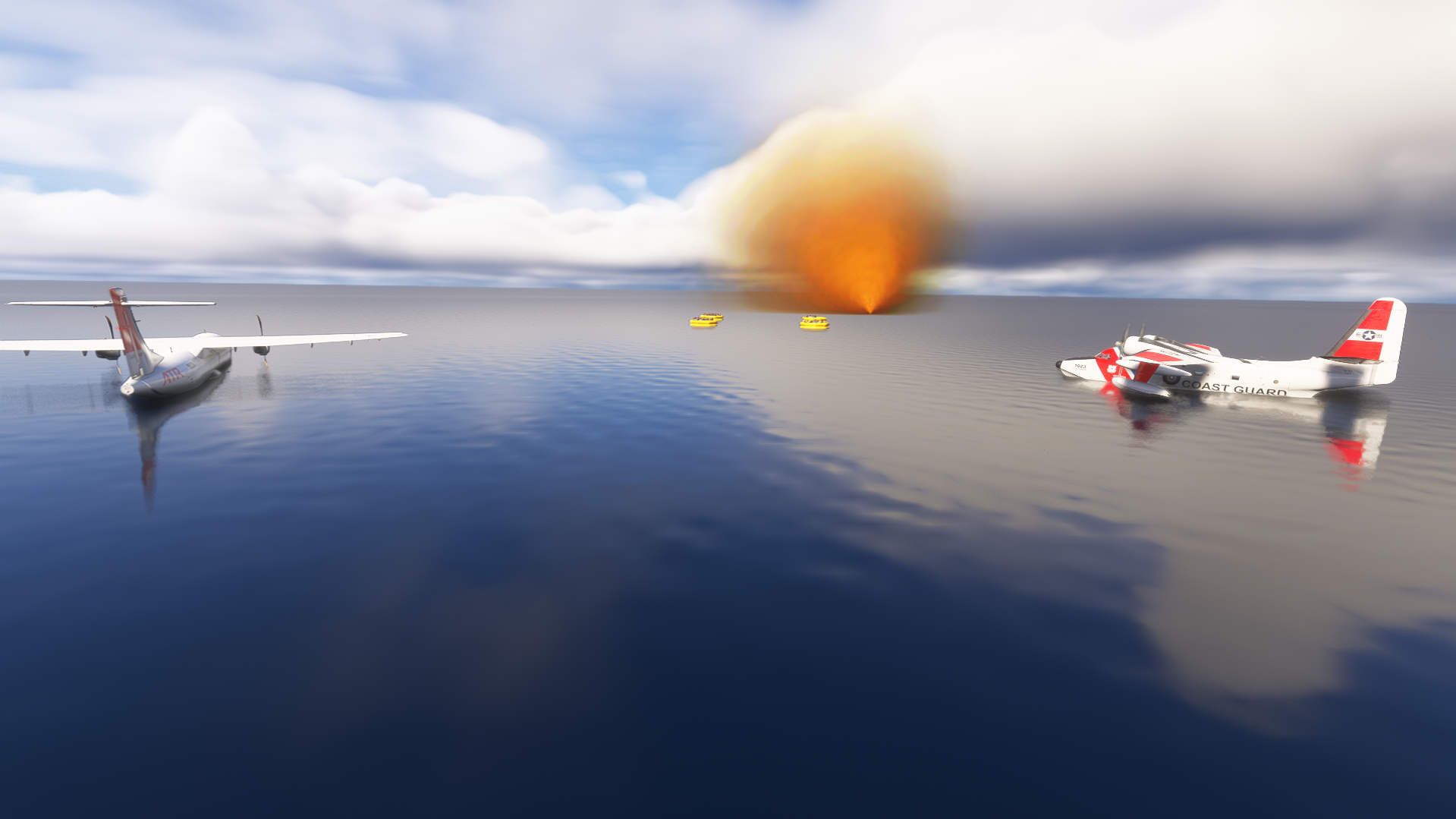
As for BLAZE THUNDERHAWK, he will be hanging up his Coast Guard wings for the time being. Mainly because he received a dishonorable discharge for trying to land an HU-16 Albatross in the parking lot of an Oregon hospital during a SAR operation.
This review was conducted in Microsoft Flight Simulator 2024, running on an AMD Ryzen 7 3700X, 32GB RAM, and an NVIDIA GeForce RTX 3070. I received my copy of EmergencyDispatcherPro for free but was not otherwise compensated by the developer for my review.
Feel free to join our Discord server to share your feedback on the article, screenshots from your flights or just chat with the rest of the team and the community. Click here to join the server.