Any discussion of “Realism” in home flight simulation must always be conducted within the context of the peripherals that we use to interact with our simulators. The most accurately simulated software quickly runs into the limitations of the hardware in our hands. If you have ever flown a real aircraft, you will know how incredibly important the feel of the controls is to a pilot – and with force-feedback peripherals priced out of the average simmer’s budget, we struggle to replicate that at home.
Enter MOZA and their AY210 force-feedback base. Mated to their MFY yoke, the whole bundle costs (currently) $850 USD. That is less than any other force-feedback (FFB) yoke product on the market, and within the means of enthusiast simmers. That price, though, is both the headline and the question: has MOZA cut too many corners to bring this price down out of the clouds? Or are they finally bringing their racing sim experience to bear in a way that will actually change the flight sim market for the better?
Since first experiencing it at FSExpo 2025, I have been able to spend a few months using the MOZA AY210 as my primary yoke for this review. As a commercial GA pilot and ground instructor, I can confidently say that MOZA has achieved the prime directive: The AY210 FFB yoke is the most impactful piece of hardware that I have added to my sim in recent years. However, MOZA still has some growing pains to overcome while it enters this new market, and the question remains: Has MOZA made force feedback cheaper, or have they simply cheapened force feedback?
MOZA AY210 Review Setup
I reviewed the MOZA AY210 FFB yoke base and MOZA MFY Yoke over the course of approximately five months. To contextualize any performance discussion, I used a PC copy of Microsoft Flight Simulator 2024 running on a desktop powered by the Ryzen 7800X3D and NVIDIA RTX 4090 paired with an ultrawide monitor. The AY210 was paired with Honeycomb Charlie pedals and, depending on the aircraft, either the Honeycomb Bravo throttle quadrant or Gear-Falcon vernier TPM throttles. MOZA kindly provided the AY210 and MFY yoke for review; however, they had no input on the content of this review, and all opinions and conclusions are my own.
MOZA AY210 and MFY Yoke Unboxing
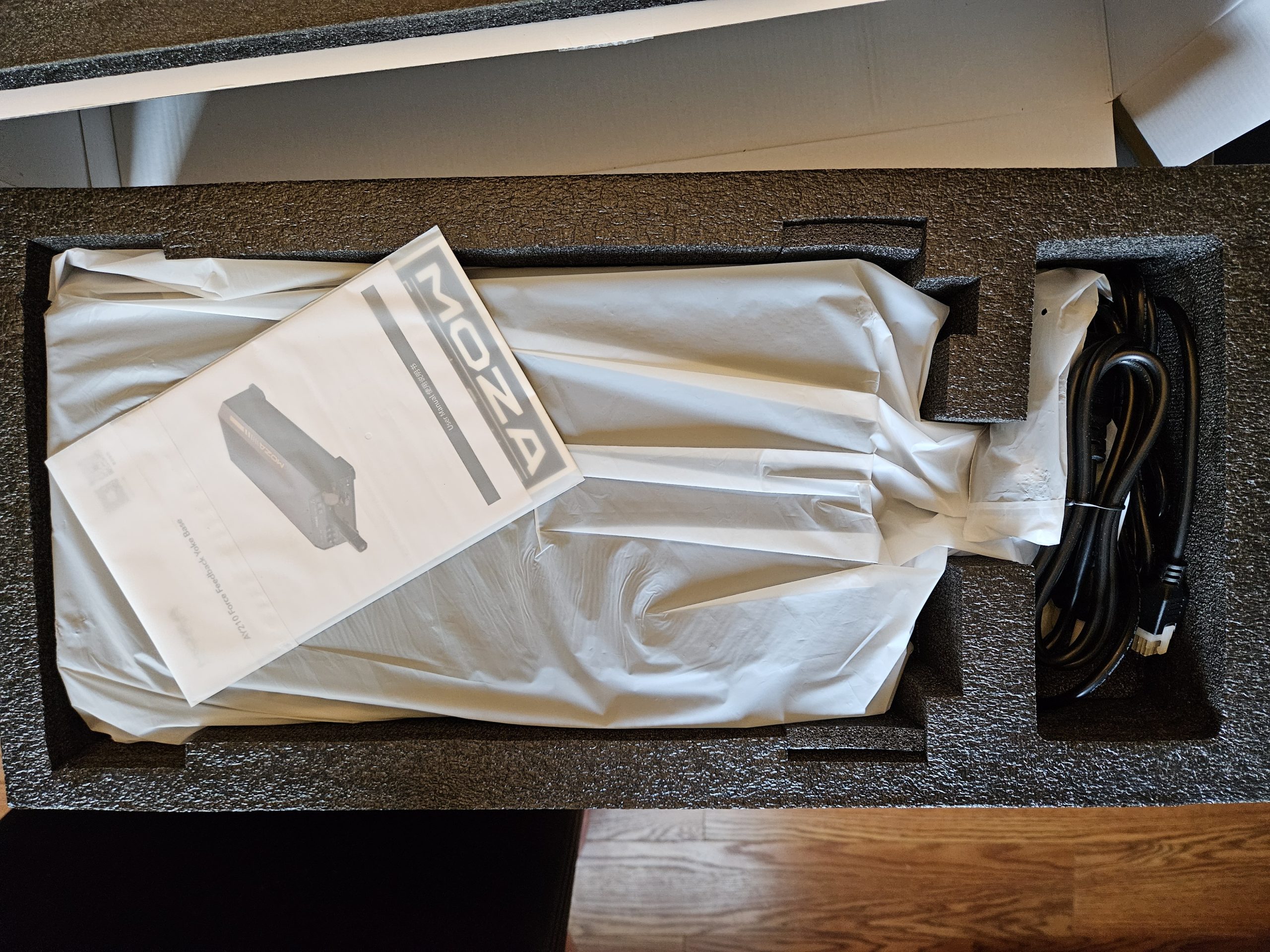
The MOZA AY210 FFB base and MFY yoke both arrived in retail packaging. The AY210 base and MFY yoke, being separate products, are shipped separately. In the AY210 box, you get the yoke base, instructions, and cords: a USB-A to USB-B cord to connect to your PC, and a large power supply brick that connects to the back of the AY210 with a 6-pin locking connector.
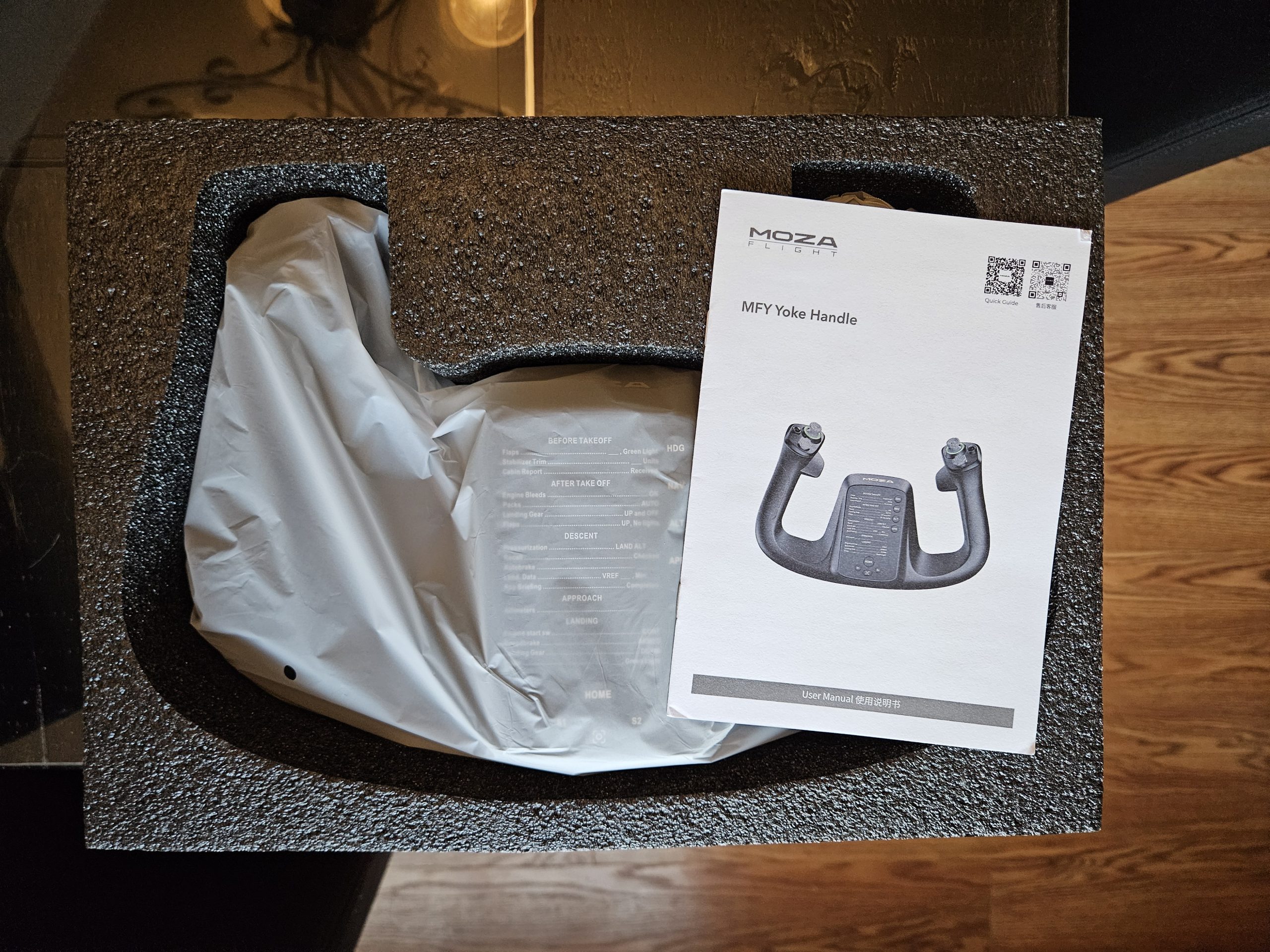
The MFY yoke is very simply packed, including only the yoke and instructions in the box. I had no concerns about the packaging of any products. The foam was snugly fit, and they all arrived without any visible damage. I would encourage MOZA to explore more plastic-free packaging. Between the foam, the bags, and all the peels, there was a lot of plastic waste by the time I had the base and yoke all unboxed.
MOZA AY210 Mounting
Notably, no mounting hardware is included with the yoke or base – it must be acquired separately. On the underside of the unit, there are threaded holes for mounting. I measured the smaller rectangle (M6 threads) at 78mm x 65mm (3″ x 2.5″) spacing and the larger (M5 threads) at 188mm x 180mm (7.4″ x 7″) spacing. These are designed for easy mounting to MOZA’s own flight stands and many third-party offerings, and there are also through-holes on the “feet” that extend to the four corners.
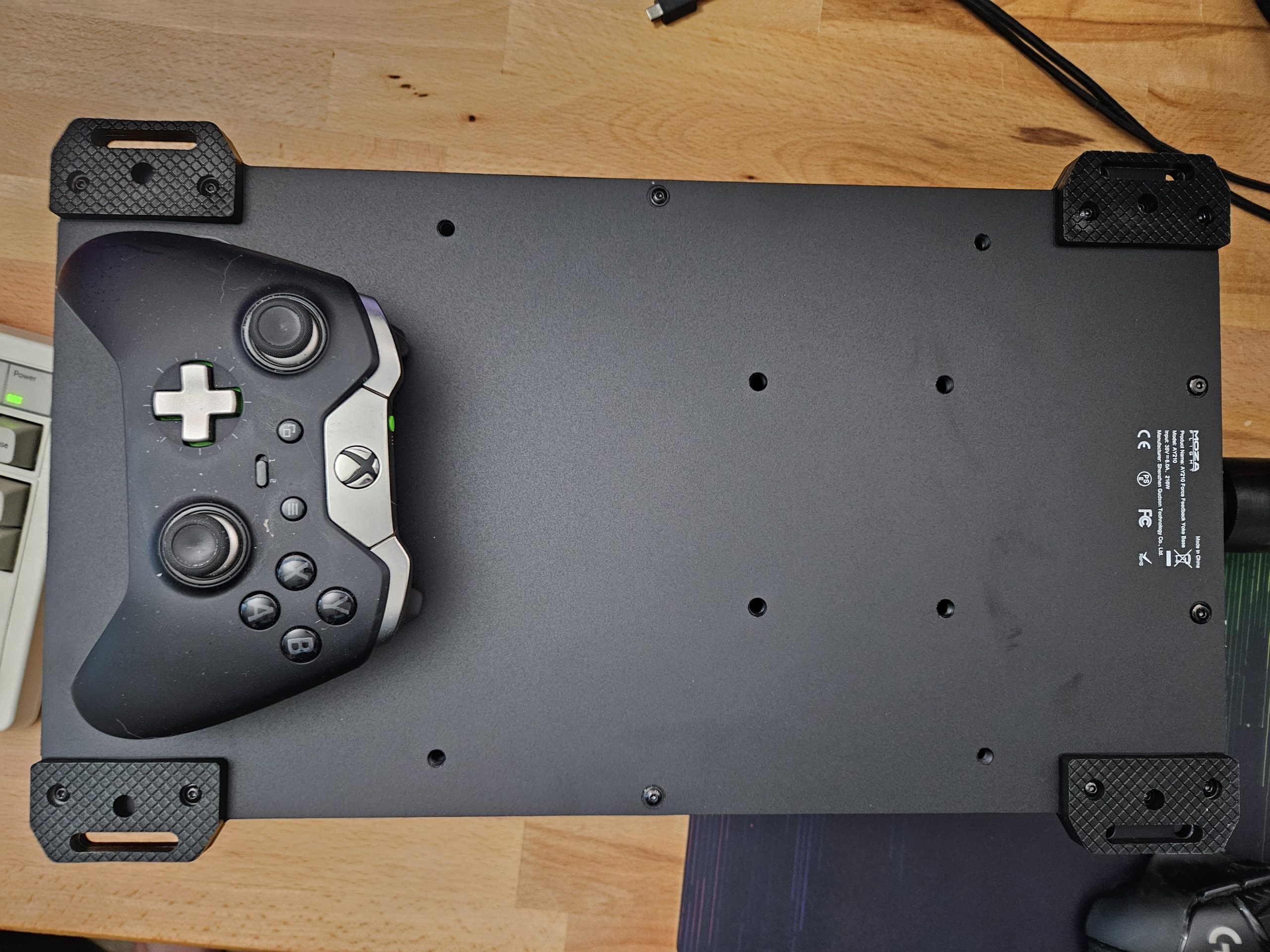
MOZA’s marketing material shows these as being designed for mounting on aluminum extrusions, a common material used to make many DIY flight and racing sim stands. Desk clamps are available at an extra cost ($25 USD) and are often available for free as part of periodic bundle deals. Regardless of your solution, such a strong FFB yoke must be fastened securely. I did have one occurrence where I failed to fasten the clamps properly, and the roll motor was able to rotate the entire yoke body as I held it steady. Unlike other FFB peripherals, there is no Emergency Stop button to cut power if there is a malfunction.
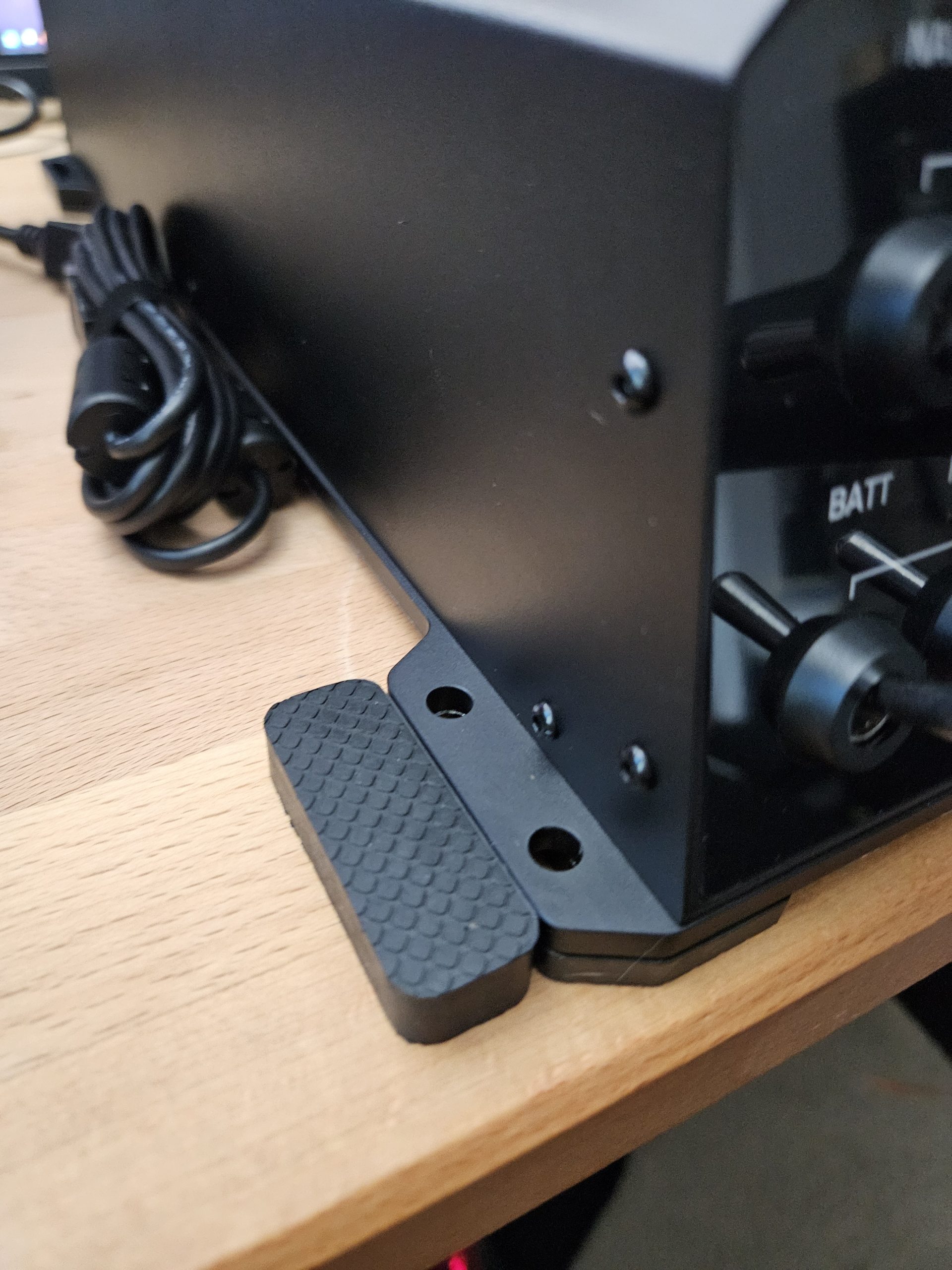
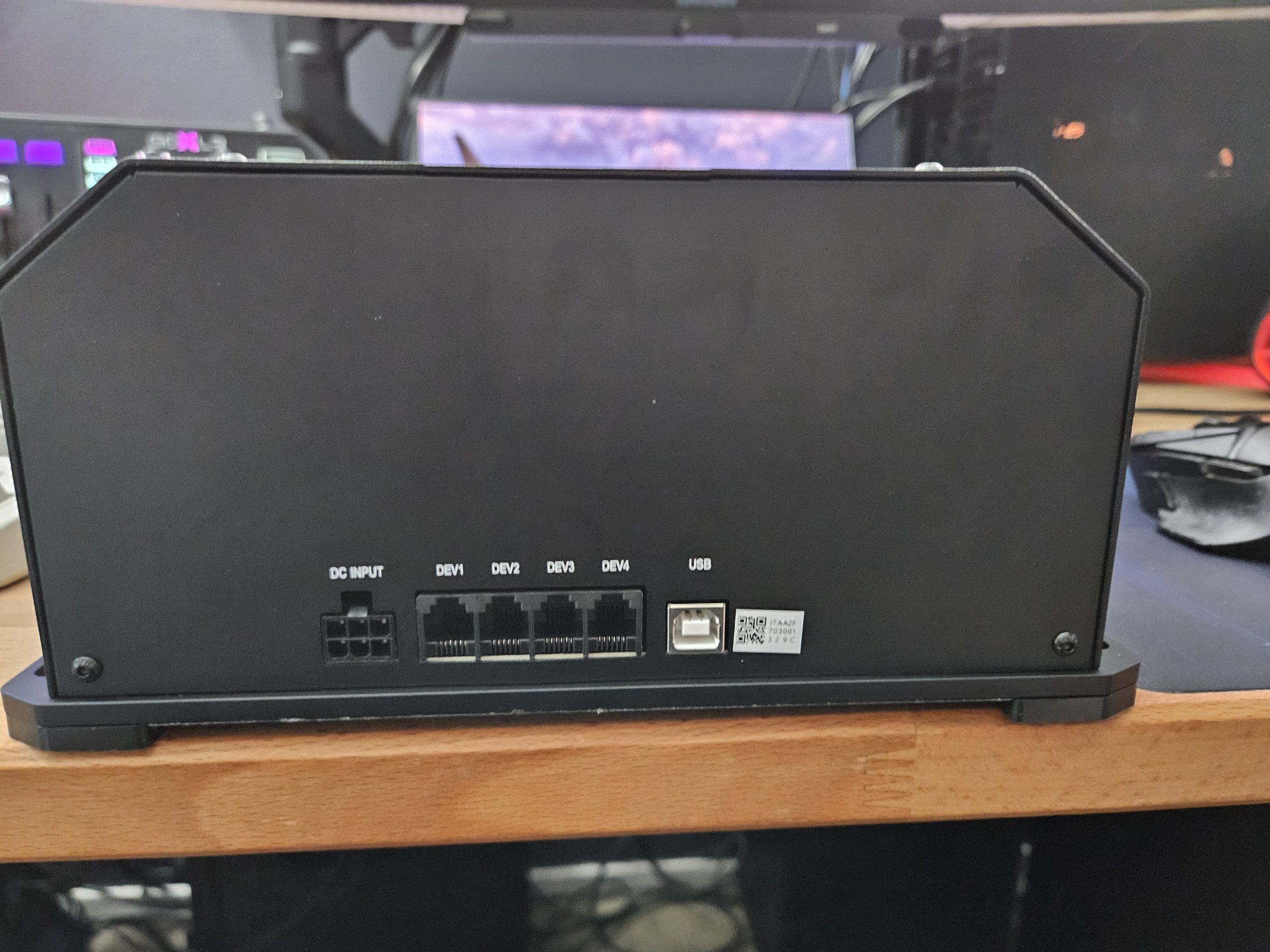
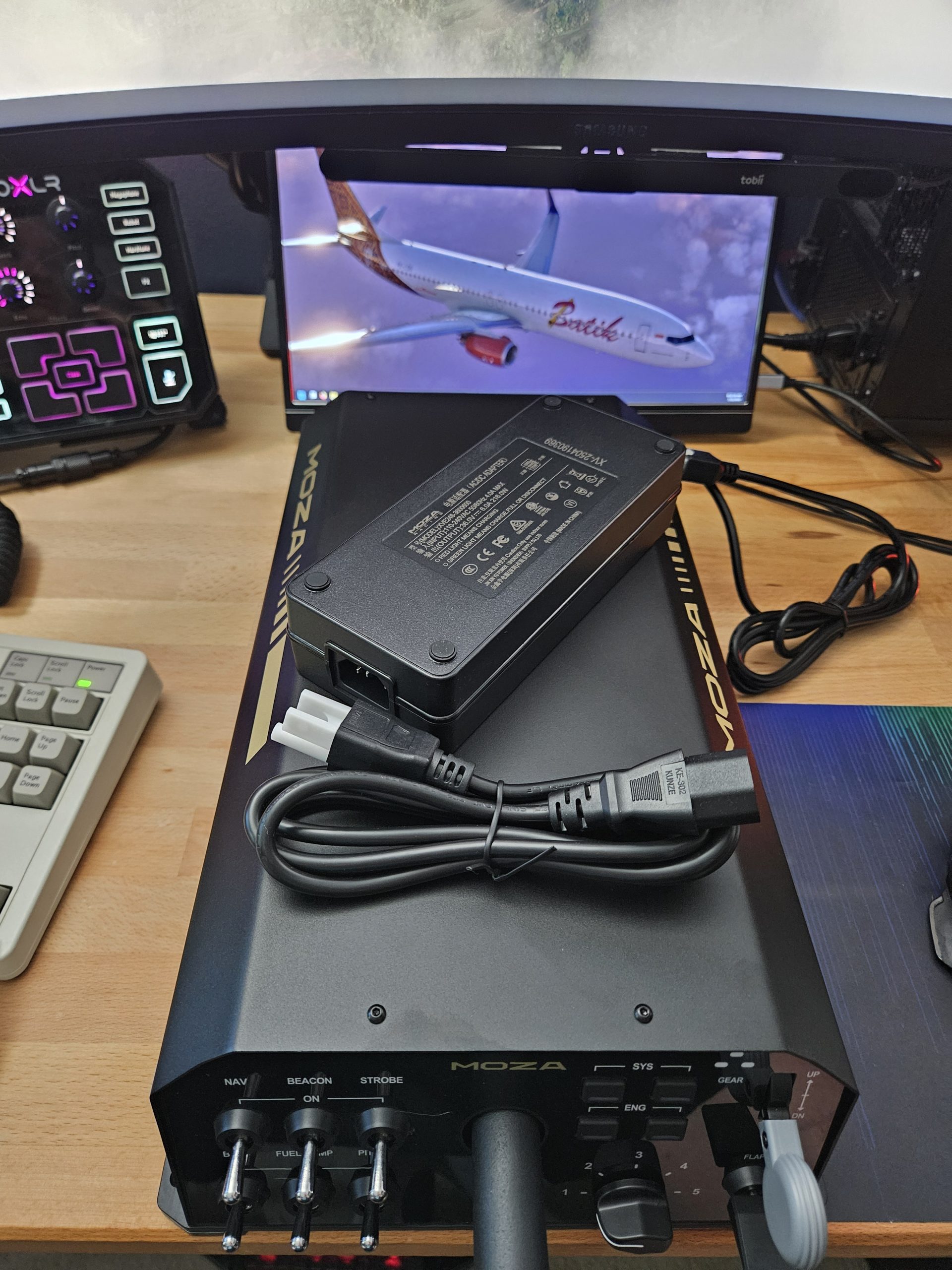
I used the MOZA-branded desk clamps for my setup. My flight sim must be flexible and removable, so these made the most sense to me. The clamps are sturdy, but feel like an afterthought. They do not integrate into the base in any way. Instead, they clamp over small rubber pieces that sit next to the AY210’s “feet”. This is effective – I never had any problem with the yoke slipping or coming loose during my review – but it’s inelegant. I also had problems finding a place to store the separated clamps and rubber pieces while I was not using the yoke, and I lost track of the rubber pieces several times as they were very intriguing to my cats when left out on the desk.
MOZA AY210 & MFY Yoke Ergonomics
The AY210 base weighs in at a hefty 8 kg (17.6lb) and measures almost 410mm (16″) end-to-end, before considering the shaft of the yoke. That fully extends approximately another 240mm (9.5″) from the faceplate, and connects to the MFY yoke via a six-pogo-pin, a quick-release mechanism found in MOZA’s racing wheels. The real-world Cessna 172’s yoke has approximately 350mm (12″) of travel in the pitch axis from full-forward to full-aft, but the AY210 has only 150mm (5.9″) of pitch axis travel.
Compared to a typical desk-mounted consumer flight sim yoke, the MOZA AY210 is significantly heavier and deeper, with more pitch-axis travel. I had no trouble mounting the yoke using the desk clamp kit, although those with shallower desks or monitor stands may find their options limited. I found that one side effect of this relatively massive pitch travel axis was that I had to move my rudder pedals forward under my desk. This resulted in a more natural seating position, actually, with my legs more angled toward the rudder pedals instead of tending to sit “straight” on them.
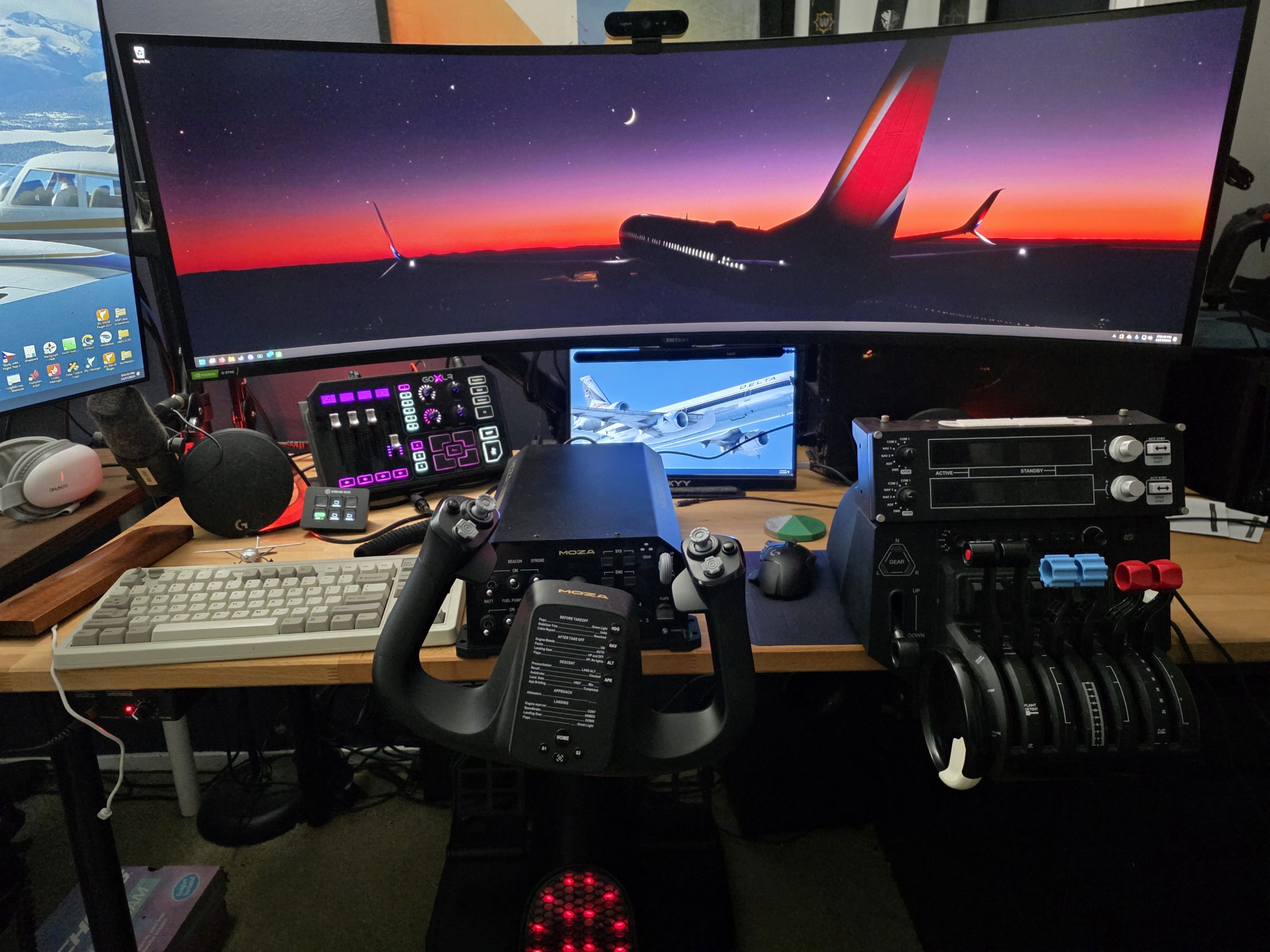
The MFY Yoke is modeled more like a Beechcraft yoke than that of a Cessna – it is thicker in the hand and has thumbrests on both grips. It’s quite comfortable, though it is harder to fly with two fingers like I typically try to do in the aircraft due to the girth of the grips. I can reach all the buttons easily, though. I also like that the top of the AY210 is completely flat. This is excellent for my typical setup, as it means I can set my keyboard or mouse on the top of the unit while in use.
MOZA AY210 Build Quality
Simply put, I am extremely impressed by the build quality of the MOZA AY210. The entire unit (Except the faceplate) is constructed of metal and is held together by screws, not tabs and glue. I am sure MOZA could have cut some costs by simplifying the unit’s construction and using plastic for the shell instead of metal, but they didn’t.
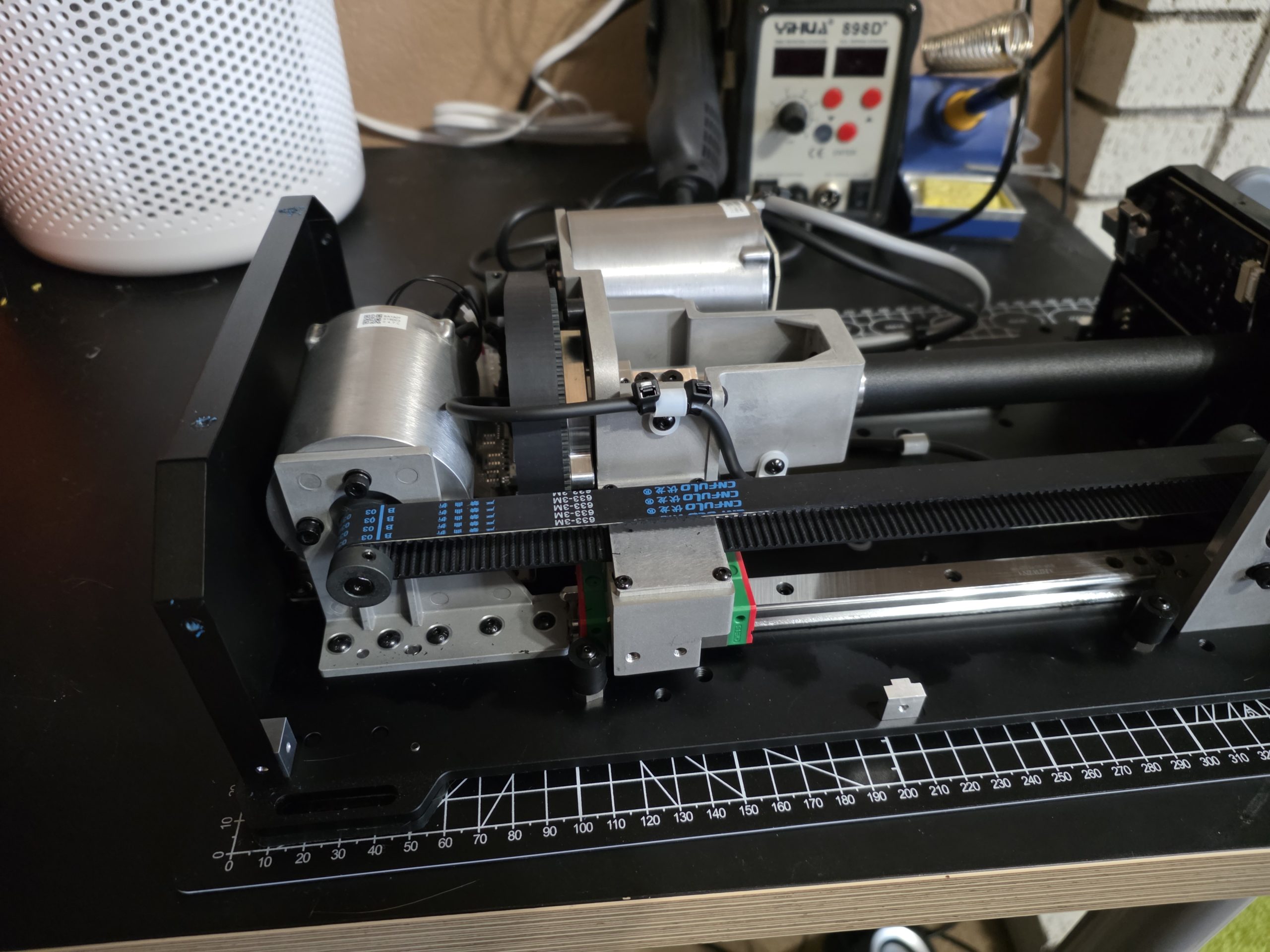
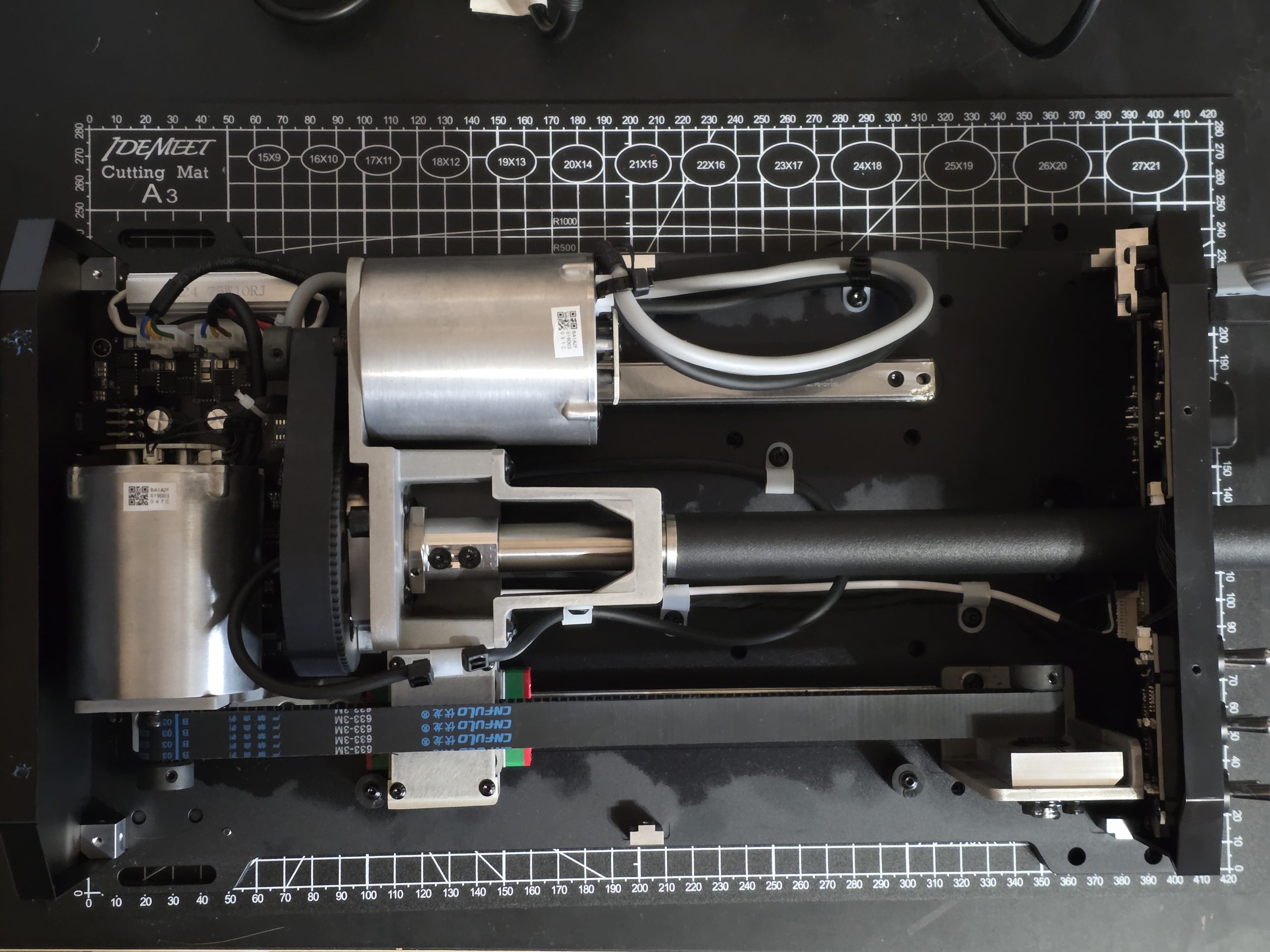
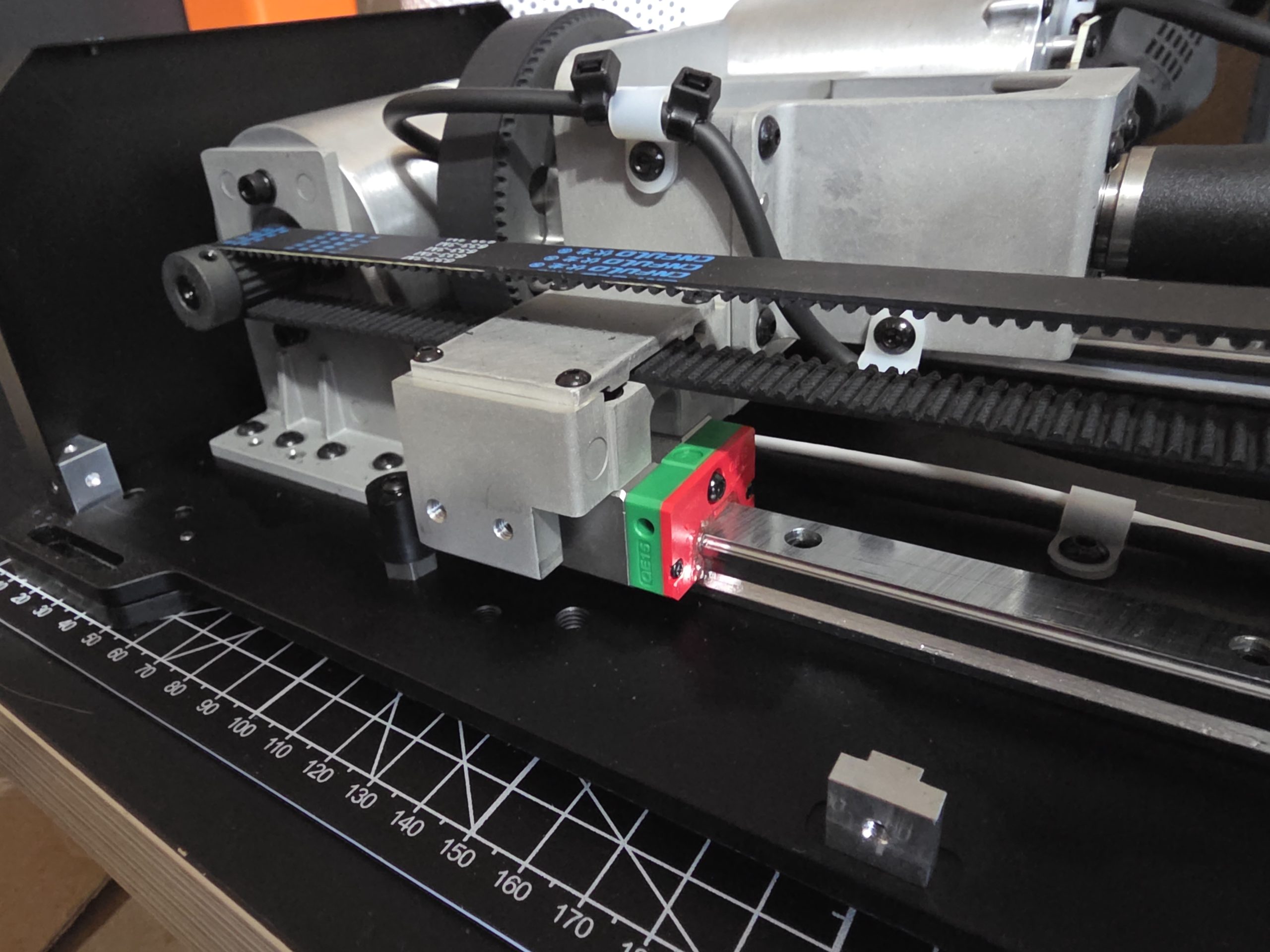
Opening up the AY210, I remain pleased with what I see. The pitch axis rides on well-lubricated linear rails, with hefty metal guide blocks. Plastic pieces do abut each side of these guide blocks, but these are designed intentionally to wear evenly when contacting rubber end stops. All bearings are metal ball bearings, and they are set into metal cages – not plastic, as found on other consumer yokes. In fact, all components that bear the forces of the user or the motors are metal and securely bolted together.
The two pitch and roll motors produce a collective 9nm of torque and 210N of push force. They drive their respective axes via HTD (High Torque Drive) belts, not gears. During my time with the AY210, these never slipped. The pulleys themselves are metal as well, and it appears that care has been taken to manage cables such that they have no chance of being pulled into the belts during operation. There is no active cooling on these motors, nor is there any heat sink. However, they are protected in software from overheating.
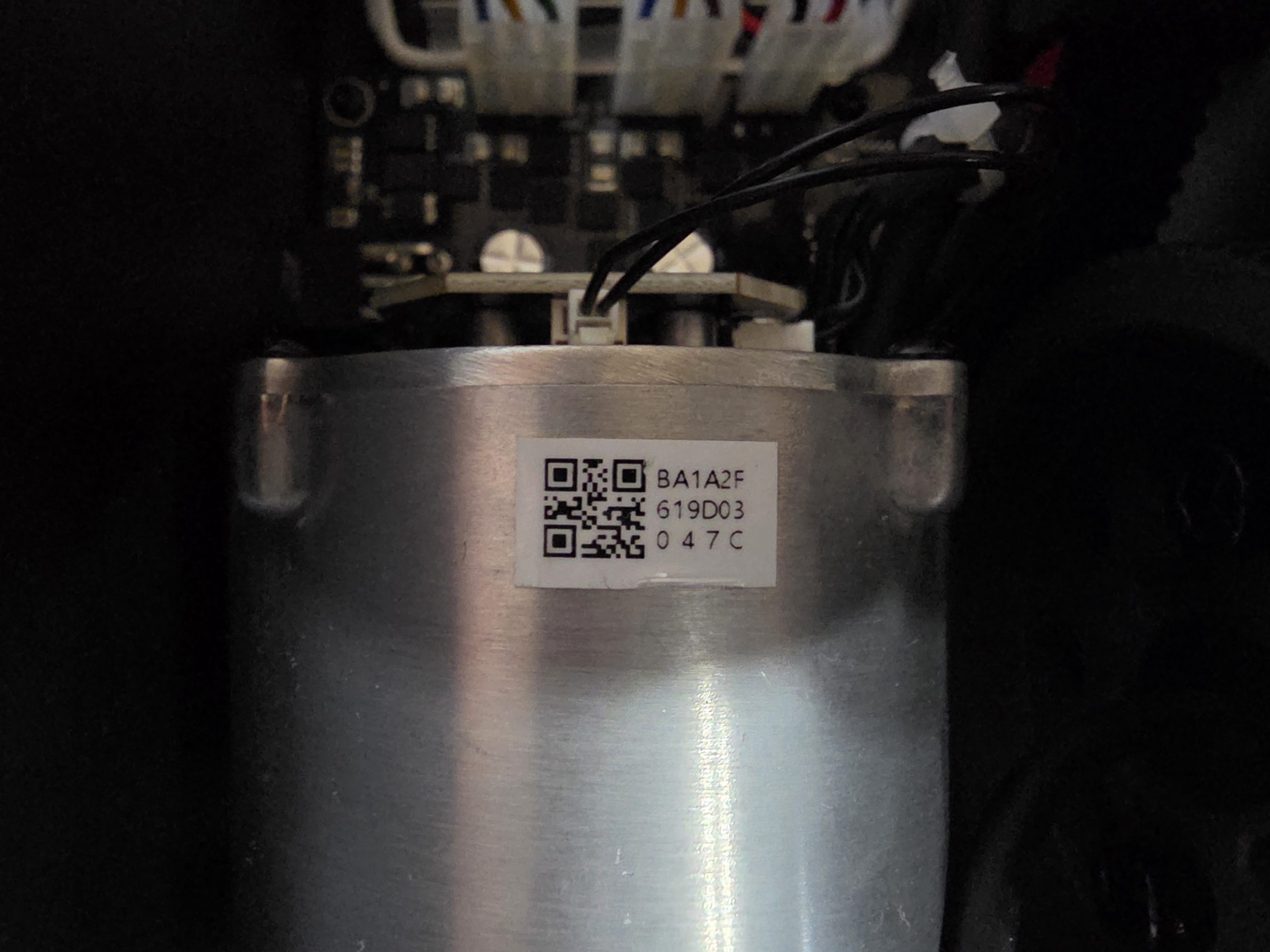
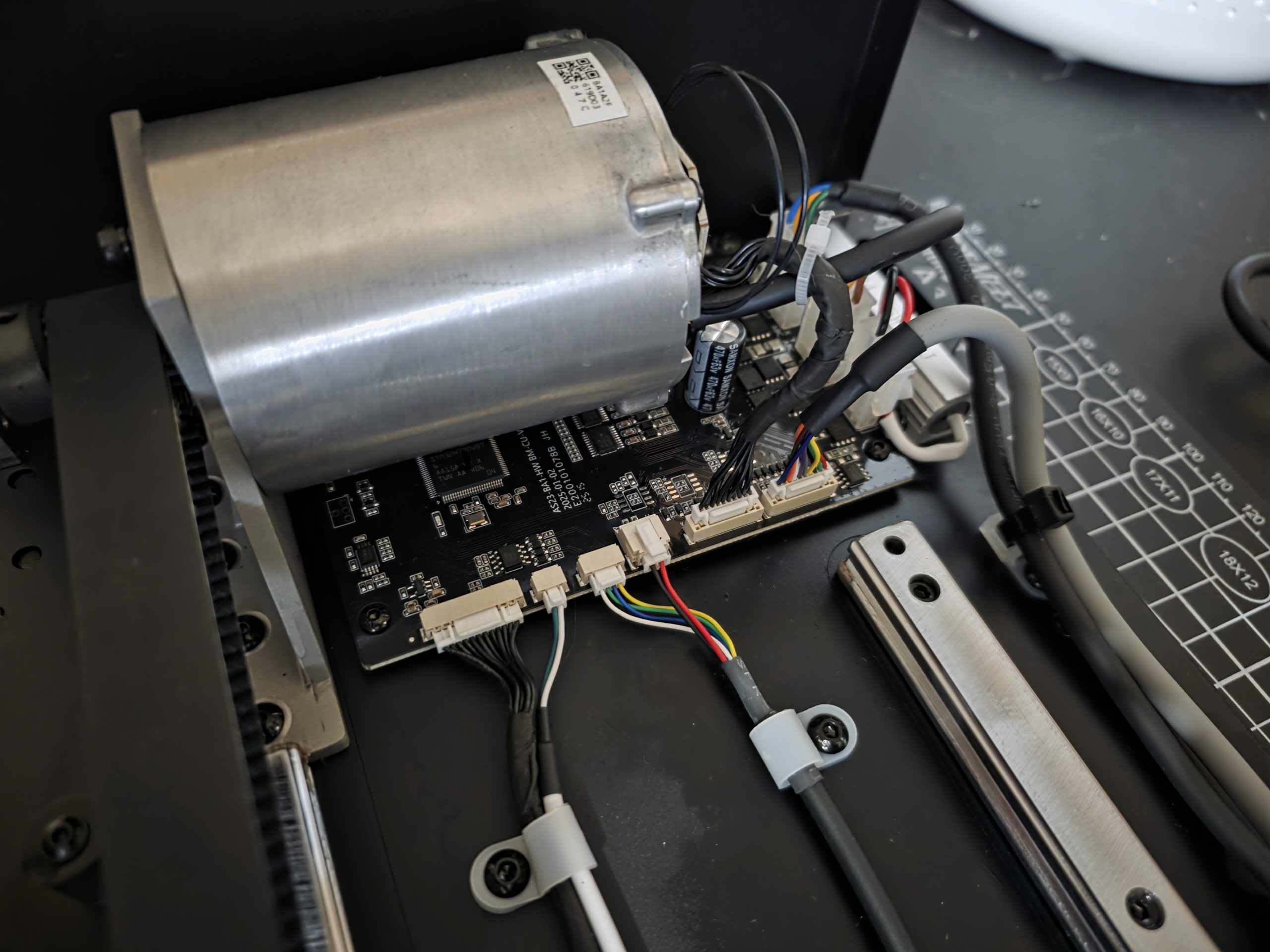
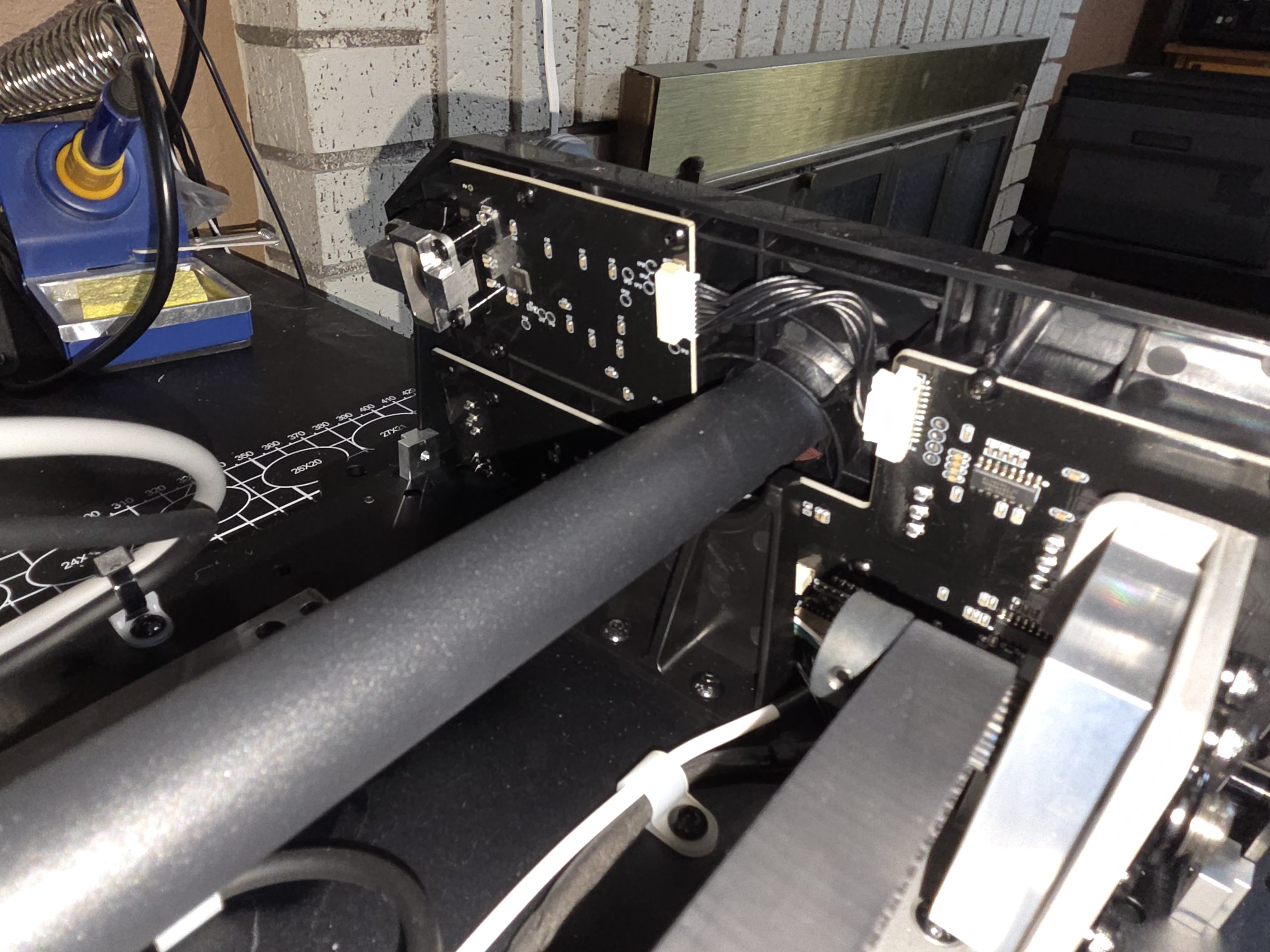
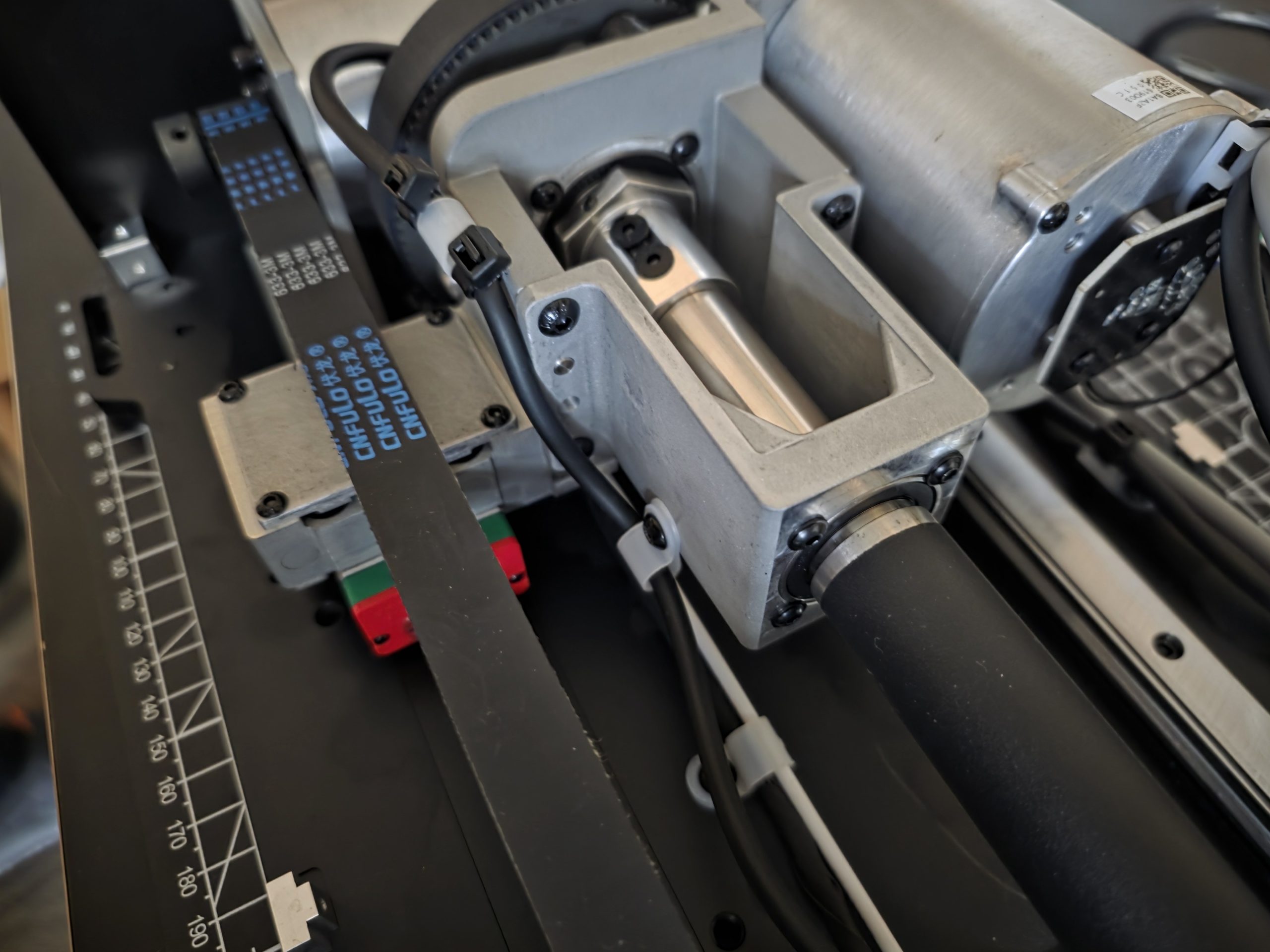
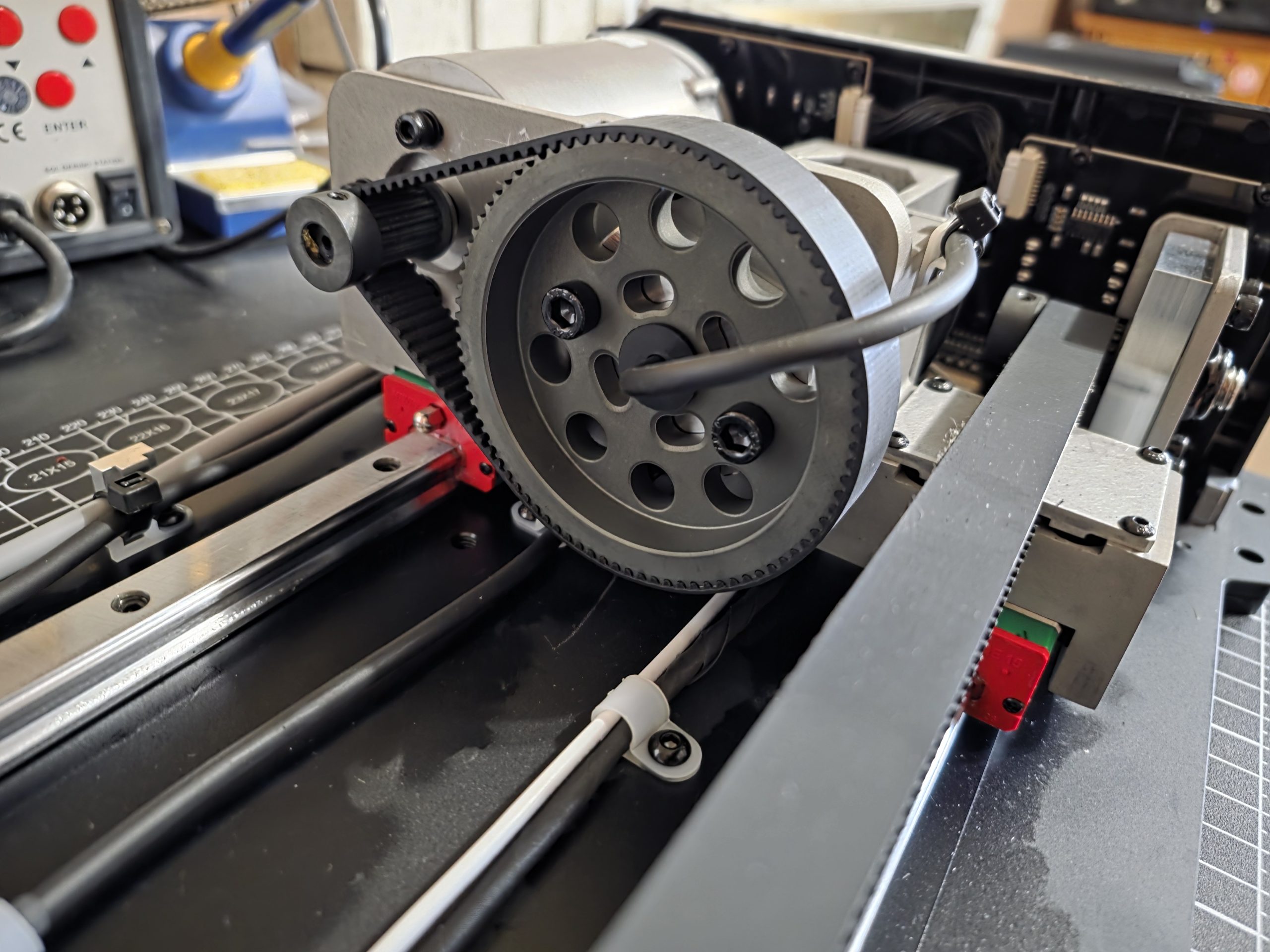
The only concern I have is that I would often notice a spark of electrical discharge when plugging the power supply into the AY210. This spark is always confined within the 6-pin connector. I suspect this is static electricity, built up during storage, discharging into the grounding pins within the power connector when plugged into the wall. I have not noticed any loss of functionality or scorching, but I will be keeping a careful eye on this phenomenon. When asked, George stated to me that he noticed this same phenomenon on the AB9 base. I will update this review if there are any long-term issues that I can attribute to this discharge.
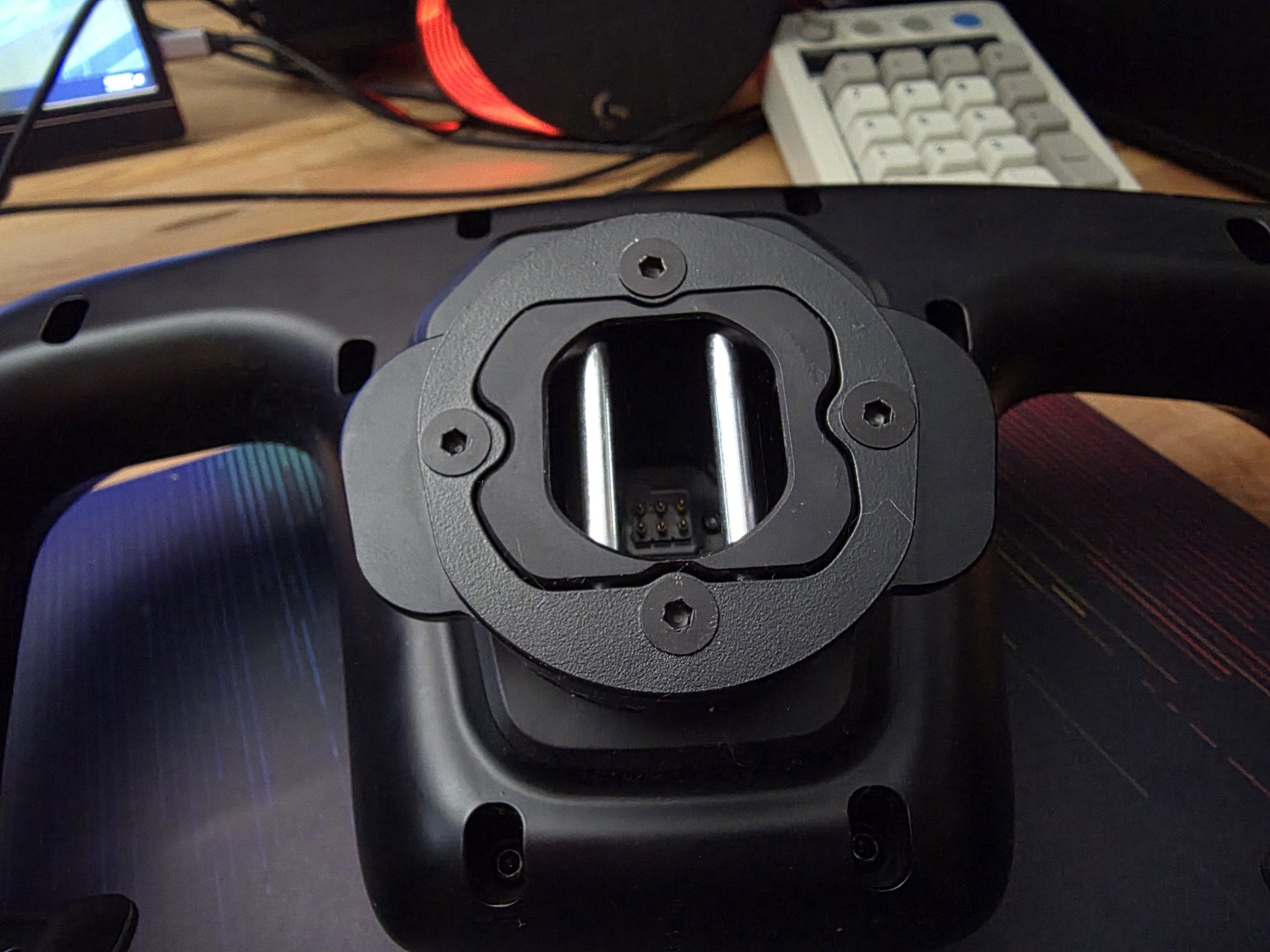
I did not open the yoke, however, and I get the sense that there is more to fail here than in the base. The analog sticks, frankly, don’t inspire confidence (and use potentiometers instead of hall-effect sensors, making them susceptible to drift). However, the pogo pin connection (instead of a wire) is extremely smart, and the yoke can easily be replaced instead of the more expensive base. And when it comes to that expensive base, MOZA is a company with years of experience manufacturing highly abused racing peripherals, and I think that experience shows.
I cannot identify an obvious place where corners were cut in MOZA’s construction or parts selection to save on cost, at least in the base. It is simple to open (Though you will need to contend with two types of screws), and all components are accessible, making long-term maintenance such as lubrication or belt replacements a breeze. I am, however, greatly disappointed by MOZA’s statement in the instructions that it is “strictly forbidden” to disassemble the unit and that doing so will “result in loss of warranty.” I don’t appreciate being discouraged from investigating and repairing the hardware that I own. Your local laws may vary, but, at least in the USA, opening and repairing your own device does not void the warranty under the provisions of the Magnuson-Moss Warranty Act. Other countries have some protections against this practice, but specifics vary by location. MOZA would still be obligated to honor the terms of the warranty even if you opened your unit.
Interface and Buttons
While MOZA’s racing sim pedigree results in a fantastic build, the comparative lack of experience in the flight sim space shows just as clearly, manifesting in the eclectic collection of switches and buttons on the AY210’s faceplate and the MFY yoke. In my opinion, this is a casualty of trying to cast far too wide a net and be usable with every aircraft out there – yet, in the process, being useful for none.
Let’s consider the toggle switches on the faceplate: There are six, in two rows. The top is labeled for beacon, nav, and strobe lights. The bottom row is labeled for battery, fuel pump, and pitot heat. On the light row, then, there is no toggle for landing or taxi lights. On the electrics, no toggle for the alternator or avionics bus. These are extremely basic functions of all general aviation aircraft, used during multiple phases of flight.
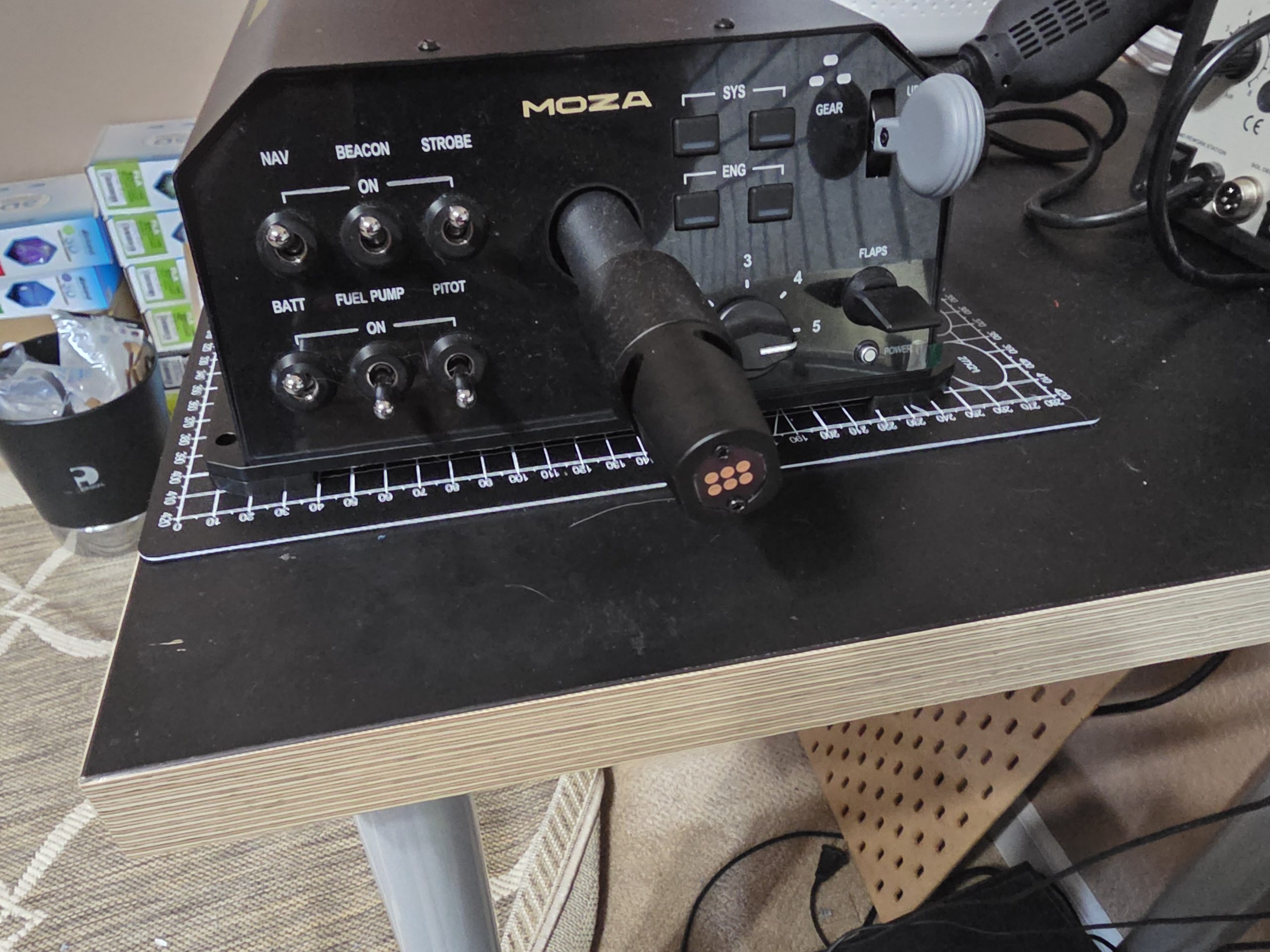
The right side of the faceplate is equally odd. While I love the three-position landing gear switch, the four rubberized pushbuttons vaguely labeled “SYS” and “ENG” do not map readily to any functions of note. There is a five-position rotary switch labeled 1-5 (1 to 5 what, MOZA?) alongside an anemic flap lever. In contrast to the toggle switches on the left of the faceplate, none of these switches or buttons feel satisfying to use, and it’s a real odd mishmash of functions. These right-side functions are evocative of a 737, while the left feels like general aviation.
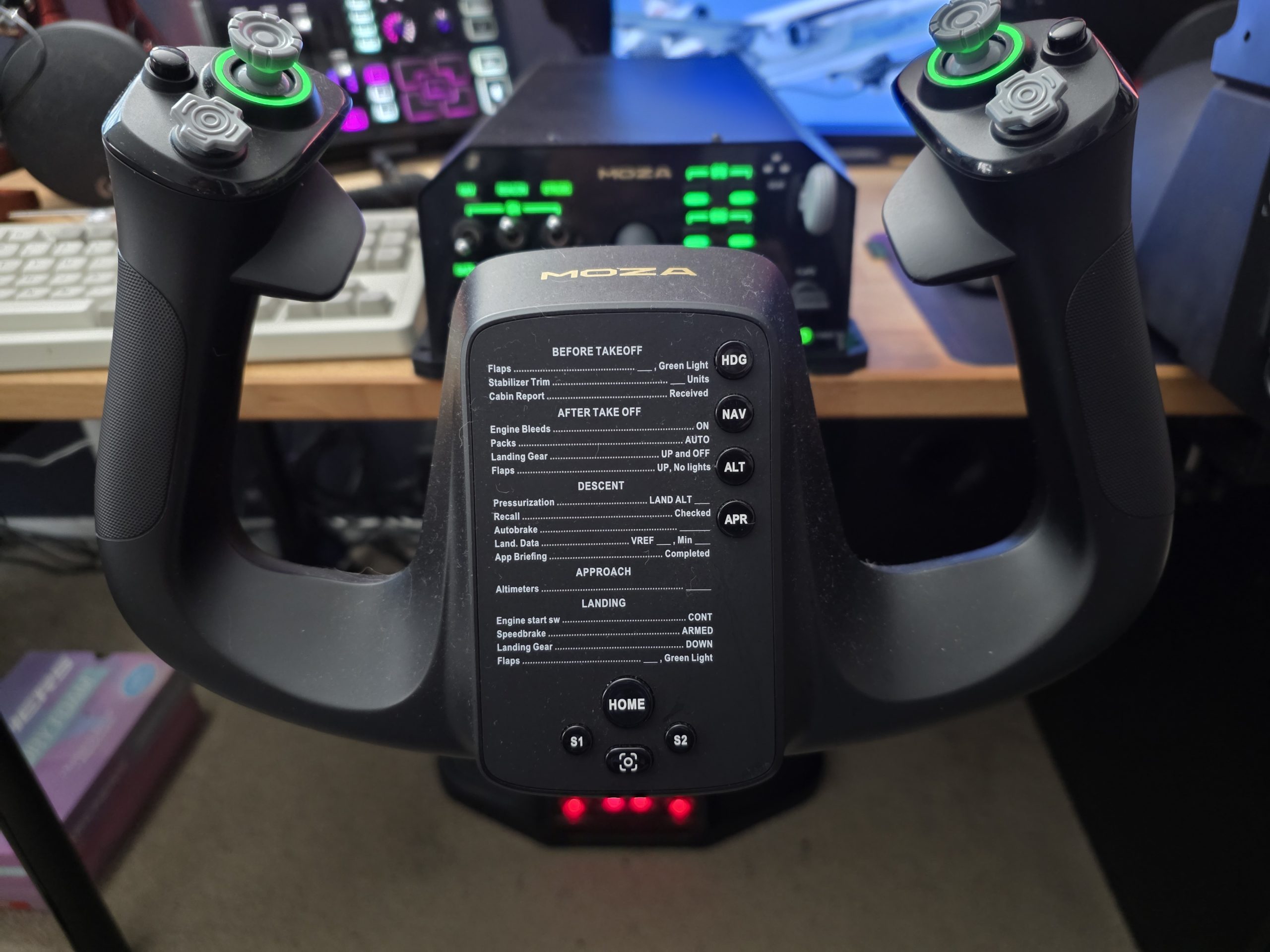
The MFY yoke, too, could use some focusing. Each grip has an analog trigger, a bumper, a pushbutton, a four-way hat, and a clickable analog stick. That four-way hat feels like mushy garbage and, while positioned logically for electric trim, is absolutely useless in that role due to its complete lack of feedback, a flat surface that is hard to press, and a tendency to rock side to side. The face of the yoke also has basic autopilot functions peppered in on labeled pushbuttons, but these are also incomplete, missing any vertical/pitch control mode such as IAS or V/S. They’re also placed in strange spots within a printed checklist. That checklist is a 737-specific checklist, too. It’s like half of the designers wanted to make a GA-focused yoke, and the other half wanted to make an airliner-focused one.
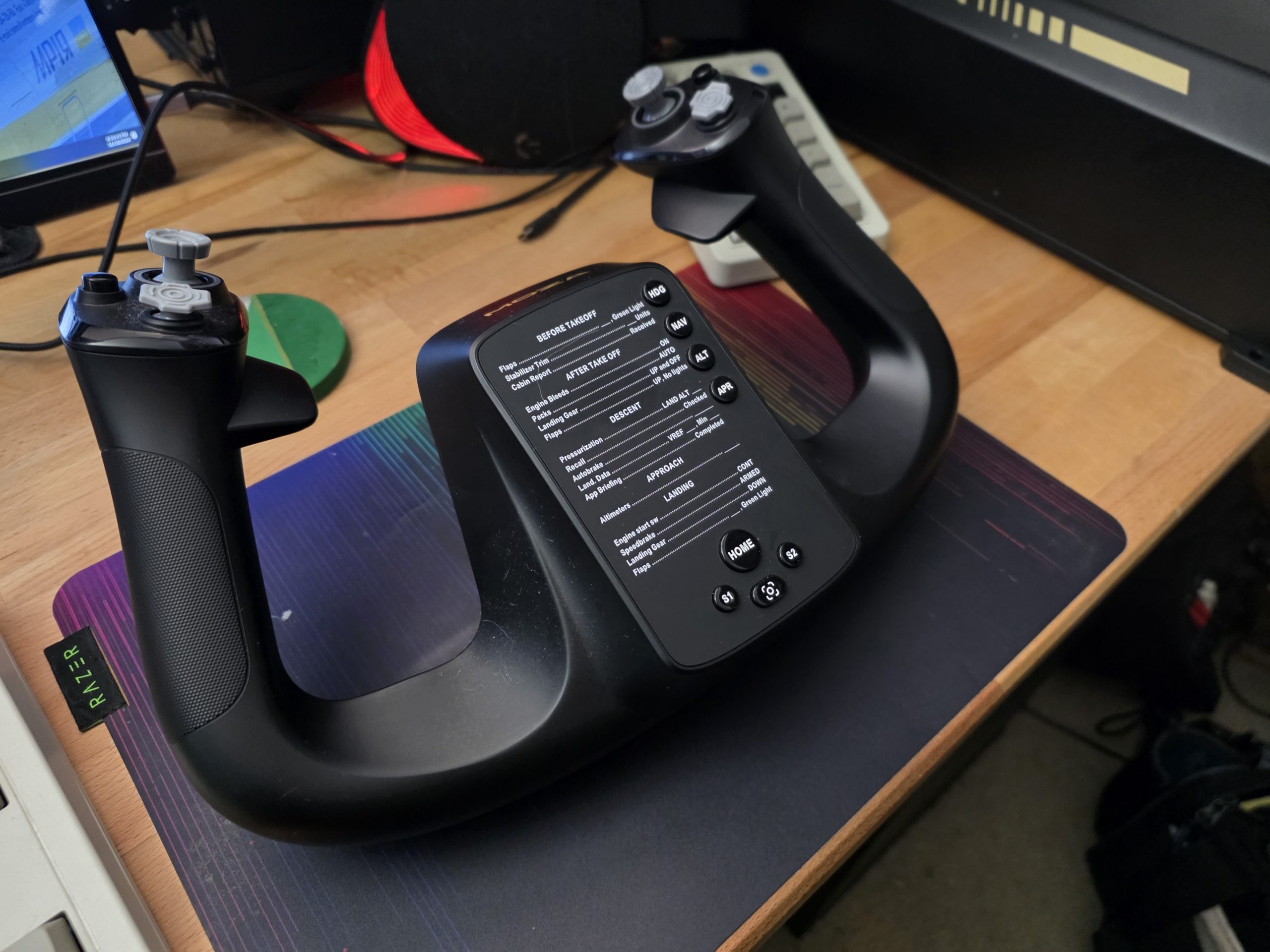
By labeling the switches on the AY210 base (and buttons on the MFY yoke), they have locked those functions in while omitting crucial ones like landing and taxi lights – switches that, I would argue, tend to be flipped more often than beacon and nav during a typical flight. The buttons on the MFY yoke seem to be placed by just dropping a controller and a half worth of buttons in semi-logical places, but failing to customize their placement in consideration that the user is flying an aircraft, not playing Halo.
MOZA has therefore created a device that doesn’t have a correct or complete set of switches for any aircraft. Yes, every switch is remappable – but I would much rather MOZA have left the switches unlabeled so I could map out my own interface without being constrained by the labeling. Especially on the yoke, taking a “less is more” approach by creating specific, custom-molded switches to fit the aviation niche would have made fewer buttons much more usable.
During my time with the AY210, the switches and “interface” have risen to be my largest complaint by far. It feels like MOZA just went, “Eh, we don’t really know what sim pilots want for switches,” and reached into a grab bag, using whatever switches and labels came out without much consideration. I hope that MOZA can support the AY210 with future yokes, tailored to specific aircraft (like they do with specific racecars), as that would enhance the experience significantly.
MOZA Cockpit Software
All the functions of the MOZA AY210 & MFY yoke are controlled via the MOZA Cockpit desktop software. This also handles the interface between the flight simulator and the yoke, and calculates the force-feedback functions when the simulator does not directly support FFB. This is the case with MSFS, for example, and the MOZA Cockpit software does the tough job of interpreting MSFS’ telemetry data and translating it to FFB commands.
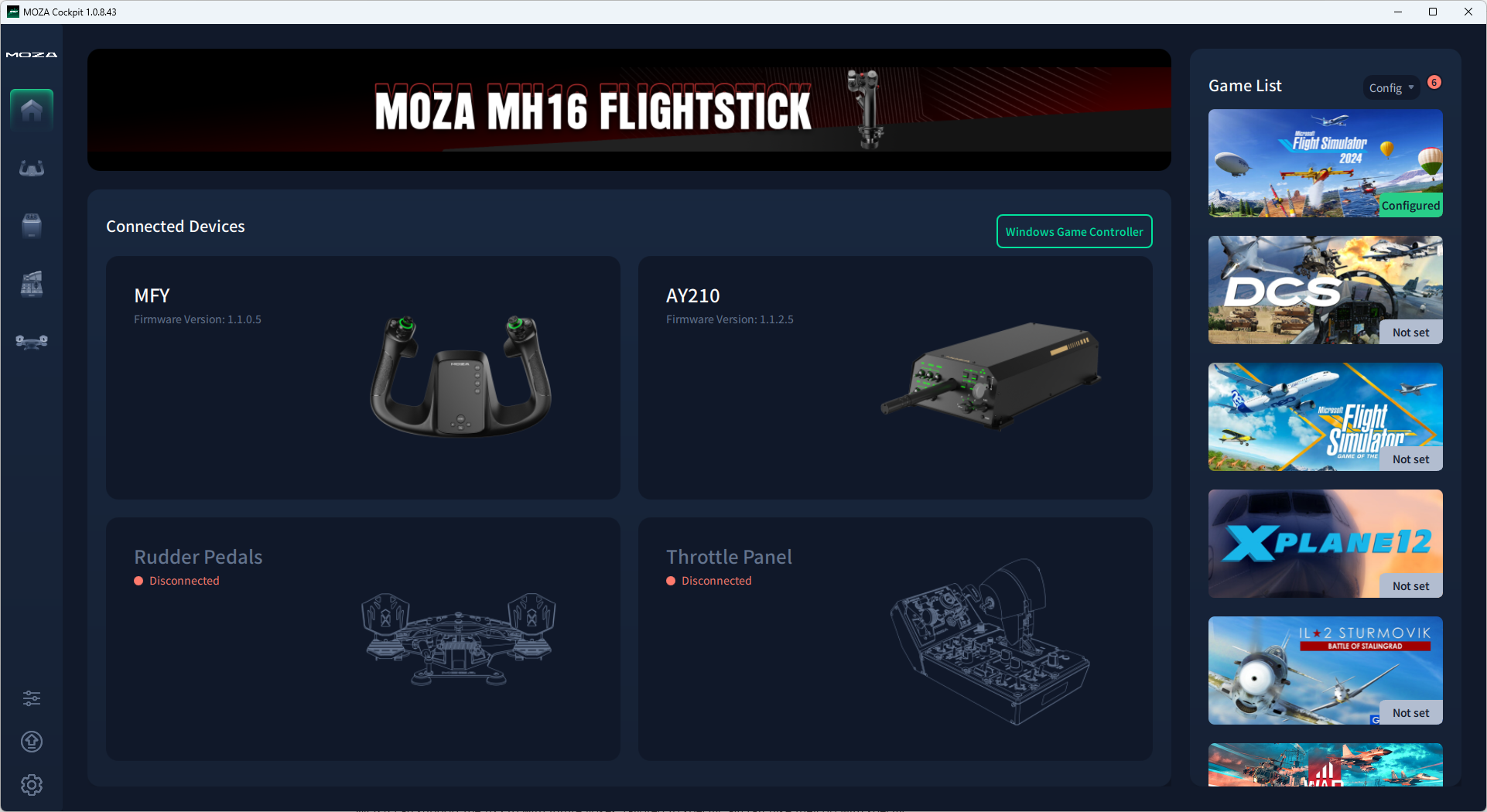
When George reviewed the MOZA AB9, the MOZA Cockpit was a significant point of contention during that review. I am pleased to report that MOZA Cockpit has clearly improved in the time since George’s review, as my experience was far less painful. However, there were still some problems that I must discuss.
First, profile management is obtuse and was actually broken for the majority of my time during the review. A bug, recently patched, prevented auto-detection of aircraft from working properly, and thus, auto-switching never worked. I also noticed that MOZA Cockpit never seemed to respect my set default profiles, reverting to a generic idle profile on each launch. Selecting the correct profile (for example, my MSFS 2024 C172 profile) then required clicking into a separate screen, refining the filter to AY210 & MSFS, then selecting the C172 profile and applying it. Doing this on every launch got old quickly.
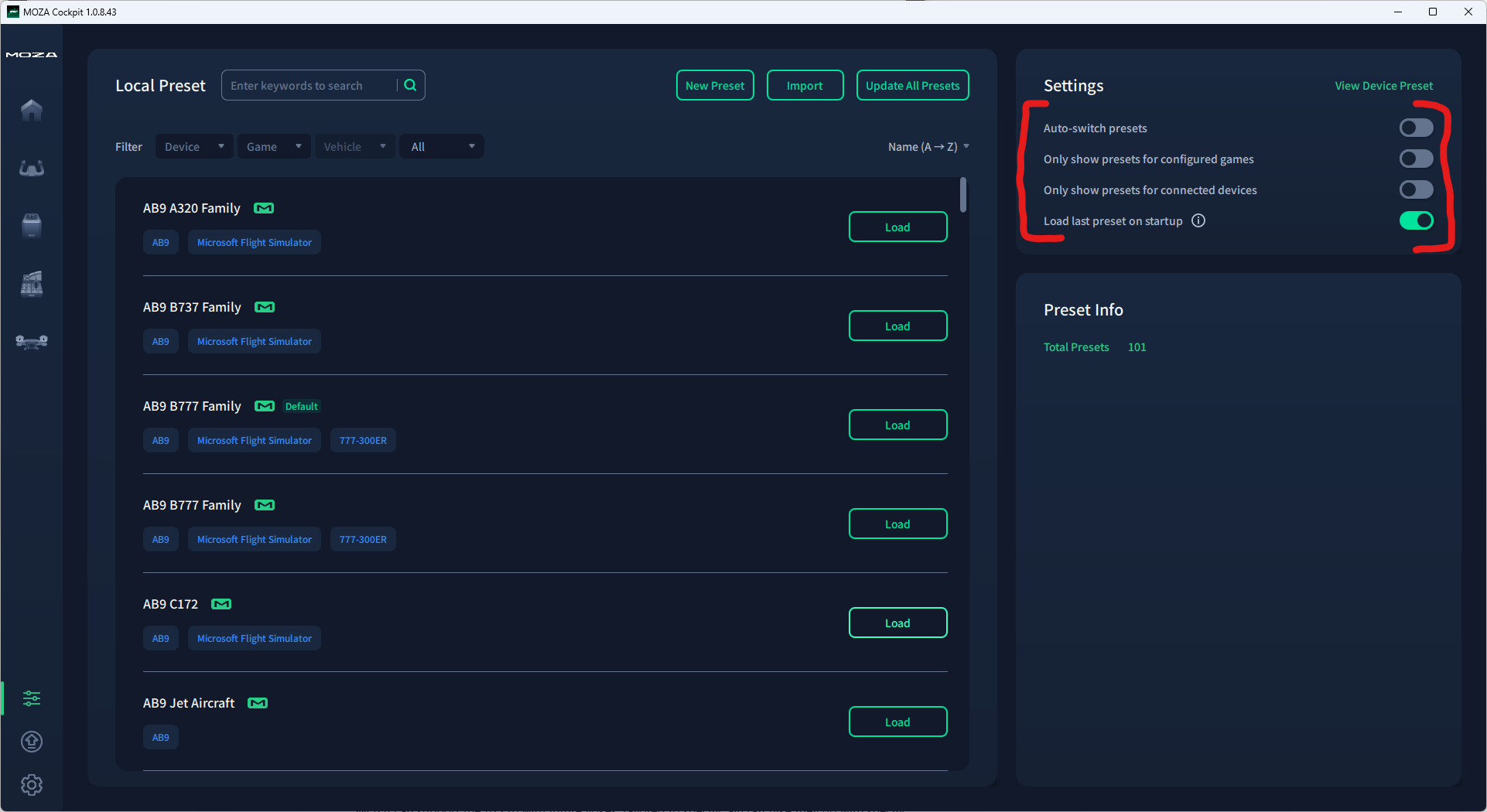
There was also a persistent bug during the first two months of usage where speed telemetry was interpreted incorrectly. Though this has stopped affecting me, I never saw a patch note that this was actually fixed. Units in some telemetry functions (such as airspeed) are mislabeled, showing as km/h when they are actually in m/s. If you are using a simulator that directly supports FFB, such as DCS, this may not affect you – but for MSFS, this kind of labeling mistake in telemetry is critical. Additionally – and I recognize this is a small gripe – the MOZA Cockpit window was not able to be resized or snapped into different aspect ratios.
Multiple patches were released during my review time, steadily improving the software experience. MOZA also runs an active Discord server where I was able to discuss profiles and issues, download other users’ profiles, and work with them for support. MOZA Cockpit still lacks an easy way to share profiles within the app, which could be a huge boon. MOZA’s staff, though, was notably inactive in the flight sim channels during my review. It is clear to me that the staff in that Discord, although perfectly friendly, are focused on their racing products.
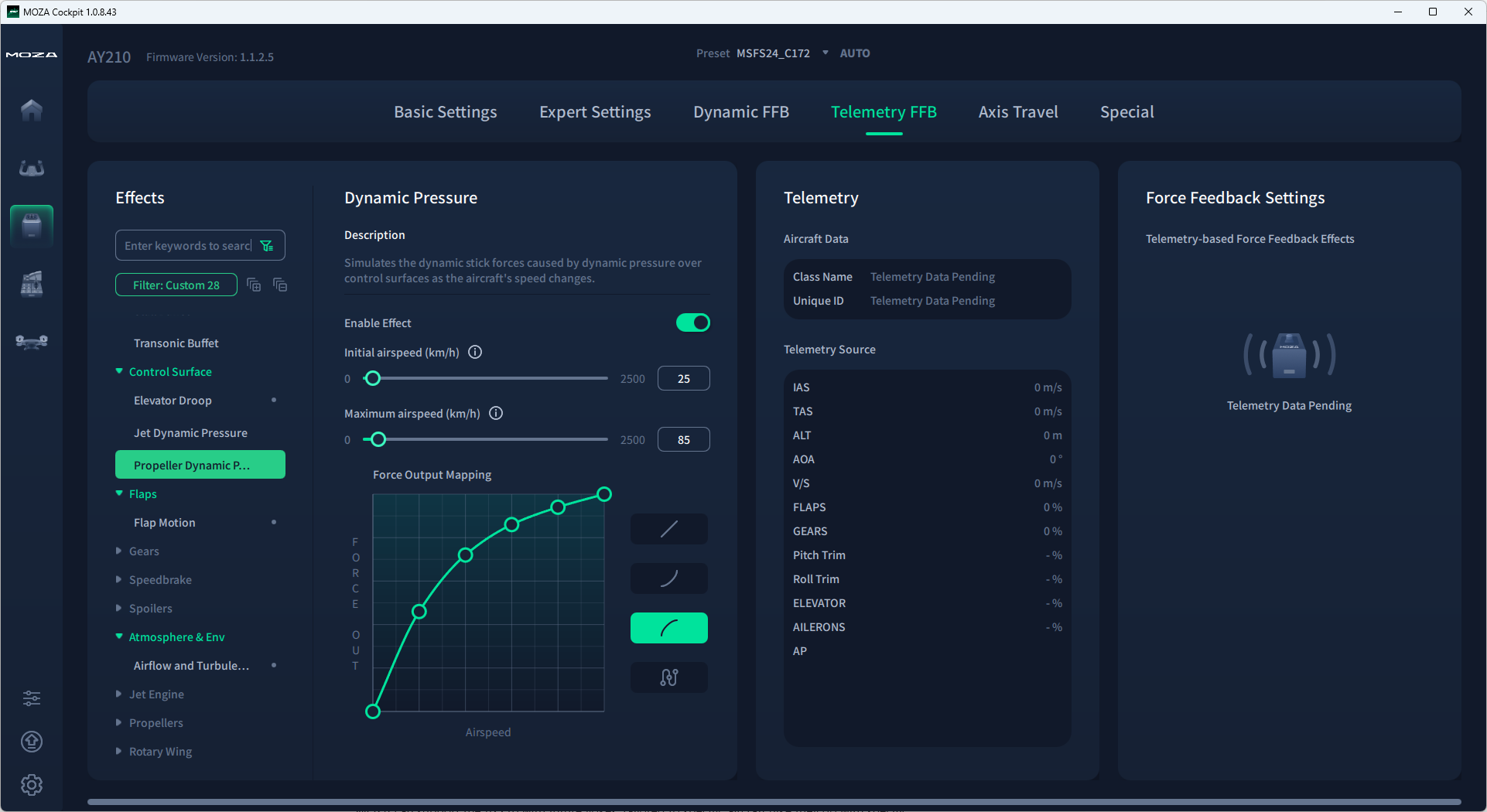
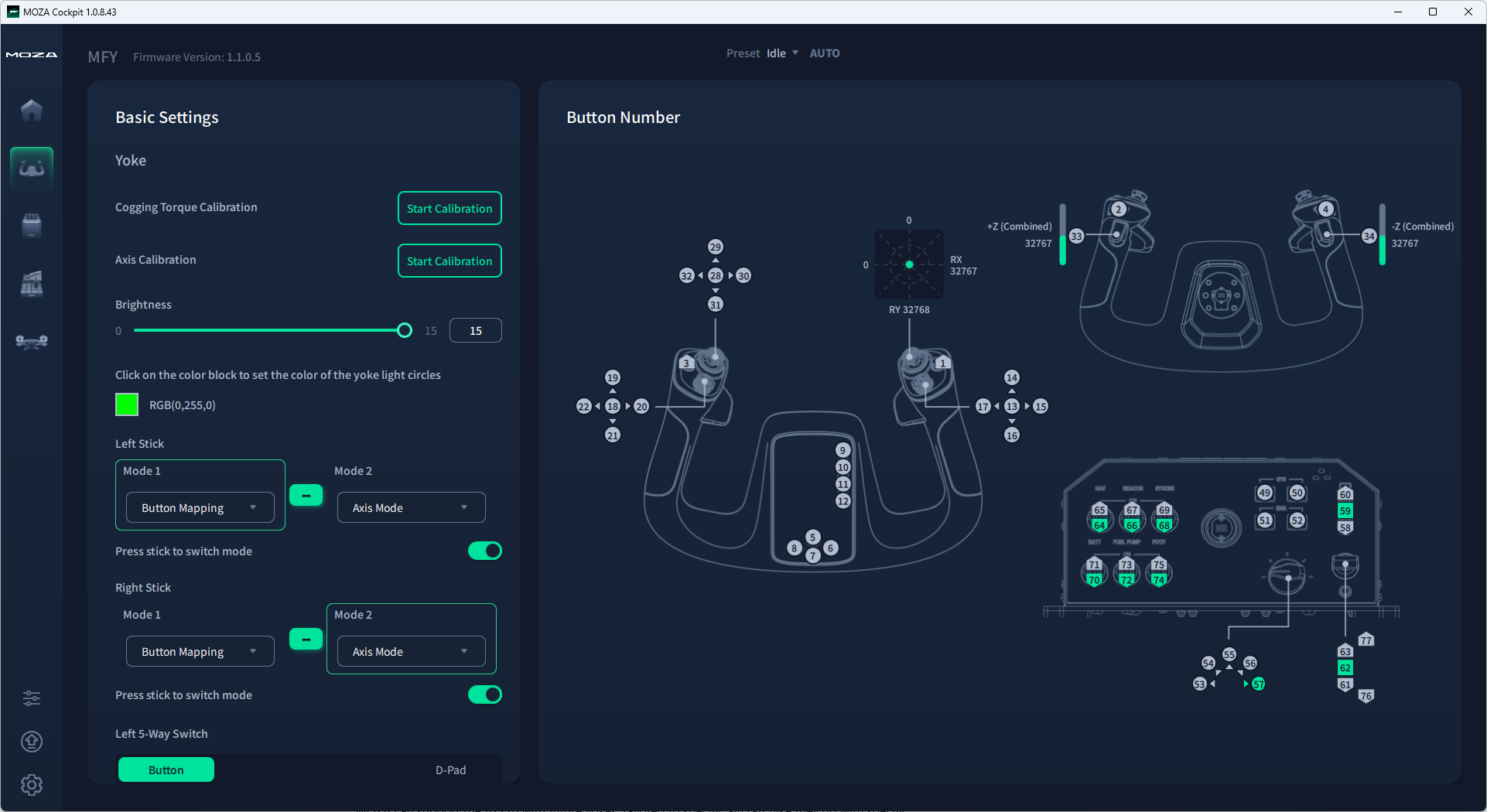
With that said, though, MOZA Cockpit does accomplish its primary purpose in a generally competent fashion. Tweaking FFB parameters is easy, and they are separated into functions that are simple for a novice to understand. All physical switches and buttons can be extensively remapped and adjusted. There are even functions to change the analog sticks from sticks to pseudo 4-way hats and to do so on the fly for further customizability. The lighted faceplate is customizable and can even be tied to a dimmer switch in the cockpit for added immersion. I noted no performance impact while running MOZA Cockpit.
Flying with the MOZA AY210 in MSFS 2024
With all that out of the way, we can now get to the crux of the MOZA AY210 review: what it is like to fly with it. Put simply, it is transformative. At least when flying General Aviation aircraft (such as the Cessnas and Pipers I fly in the meatspace), I can genuinely think of no addition to my sim setup that has been as immersive as adding force feedback, by way of the AY210.
Flying GA (General Aviation) is a very physical experience, and that connection to the aircraft is completely lost in the abstraction of typical sim peripherals. The feel of the controls – the way they respond to inputs at various speeds and load factors – is a crucial sense that is completely lost in the typical sim experience. The AY210 put that feeling back in my hands.

I recall a particularly memorable experience. It was one of those “sim pilot” days where the winds were far too high in the real world to conduct my planned flight, so I instead decided to explore the conditions in the sim. Taking off from my local airstrip, I could feel the winds pressing against the controls as I taxi’d and the gusts on the elevators as I accelerated. In the air, the extreme turbulence buffeted my Cessna, throwing me around the sky and twisting the controls violently in my hands. In accordance with training, and feeling the response of the aircraft through the force feedback, I was able to make timely and careful corrections while avoiding the overcontrolling that is so easy on “non-force-feedback” yokes.
The immersion manifests in innumerable tiny ways that add up to a totally different and exciting experience. Accelerating to takeoff speed, you can feel the elevators come alive. You can feel the differences in the center of gravity based on loading. You can intuitively correct for turbulence and hold your flare based on progressive loss of control effectiveness. Soft-field takeoffs, stalls, performance maneuvers, and hand-flying just start to click. It’s hard to overstate the cumulative effect of all the little physical cues that are given by force feedback, just as it is hard to describe in a written article how it feels to fly with the AY210.
I can, however, describe how much better trimming is with the AY210. Trimming in sim is often done via the instruments: adjust trim, see if you’re climbing or descending, repeat. In the real aircraft, trimming is done to relieve control pressures – you would never trim by the instruments. FFB brings this into the sim, finally, and it’s a breath of fresh air. The centering point changes as the aircraft responds to trim, just as it does in the real world, and you realistically trim to relieve the pressures exerted on the controls.
I had the most fun with the AY210 flying my favorite GA aircraft. The AY210 was able to bring the atmosphere and the aircraft alive in a way that closely resembled my real-world experience. Although I did use the AY210 while flying modern airliners (mostly the iFly 737 MAX and PMDG 777), I found it to be less immersive. As a start, the MOZA Cockpit software did not move the yoke along with the autopilot, which was disappointing. In general, though, the connection to the aircraft is somewhat lost in an airliner. When 90% of the flight is on autopilot and managing systems, the advantages of the AY210’s FFB are diminished in context.
Additionally, the button layout and some frustrations with MOZA Cockpit added just enough friction to keep it from being a totally seamless experience. For example, I found myself continuing to use my Honeycomb Bravo to cover the lack of landing light and alternator switches. MSFS 2024 auto-switches control profiles, so when MOZA cockpit failed to auto-detect and switch FFB profiles, I would experience confusion and loss of control when, for example, the speeds at which I am flying my Cessna are not activating FFB cues on the heavy jet profile that it decided to activate instead.
That means that to me, the MOZA AY210 remains just part of a complete flight sim setup. You already needed to have a throttle quadrant you were happy with, as well as rudder pedals, but you also need to cover more switches if you like tactile flying. You also need to add a step to your pre-flight checklist to verify the correct profile is loaded and activated. In a sim world where increased attention is being paid to removing friction from the experience, MOZA still has some improvements to make. I believe they can make these steps. The core experience of flying with force feedback is something that these frustrations, as ever-present as they are, fail to diminish.
Conclusion
Throughout this review, I have stated how transformative force feedback has been to my home sim experience. However, I haven’t said as much about how the AY210 specifically augments that experience. Put another way: do I love the AY210? Or do I just love force feedback?
That is a tough call to make. Upon reflection, I think that both are somewhat true. Any peripheral capable of competent force feedback could deliver the same transformation, and I have had the privilege of testing several at FSExpo over the years. Additionally, there are certainly ways that the AY210 specifically detracts from a perfectly smooth experience, in its control layout and software.
However, the AY210 does stand alone in its price bracket by such a wide margin that it might finally bring FFB to the masses in flight sim, becoming an essential just like it is in sim racing. But it’s still expensive, and dropping that dough would still be pointless if it’s not good enough. So now we revisit our question from the introduction: has MOZA just delivered the cheapest entry into flight sim FFB? Or have they cheapened FFB?
I confidently think MOZA has done the former. They have brought FFB to an attainable level for the enthusiast flight simmer while not cutting corners in ways that matter to the core experience. The AY210 & MFY Yoke are not cheap by any means – the $850 price tag could still get you an entire yoke, throttle, pedal, FMS, and autopilot panel setup from other manufacturers – but it is also not cheap. Despite my critiques, it is easy for me to recommend the MOZA AY210 & MFY combo.
The base is solidly built, there are plenty of functions on the base and yoke (even if they are not always intelligently laid out), and it does a superb job of bringing the feeling of flight to your home simulator. The AY210 still does that at a full $200 less than the nearest competitor I could find, and with more features and stronger motors to boot. If this is the first shot at cracking open the FFB flight sim market, then MOZA has fired it powerfully and accurately, setting a high bar for competitors to follow in the months and years to come.
The MOZA AY210 & MFY yoke can be purchased from MOZA directly on their website here.
Feel free to join our Discord server to share your feedback on the article, screenshots from your flights or just chat with the rest of the team and the community. Click here to join the server.